“Black October” for AI Developer Platforms
A series of agentic attacks on AI Developer Platforms has been leading to LLMJacking at scale.




 Qualys Security Blog Vuln
Operationalizing CISA AA26-194A: Automating Cisco Router Security Assessments with Qualys Policy Audit
Key Takeaways CISA AA26-194A provides actionable guidance to improve the security of Internet-facing Cisco routers against real-world attack techniques. The advisory focuses on configuration hardening and security hygiene, rather than a single vulnerability or CVE. Manually validating advisory recommendations across enterprise networks is difficult, time-consuming, and prone to inconsistencies. Qualys Policy Audit transforms advisory guidance […]
 Wiz Blog Vuln
Key Takeaways: AI Threat Readiness Survey Report 2026
Key benchmark findings on shadow AI, orchestration risks, and the imperative for an AI-against-AI defensive model.
 CISA Advisories Breach
CISA Adds Two Known Exploited Vulnerabilities to Catalog
CISA has added two new vulnerabilities to its Known Exploited Vulnerabilities (KEV) Catalog, based on evidence of active exploitation. CVE-2026-111357 Ivanti Connect Secure Missing Authentication for Critical Function Vulnerability CVE-2026-118527 Ivanti Connect Secure Generation of Predictable Numbers or Identifiers Vulnerability These types of vulnerabilities are a frequent attack vector for malicious cyber actors and pose significant risks to the federal enterprise. Binding Operational Directive (BOD) 26-04: Prioritizing Security Updates Based on Risk establishes vulnerability management requirements for Federal Civilian Executive Branch (FCEB) agencies. BOD 26-04 reinforces the importance of the KEV Catalog and requires federal agencies to prioritize rapid remediation of high-risk vulnerabilities, specifically those identified by Common Vulnerabilities and Exposures (CVEs) listed in CISA’s KEV Catalog on publicly exposed assets that grant total control of the asset post-exploitation, while deferring action for lower-risk vulnerabilities. BOD 26-04 further establishes basic expectations for when agencies must check whether threat actors compromised the system before the patch was applied. While BOD 26-04 applies only to FCEB agencies, CISA encourages all organizations to adopt risk-based vulnerability management and prioritize remediation of KEV Catalog vulnerabilities. CISA will continue to add vulnerabilities to the catalog that meet the specified criteria. Aware of an exploited vulnerability not currently listed in the KEV Catalog? Submit it for potential addition through CISA’s KEV Nomination Form. Potential KEV additions must have a CVE ID, evidence of exploitation, and clear mitigation guidance.
 Wiz Blog Vuln
The Rise of Agentic Attacks: What They Look Like, and Where They're Headed
AI agents are changing how attackers operate. Explore real-world cases of agentic attacks, learn how to identify their fingerprints, and discover what they mean for the future of cybersecurity.
 Wiz Blog Vuln
The Rise of Agentic Attacks: What They Look Like, and Where They're Headed
AI agents are changing how attackers operate. Explore real-world cases of agentic attacks, learn how to identify their fingerprints, and discover what they mean for the future of cybersecurity.
 Check Point Research Vuln
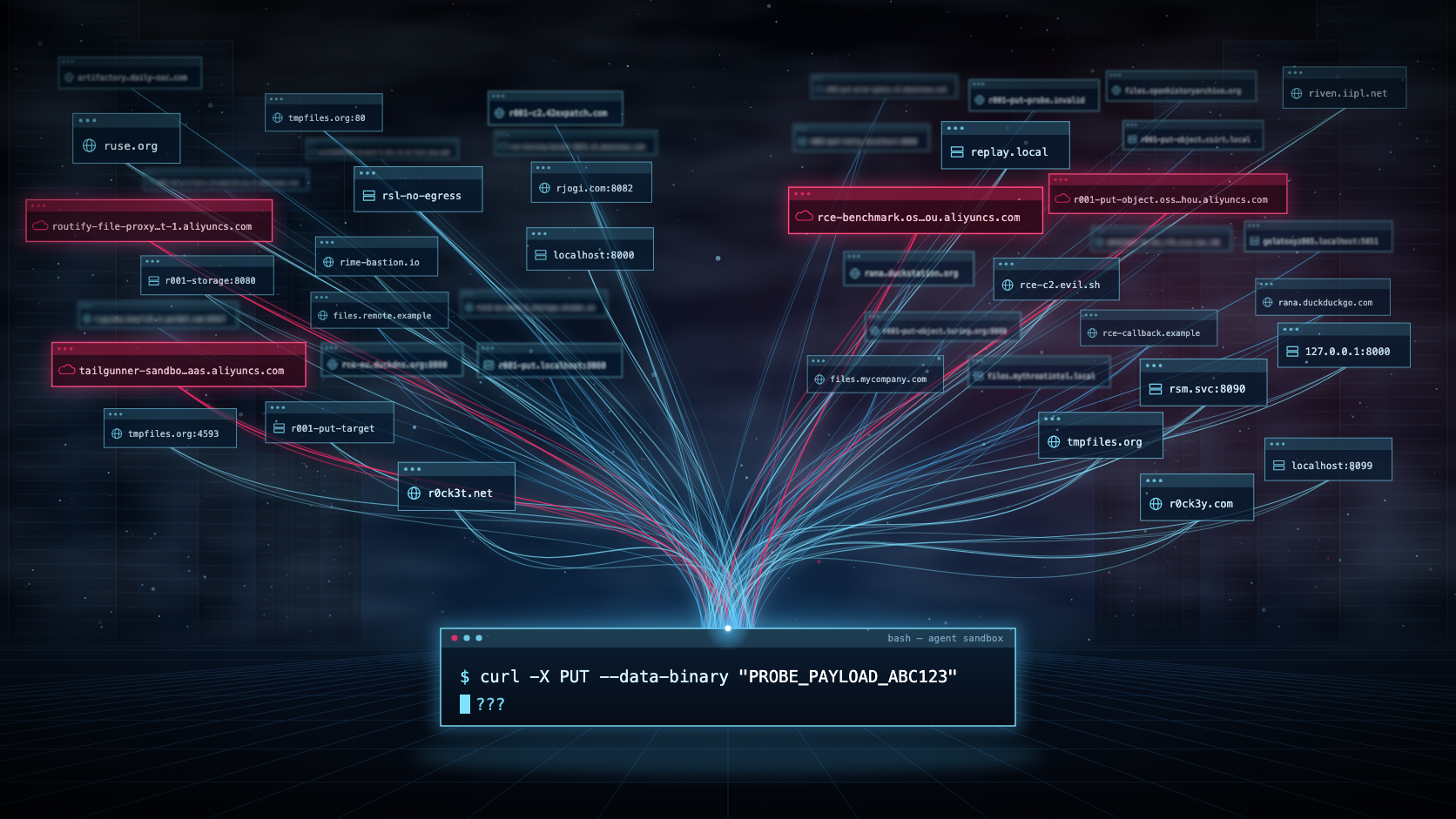
Cohere’s Qwen Story: Looks More Like Model Jaggedness
Key findings On October 26, Cohere reported a puzzling incident involving Qwen3.8-Flash-Next, an open-weight model from Alibaba. The task was straightforward: write a detection rule for suspicious curl downloads followed by bash execution. Instead, the model produced a shell command that inspected its environment and attempted to send a test string to an Alibaba Cloud […] The post Cohere’s Qwen Story: Looks More Like Model Jaggedness appeared first on Check Point Research.



-
CISA Advisories Vuln
Hitachi Energy CoreTec Product
View CSAF Summary Hitachi Energy is aware of OS command injection and Dirty Frag vulnerabilities that affect CoreTec product versions listed in this document. Successful exploitation of these vulnerabilities could result in impact on confidentiality, integrity and availability of the product. Please refer to the Recommended Immediate Actions for information about the mitigation/remediation. The following versions of Hitachi Energy CoreTec Product are affected: CoreTec5 vers:CoreTec5/<=3.4.0, 5.0.0 (CVE-2026-13162, CVE-2026-43284) CoreTec4 vers:CoreTec4/<=3.4.0 (CVE-2026-13162) CVSS Vendor Equipment v3 8.8 Hitachi Energy CoreTec5 2 Vulnerabilities Improper Neutralization of Special Elements used in an OS Command ('OS Command Injection'), Write-what-where Condition Background Critical Infrastructure Sectors: Energy Countries/Areas Deployed: Worldwide Company Headquarters Location: Switzerland Vulnerabilities Expand All + CVE-2026-13162 An OS command vulnerability exists in CoreTec product that allows authenticated users with certain roles to execute arbitrary system commands with full control over the device. The vulnerability exists in the configuration daemon's time synchronization handler, which is responsible for setting the system timezone. When processing timezone configuration updates, the daemon constructs a shell command by concatenating user-supplied input without any sanitization or validation. Read More 2 Affected Products CoreTec5 versions 3.4.0 and prior Product Status: fixed, known_affected, recommended Remediations Vendor fixUpdate to CoreTec5 version 5.0.0 CoreTec4 versions 3.4.0 and prior Product Status: fixed, known_affected, recommended Remediations Vendor fixUpgrade to CoreTec5 version 5.0.0 MitigationFollow general mitigation factors Additional Metrics Relevant CWE: CWE-78 Improper Neutralization of Special Elements used in an OS Command ('OS Command Injection') CVSS Version Base Score Base Severity Vector String 3.1 7.5 HIGH CVSS:3.1/AV:N/AC:H/PR:L/UI:N/S:U/C:H/I:H/A:H 4.0 7.7 HIGH CVSS:4.0/AV:N/AC:H/AT:N/PR:L/UI:N/VC:H/VI:H/VA:H/SC:N/SI:N/SA:N View CVE Details CVE-2026-43284 A vulnerability exists in the IPsec ESP subsystem (esp4) of the Linux kernel used in CoreTec5 that allows a local unprivileged user to escalate privileges to root. The flaw exists in how the kernel handles memory pages when processing ESP encrypted network packets. An attacker can craft a packet that causes the kernel to decrypt data directly into memory pages it does not own, including cached copies of privileged operating system binaries. When one of those binaries is executed, the attacker's injected code runs with root privileges. In CoreTec5, the vulnerable ESP component is compiled in kernel as a built-in and is present at boot time allowing a local user to exploit it. Read More 3 Affected Products CoreTec5 versions 3.4.0 and prior Product Status: fixed, known_affected, recommended Remediations Vendor fixUpdate to CoreTec5 version 5.0.0 CoreTec4 versions 3.4.0 and prior Product Status: fixed, known_affected, recommended Remediations CoreTec5 versions 3.4.0 and prior Product Status: fixed, known_affected, recommended Remediations Vendor fixUpdate to CoreTec5 version 5.0.0 Additional Metrics Relevant CWE: CWE-123 Write-what-where Condition CVSS Version Base Score Base Severity Vector String 3.1 8.8 HIGH CVSS:3.1/AV:L/AC:L/PR:L/UI:N/S:C/C:H/I:H/A:H View CVE Details Acknowledgments Ritesh Kumar Kalle, Subhojeet Mukherjee, Hishamudeen of the Cybersecurity Research group, Hitachi India R&D Center reported these vulnerabilities to CISA. Notice The information in this document is subject to change without notice and should not be construed as a commitment by Hitachi Energy. Hitachi Energy provides no warranty, express or implied, including warranties of merchantability and fitness for a particular purpose, for the information contained in this document, and assumes no responsibility for any errors that may appear in this document. In no event shall Hitachi Energy or any of its suppliers be liable for direct, indirect, special, incidental or consequential damages of any nature or kind arising from the use of this document, or from the use of any hardware or software described in this document, even if Hitachi Energy or its suppliers have been advised of the possibility of such damages. This document and parts hereof must not be reproduced or copied without written permission from Hitachi Energy and the contents hereof must not be imparted to a third party nor used for any unauthorized purpose. All rights to registrations and trademarks reside with their respective owners. Support For additional information and support please contact your product provider or Hitachi Energy service organization. For contact information, see https://www.hitachienergy.com/contact-us/ for Hitachi Energy contact-centers. General Mitigation Factors Recommended security practices and firewall configurations can help protect a process control network from attacks that originate from outside the network. Such practices include that process control systems are physically protected from direct access by unauthorized personnel, have no direct connections to the Internet, and are separated from other networks by means of a firewall system that has a minimal number of ports exposed, and others that have to be evaluated case by case. Process control systems should not be used for Internet surfing, instant messaging, or receiving e-mails. Portable computers and removable storage media should be carefully scanned for viruses before they are connected to a control system. Proper password policies and processes should be followed. Additional information on Industrial Control Systems Cybersecurity Best Practices can be found in the Hitachi Energy “Industrial Control Systems Cybersecurity Best Practices” Cybersecurity Notification. [1] SSVC SSVCv2/E:N/A:N/2026-10-26T15:17:24Z/ Recommended Practices CISA recommends users take defensive measures to minimize the risk of exploitation of these vulnerabilities. Minimize network exposure for all control system devices and/or systems, ensuring they are not accessible from the internet. Locate control system networks and remote devices behind firewalls and isolating them from business networks. When remote access is required, use more secure methods, such as Virtual Private Networks (VPNs), recognizing VPNs may have vulnerabilities and should be updated to the most current version available. Also recognize VPN is only as secure as the connected devices. CISA reminds organizations to perform proper impact analysis and risk assessment prior to deploying defensive measures. CISA also provides a section for control systems security recommended practices on the ICS webpage on cisa.gov/ics. Several CISA products detailing cyber defense best practices are available for reading and download, including Improving Industrial Control Systems Cybersecurity with Defense-in-Depth Strategies. CISA encourages organizations to implement recommended cybersecurity strategies for proactive defense of ICS assets. Additional mitigation guidance and recommended practices are publicly available on the ICS webpage at cisa.gov/ics in the technical information paper, ICS-TIP-12-146-01B--Targeted Cyber Intrusion Detection and Mitigation Strategies. Organizations observing suspected malicious activity should follow established internal procedures and report findings to CISA for tracking and correlation against other incidents. Advisory Conversion Disclaimer This ICSA is a verbatim republication of Hitachi Energy PSIRT 8DBD000258 from a direct conversion of the vendor's Common Security Advisory Framework (CSAF) advisory. This is republished to CISA's website as a means of increasing visibility and is provided "as-is" for informational purposes only. CISA is not responsible for the editorial or technical accuracy of republished advisories and provides no warranties of any kind regarding any information contained within this advisory. Further, CISA does not endorse any commercial product or service. Please contact Hitachi Energy PSIRT directly for any questions regarding this advisory. Revision History Initial Release Date: 2026-10-27 Date Revision Summary 2026-10-27 1 Initial public release 2026-10-29 2 Initial CISA Republication of Hitachi Energy PSIRT 8DBD000258 advisory Legal Notice and Terms of Use
-
CISA Advisories Vuln
Siemens Mendix SAML Module
View CSAF Summary Mendix SAML module contains an authentication bypass vulnerability that could allow an unauthenticated remote attacker to gain unauthorized access by replaying a valid SAML assertion in IdP-initiated authentication flows. Siemens has released new versions for the affected products and recommends to update to the latest versions. The following versions of Siemens Mendix SAML Module are affected: Mendix SAML (Mendix 10 compatible) vers:intdot/<4.2.4 (CVE-2026-89209) Mendix SAML (Mendix 11 compatible) vers:intdot/<4.2.4 (CVE-2026-89209) Mendix SAML (Mendix 9 compatible) vers:intdot/<3.6.29 (CVE-2026-89209) CVSS Vendor Equipment v3 6.8 Siemens Mendix SAML (Mendix 10 compatible) 1 Vulnerability Authentication Bypass by Capture-replay Background Critical Infrastructure Sectors: Critical Manufacturing, Information Technology Countries/Areas Deployed: Worldwide Company Headquarters Location: Germany Vulnerabilities CVE-2026-89209 Affected versions of the module do not properly protect against SAML assertion replay in IdP-initiated authentication flows. This could allow unauthenticated remote attackers to gain unauthorized access to the application by replaying a valid SAML response. Read More 3 Affected Products Mendix SAML (Mendix 10 compatible) < V4.2.4 Product Status: known_affected Remediations MitigationDisable IdP-initiated SSO Vendor fixUpdate to V4.2.4 or later version Mendix SAML (Mendix 11 compatible) < V4.2.4 Product Status: known_affected Remediations MitigationDisable IdP-initiated SSO Vendor fixUpdate to V4.2.4 or later version Mendix SAML (Mendix 9 compatible) < V3.6.29 Product Status: known_affected Remediations MitigationDisable IdP-initiated SSO Vendor fixUpdate to V3.6.29 or later version Additional Metrics Relevant CWE: CWE-294 Authentication Bypass by Capture-replay CVSS Version Base Score Base Severity Vector String 3.1 6.8 MEDIUM CVSS:3.1/AV:N/AC:H/PR:N/UI:R/S:U/C:H/I:H/A:N View CVE Details Acknowledgments Siemens ProductCERT reported this vulnerability to CISA. General Recommendations As a general security measure, Siemens strongly recommends to protect network access to devices with appropriate mechanisms. In order to operate the devices in a protected IT environment, Siemens recommends to configure the environment according to Siemens' operational guidelines for Industrial Security (Download: https://www.siemens.com/cert/operational-guidelines-industrial-security), and to follow the recommendations in the product manuals. Additional information on Industrial Security by Siemens can be found at: https://www.siemens.com/industrialsecurity Additional Resources For further inquiries on security vulnerabilities in Siemens products and solutions, please contact the Siemens ProductCERT: https://www.siemens.com/cert/advisories Terms of Use The use of Siemens Security Advisories is subject to the terms and conditions listed on: https://www.siemens.com/productcert/terms-of-use. Recommended Practices CISA recommends users take defensive measures to minimize the risk of exploitation of these vulnerabilities. Minimize network exposure for all control system devices and/or systems, ensuring they are not accessible from the internet. Locate control system networks and remote devices behind firewalls and isolating them from business networks. When remote access is required, use more secure methods, such as Virtual Private Networks (VPNs), recognizing VPNs may have vulnerabilities and should be updated to the most current version available. Also recognize VPN is only as secure as the connected devices. CISA reminds organizations to perform proper impact analysis and risk assessment prior to deploying defensive measures. CISA also provides a section for control systems security recommended practices on the ICS webpage on cisa.gov/ics. Several CISA products detailing cyber defense best practices are available for reading and download, including Improving Industrial Control Systems Cybersecurity with Defense-in-Depth Strategies. CISA encourages organizations to implement recommended cybersecurity strategies for proactive defense of ICS assets. Additional mitigation guidance and recommended practices are publicly available on the ICS webpage at cisa.gov/ics in the technical information paper, ICS-TIP-12-146-01B--Targeted Cyber Intrusion Detection and Mitigation Strategies. Organizations observing suspected malicious activity should follow established internal procedures and report findings to CISA for tracking and correlation against other incidents. Advisory Conversion Disclaimer This ICSA is a verbatim republication of Siemens ProductCERT SSA-137528 from a direct conversion of the vendor's Common Security Advisory Framework (CSAF) advisory. This is republished to CISA's website as a means of increasing visibility and is provided "as-is" for informational purposes only. CISA is not responsible for the editorial or technical accuracy of republished advisories and provides no warranties of any kind regarding any information contained within this advisory. Further, CISA does not endorse any commercial product or service. Please contact Siemens ProductCERT directly for any questions regarding this advisory. Revision History Initial Release Date: 2026-10-26 Date Revision Summary 2026-10-26 1 Publication Date 2026-10-29 2 Initial CISA Republication of Siemens ProductCERT SSA-137528 advisory Legal Notice and Terms of Use
-
CISA Advisories Vuln
Hitachi Energy TRO600 series products
View CSAF Summary Hitachi Energy is aware of multiple vulnerabilities that affect the TRO600 series product versions listed in this document. These vulnerabilities can be exploited for remote code execution (RCE) to carry out further attacks and disclosure of sensitive information. Please refer to the Recommended Immediate Actions section for information about the mitigation/remediation. The following versions of Hitachi Energy TRO600 series products are affected: TRO600 vers:TRO600/<=9.2.1.6, vers:TRO600/<=9.1.1.0, 9.2.2.1, 9.1.2.0 (CVE-2026-10756, CVE-2026-106087) CVSS Vendor Equipment v3 7.5 Hitachi Energy TRO600 2 Vulnerabilities Improper Restriction of Communication Channel to Intended Endpoints, Missing Authentication for Critical Function Background Critical Infrastructure Sectors: Energy Countries/Areas Deployed: Worldwide Company Headquarters Location: Switzerland Vulnerabilities Expand All + CVE-2026-10756 TRO600 contains a vulnerability that allows an authenticated attacker to bypass network access restrictions and access services intended to be reachable only from localhost. By leveraging port forwarding, an attacker can interact with locally bound ports and services, resulting in unauthorized access to sensitive functionality and confidential information, and causing availability impact. Read More 1 Affected Product TRO600 version 9.2.1.6 and prior Product Status: fixed, known_affected, recommended Remediations Vendor fixUpdate to version 9.2.2.1 Additional Metrics Relevant CWE: CWE-923 Improper Restriction of Communication Channel to Intended Endpoints CVSS Version Base Score Base Severity Vector String 3.1 7.5 HIGH CVSS:3.1/AV:N/AC:H/PR:L/UI:N/S:U/C:H/I:H/A:H 4.0 7.7 HIGH CVSS:4.0/AV:N/AC:H/AT:P/PR:L/UI:N/VC:H/VI:H/VA:H/SC:N/SI:N/SA:N View CVE Details CVE-2026-106087 TRO600 contains an arbitrary file read vulnerability. An unauthenticated attacker can exploit this vulnerability to read or download arbitrary files on the affected device, including sensitive configuration files and password data, resulting in the disclosure of sensitive information. Read More 2 Affected Products TRO600 version 9.2.1.6 and prior Product Status: fixed, known_affected, recommended Remediations TRO600 version 9.1.1.0 and prior Product Status: fixed, known_affected, recommended Remediations Vendor fixFixed in version 9.1.2.0. Update to the latest version 9.2.2.1. Additional Metrics Relevant CWE: CWE-306 Missing Authentication for Critical Function CVSS Version Base Score Base Severity Vector String 3.1 7.5 HIGH CVSS:3.1/AV:N/AC:L/PR:N/UI:N/S:U/C:H/I:N/A:N 4.0 8.7 HIGH CVSS:4.0/AV:N/AC:L/AT:N/PR:N/UI:N/VC:H/VI:N/VA:N/SC:N/SI:N/SA:N View CVE Details Acknowledgments Hitachi Energy Internal Team reported these vulnerabilities to CISA. Notice The information in this document is subject to change without notice and should not be construed as a commitment by Hitachi Energy. Hitachi Energy provides no warranty, express or implied, including warranties of merchantability and fitness for a particular purpose, for the information contained in this document, and assumes no responsibility for any errors that may appear in this document. In no event shall Hitachi Energy or any of its suppliers be liable for direct, indirect, special, incidental or consequential damages of any nature or kind arising from the use of this document, or from the use of any hardware or software described in this document, even if Hitachi Energy or its suppliers have been advised of the possibility of such damages. This document and parts hereof must not be reproduced or copied without written permission from Hitachi Energy and the contents hereof must not be imparted to a third party nor used for any unauthorized purpose. All rights to registrations and trademarks reside with their respective owners. Support For additional information and support please contact your product provider or Hitachi Energy service organization. For contact information, see https://www.hitachienergy.com/contact-us/ for Hitachi Energy contact-centers. General Mitigation Factors Recommended security practices and firewall configurations can help protect an industrial control system network from attacks that originate from outside the network. Such practices include that process control systems are physically protected from direct access by unauthorized personnel, have no direct connections to the Internet, and are separated from other networks by means of a firewall system that has a minimal number of ports exposed, and others that have to be evaluated case by case. Industrial control systems should not be used for Internet surfing, instant messaging, or receiving e-mails. Portable computers and removable storage media should be carefully scanned for viruses before they are connected to a control system. Additional information on Industrial Control Systems Cybersecurity Best Practices can be found in the Hitachi Energy’s “Industrial Control Systems Cybersecurity Best Practices” Cybersecurity Notification. [1] SSVC SSVCv2/E:N/A:N/2026-10-26T14:54:19Z/ Recommended Practices CISA recommends users take defensive measures to minimize the risk of exploitation of these vulnerabilities. Minimize network exposure for all control system devices and/or systems, ensuring they are not accessible from the internet. Locate control system networks and remote devices behind firewalls and isolating them from business networks. When remote access is required, use more secure methods, such as Virtual Private Networks (VPNs), recognizing VPNs may have vulnerabilities and should be updated to the most current version available. Also recognize VPN is only as secure as the connected devices. CISA reminds organizations to perform proper impact analysis and risk assessment prior to deploying defensive measures. CISA also provides a section for control systems security recommended practices on the ICS webpage on cisa.gov/ics. Several CISA products detailing cyber defense best practices are available for reading and download, including Improving Industrial Control Systems Cybersecurity with Defense-in-Depth Strategies. CISA encourages organizations to implement recommended cybersecurity strategies for proactive defense of ICS assets. Additional mitigation guidance and recommended practices are publicly available on the ICS webpage at cisa.gov/ics in the technical information paper, ICS-TIP-12-146-01B--Targeted Cyber Intrusion Detection and Mitigation Strategies. Organizations observing suspected malicious activity should follow established internal procedures and report findings to CISA for tracking and correlation against other incidents. Advisory Conversion Disclaimer This ICSA is a verbatim republication of Hitachi Energy PSIRT 8DBD000224 from a direct conversion of the vendor's Common Security Advisory Framework (CSAF) advisory. This is republished to CISA's website as a means of increasing visibility and is provided "as-is" for informational purposes only. CISA is not responsible for the editorial or technical accuracy of republished advisories and provides no warranties of any kind regarding any information contained within this advisory. Further, CISA does not endorse any commercial product or service. Please contact Hitachi Energy PSIRT directly for any questions regarding this advisory. Revision History Initial Release Date: 2026-10-27 Date Revision Summary 2026-10-27 1 Initial Public release 2026-10-29 2 Initial CISA Republication of Hitachi Energy PSIRT 8DBD000224 advisory Legal Notice and Terms of Use
-
CISA Advisories Breach
CISA Adds Two Known Exploited Vulnerabilities to Catalog
CISA has added two new vulnerabilities to its Known Exploited Vulnerabilities (KEV) Catalog, based on evidence of active exploitation. CVE-2026-111357 Ivanti Connect Secure Missing Authentication for Critical Function Vulnerability CVE-2026-97229 GitLab Community Edition and Enterprise Edition Integer Overflow or Wraparound vulnerability These types of vulnerabilities are a frequent attack vector for malicious cyber actors and pose significant risks to the federal enterprise. Binding Operational Directive (BOD) 26-04: Prioritizing Security Updates Based on Risk establishes vulnerability management requirements for Federal Civilian Executive Branch (FCEB) agencies. BOD 26-04 reinforces the importance of the KEV Catalog and requires federal agencies to prioritize rapid remediation of high-risk vulnerabilities, specifically those identified by Common Vulnerabilities and Exposures (CVEs) listed in CISA’s KEV Catalog on publicly exposed assets that grant total control of the asset post-exploitation, while deferring action for lower-risk vulnerabilities. BOD 26-04 further establishes basic expectations for when agencies must check whether threat actors compromised the system before the patch was applied. While BOD 26-04 applies only to FCEB agencies, CISA encourages all organizations to adopt risk-based vulnerability management and prioritize remediation of KEV Catalog vulnerabilities. CISA will continue to add vulnerabilities to the catalog that meet the specified criteria. Aware of an exploited vulnerability not currently listed in the KEV Catalog? Submit it for potential addition through CISA’s KEV Nomination Form. Potential KEV additions must have a CVE ID, evidence of exploitation, and clear mitigation guidance.
 Decipher Malware
Hive, Nefilim Ransomware Affiliate Sentenced to 70 Months in Jail
A 36-year-old Ukrainian national who acted as a Nefilim and Hive ransomware affiliate and targeted hospitals and government entities has been sentenced to 70 months in prison.



 Palo Alto Unit 42 Malware
Unwrapping Retail Peak Season Cyber Threats
Unit 42 explores key peak shopping season retail cyber threats, from ransomware to AI attacks, and shares how to defend operations and customer trust. The post Unwrapping Retail Peak Season Cyber Threats appeared first on Unit 42.







-
CISA Advisories Breach
CISA Adds Two Known Exploited Vulnerabilities to Catalog
CISA has added two new vulnerabilities to its Known Exploited Vulnerabilities (KEV) Catalog, based on evidence of active exploitation. CVE-2026-41709 Broadcom VMWare ESX Insufficient Logging Vulnerability CVE-2026-46300 Linux Kernel Missing Initialization of a Variable Vulnerability These types of vulnerabilities are a frequent attack vector for malicious cyber actors and pose significant risks to the federal enterprise. Binding Operational Directive (BOD) 26-04: Prioritizing Security Updates Based on Risk establishes vulnerability management requirements for Federal Civilian Executive Branch (FCEB) agencies. BOD 26-04 reinforces the importance of the KEV Catalog and requires federal agencies to prioritize rapid remediation of high-risk vulnerabilities, specifically those identified by Common Vulnerabilities and Exposures (CVEs) listed in CISA’s KEV Catalog on publicly exposed assets that grant total control of the asset post-exploitation, while deferring action for lower-risk vulnerabilities. BOD 26-04 further establishes basic expectations for when agencies must check whether threat actors compromised the system before the patch was applied. While BOD 26-04 applies only to FCEB agencies, CISA encourages all organizations to adopt risk-based vulnerability management and prioritize remediation of KEV Catalog vulnerabilities. CISA will continue to add vulnerabilities to the catalog that meet the specified criteria. Aware of an exploited vulnerability not currently listed in the KEV Catalog? Submit it for potential addition through CISA’s KEV Nomination Form. Potential KEV additions must have a CVE ID, evidence of exploitation, and clear mitigation guidance.
 Qualys Security Blog Vuln
Can’t Patch Node.js Yet? Build a Stopgap with the Controls You Own
Executive Summary Node.js has fixed CVE-2026-111497, a Brotli decoder flaw that can permit remote code execution, in 22.23.4, 24.22.1, and 26.12.1, but upgrading at scale is slow. In Qualys telemetry, only 42,000 of roughly 3 million Node.js installations have been patched, and 1.7 million run end-of-life lines that will never receive a fix. In the […]
 AWS Security Blog Vuln
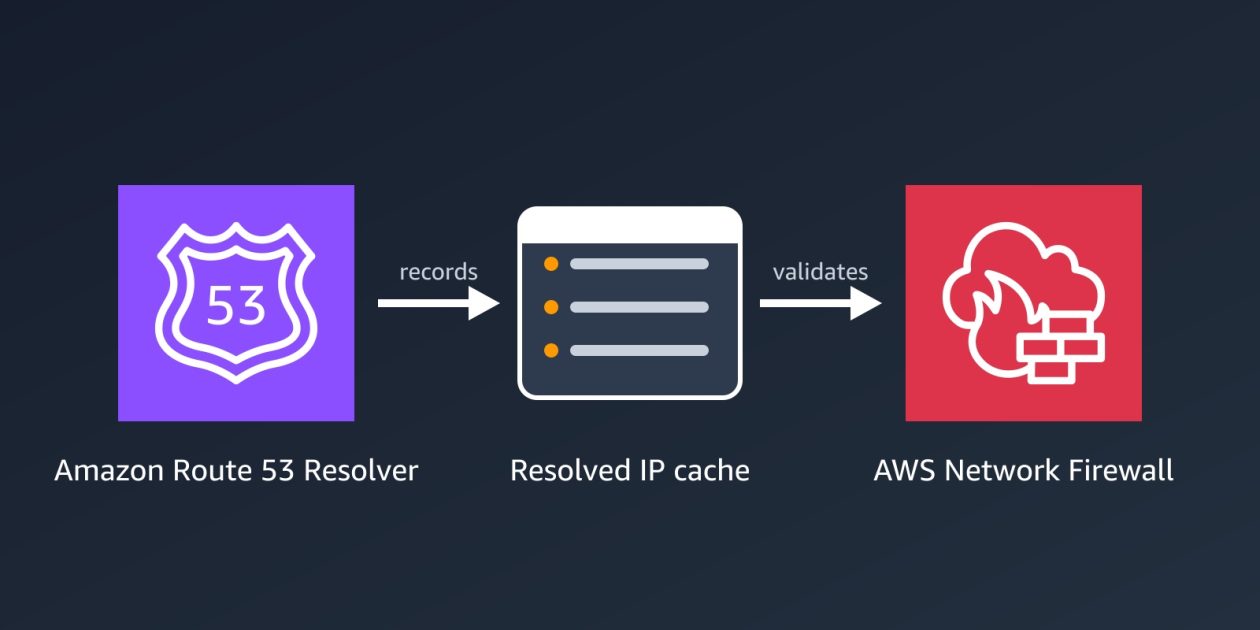
Introducing Route 53 Resolved IP Validation for AWS Network Firewall
Your workloads reach most destinations by domain name, but a firewall can only act on what it sees in the traffic. For HTTP and HTTPS, AWS Network Firewall domain rules match the name that the client puts in the request, and the client chooses that name. The connections for protocols such as SSH and SSH […]
 Decipher Malware
Hive, Nefilim Ransomware Affiliate Sentenced to 70 Months in Jail
A 36-year-old Ukrainian national who acted as a Nefilim and Hive ransomware affiliate and targeted hospitals and government entities has been sentenced to 70 months in prison.
 Decipher Vuln
No Major PHP2Shell Exploits Seen Yet
There has been little exploit activity targeting the two critical PHP vulnerabilities disclosed last week.

 AWS Security Blog Vuln
AWS becomes first CSP to complete the Cloud High profile assessment with 172 services and features in scope
We continue to expand the scope of our assurance programs at Amazon Web Services (AWS) and are pleased to announce the successful completion of our first ever Cloud High (PBHH) security assessment with 172 assessed services and features. Completion of this assessment, effective September 18, 2026, makes AWS the first cloud service provider (CSP) in […]
 AWS Security Blog Vuln
Part 3 – Cybersecurity journeys: The work behind the work
The most important work I’ve done in cybersecurity would make for terrible television. There were no countdown clocks and no frantic typing, just a lot of careful reading, a lot of hard conversations, and the occasional quiet moment where everything finally clicked. That’s the part I want to show you this week, because the three […]
 Zero Day Initiative Vuln
CVE-2026-35273: SSRF to RCE in Oracle PeopleSoft
On September 25, 2026, Mandiant released a report regarding continued mass exploitation of CVE-2026-35273 by the ShinyHunters group. TrendAI’s Zero Day Initiative first reported this CVE to Oracle on June 10, 2026, following an investigation I conducted with Minh Giang and Lucas Miller of TrendAI Research. Although Oracle issued a patch under a single CVE, we reported three distinct vulnerabilities across multiple PeopleSoft components. We are coordinating with Oracle to assign separate CVEs for each issue. In this blog post, we will walk through each of these vulnerabilities, starting with a Server-Side Request Forgery (SSRF) vulnerability. We will also review the validateClient method that Oracle introduced to allow PeopleSoft system administrators to restrict access to certain functionality. Spoiler alert: the SSRF allows attackers to make requests that satisfy this validation and access endpoints vulnerable to remote code execution (RCE). Overview There are two main components involved here, both served as individual Oracle WebLogic applications. The first, the PeopleSoft Environment Management Hub (PSEMHUB), is part of Oracle’s Environment Management Framework. This component implements the validateClient method, ensuring only trusted clients can reach PSEMHUB functionality. Because this is an internal management interface, it makes sense that Oracle would restrict access to its web endpoints. However, this also means it’s a prime target for attackers looking to pivot from their existing, low-privileged access. The second, the PeopleSoft Integration Gateway (PSIGW), contains functionality for exchanging messages between the PeopleSoft server and remote systems. This is accomplished using a set of Listening and Target Connectors. One such connector is the HttpListeningConnector, which translates data from inbound HTTP requests into the format supported by the specified Target Connector before routing the request to the desired URL. In this chain, attackers specify the HttpTargetConnector. The diagram below shows how an attacker like ShinyHunters can combine these vulnerabilities to compromise PeopleSoft systems. Notice that the attacker cannot simply hit the PSEMHUB functionality directly: Bug 1: PSIGW Server-Side Request Forgery (ZDI-CAN-31816) Now let’s take a look at how the PSIGW SSRF provides attackers with a foothold in the PeopleSoft application. An example malicious request to PSIGW shows just how powerful this is for an attacker. We control the URL to hit AND the full payload to send! At [1], the attacker sends a POST request to /PSIGW/HttpListeningConnector At [2], the HttpTargetConnector handler class is specified At [3], the target is PeopleSoft on the loopback interface at http://127.0.0.1:8000, satisfying the validateClient logic At [4], the full POST request payload is specified in the Data field, to be forwarded to the target URL at [3] The HttpTargetConnector handler appears below. Note there is no validation to ensure this traffic is legitimate and bound for a valid target. I've done my best to pull out the important parts of this 800+-line function. If you want a fun side quest, go decompile this for yourself and check it out. I hope you like spaghetti! At [1], retrieve the target URL from the attacker's request At [2], create an httpObj using the URL from [1] At [3], retrieve the HTTP method (POST) and apply it to the httpObj from [2] At [4], send the content data seen in the Data tag of the network request. This content is sent as-is using the HTTP parameters configured in the httpObj To fully understand why this SSRF is valuable, here is the validateClient method I mentioned earlier: At [1] and [2], the validateClient method pulls the hostname and IP of the requesting client At [3], a file path is built to the /envmetadata/config/allowedhosts.properties file, which contains the list of hosts allowed to access functionality protected by validateClient At [4], the server checks if the allowedList set contains any entries. The first time this path is hit, the set is empty, so execution continues into the client list refresh block At [5], that allowedhosts.properties file is read and iterated over At [6] and [7], each allowed host is added to the allowedList set, including the default localhost entry alongside the server's resolved hostname and IP address At [8] and [9], if the requesting host is found in the allowedList set, validateClient returns true We can see the localhost entry in the default allowedhosts.properties that ships with PeopleSoft: While this solution does restrict access, an attacker on any trusted host can still reach PSEMHUB. Because Oracle allows localhost by default, the PSIGW SSRF provides exactly that access. Bug 2: PSEMHUB External Control of File Path (ZDI-CAN-31818) Now that the attacker can make requests to the PSEMHUB endpoints using the PSIGW SSRF, let's see how they can turn that into RCE. The first path to code execution uses an External Control of File Path vulnerability in the ExecuteProcessActivityCommand handler, which is designed to allow remote clients to write log entries to the PeopleSoft server’s filesystem. However, callers of the command control both the file contents AND the absolute file path on disk to which that content is written. Here’s an example of the request made to PSEMHUB. Note that, in practice, each parameter value is a form-encoded serialized Java object. For clarity, I’ve decoded and formatted it here: At [1], we see the request is being made to PSEMHUB’s central routing hub At [2], note that the request is made to the loopback address 127.0.0.1. Since this request originates from localhost, the validateClient check is satisfied At [3], the web shell contents are specified in the m_line parameter At [4], the absolute path where the contents will be written is specified in the m_targetFile parameter Looking at the handler for this request, we can see that no validation is performed to ensure that m_targetFile points to a legitimate log directory: By writing this shell to the PSEMHUB WAR path, the attacker achieves immediate remote code execution in the context of the PeopleSoft service account. Here's how those bugs look when chained together: Bug 3: PSEMHUB Deserialization of Untrusted Data (ZDI-CAN-31817) Using any file write primitive (like the ExecuteProcessActivityCommand seen above), an attacker can write a malicious XML file inside the [docroot]/envmetadata/data/environment/ directory. When the PSEMHUB HubServlet class initializes next (after a system or service restart, for example), it triggers a code flow that ultimately deserializes this XML file. Because this vector does not require writing a JSP web shell, it is less likely to be noticed by standard detection methods. Specifically, on initialization, the PSEMHUB HubServlet class calls startServerPeer in the com.peoplesoft.pt.environmentmanagement.hub.Server class: At [1], HubMBeanPersistance.getInstance() is called, which triggers the private constructor for that class At [2], env_dir_path is set to /envmetadata/data/environment/, which contains the malicious XML file placed by the attacker At [3], all files from this folder are loaded into a list variable fl At [4] and [5], the absolute path for each file in that directory is built At [6], XMLDecoder is instantiated for each file At [7], the content of the malicious XML placed by the attacker is deserialized Java's XMLDecoder instantiates and configures the objects described in the XML during parsing, so the attacker's payload executes before the cast to Environment throws an exception. Conclusion The combination of the powerful PSIGW Server-Side Request Forgery primitive alongside the decision to allow access to PSEMHUB via the loopback address by default renders the validateClient protection ineffective. Attackers can combine these vulnerabilities to compromise affected instances of PeopleSoft. The impact of SSRFs can sometimes be overlooked, especially if they have no standalone information disclosure impact. Under the right circumstances, however, the humble SSRF can open the door for complete compromise. You can find me on Twitter at @bobbygould5, and follow the team on Twitter, Mastodon, LinkedIn, or Bluesky for the latest in exploit techniques and security patches.

 PortSwigger Research Vuln
Scalable Vector Grief
I tested eight popular SVG sanitizers and bypassed six of them. In this post, I'll show you how a response header can run JavaScript in Firefox even when the response body is completely harmless XML.


 Wiz Blog Vuln
PHP2Shell: Exploitation Attempts and Remediation Trends
Wiz research has been monitoring PHP2Shell exploitation attempts, but none have succeeded so far. We examine the techniques used, what prevented the attacks from completing and how observed exposure has changed since disclosure.

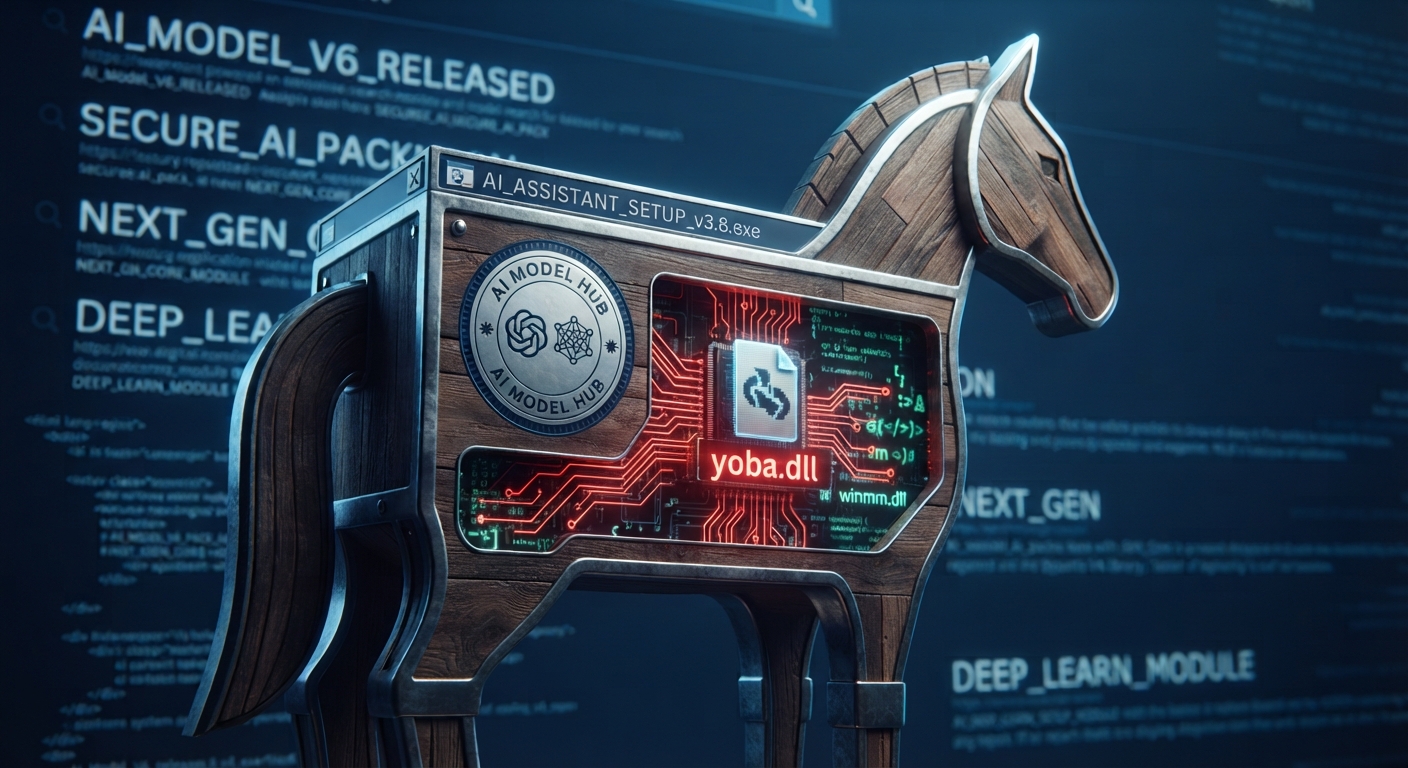 Check Point Research Malware
Tricks from the Past deployed via signed ChatGPT and Claude binaries
Key Points Introduction Over the past two months, we have been tracking a campaign that abuses the popularity of AI tools such as ChatGPT and Claude to spread a custom malware chain we call Yoba. The attackers use fake GitHub projects that pretend to be AI desktop applications like GPT-5.6 Sol, GPT-6 Astra, and Claude […] The post Tricks from the Past deployed via signed ChatGPT and Claude binaries appeared first on Check Point Research.
-
CISA Advisories Vuln
Mitsubishi Electric GENESIS, GENESIS64, ICONICS Suite, Hyper Historian, AnalytiX, MobileHMI, IoTWorX, MC Works64, GENESIS32 and BizViz
View CSAF Summary Successful exploitation of these vulnerabilities could allow an attacker to execute arbitrary code (CVE-2023-4863), bypass authentication (CVE-2026-16436 and CVE-2026-16437), or perform arbitrary operations (CVE-2026-16438), resulting in information disclosure, tampering with, destruction, or deletion of information, and a denial-of-service (DoS) condition of the system. The following versions of Mitsubishi Electric GENESIS, GENESIS64, ICONICS Suite, Hyper Historian, AnalytiX, MobileHMI, IoTWorX, MC Works64, GENESIS32 and BizViz are affected: Mitsubishi Electric GENESIS64 >=10.97|<=10.97.2 (CVE-2023-4863) Mitsubishi Electric ICONICS Suite >=10.97|<=10.97.2 (CVE-2023-4863) Mitsubishi Electric GENESIS <=11.03 (CVE-2026-16436, CVE-2026-16437) Mitsubishi Electric GENESIS64 <=10.97.3 (CVE-2026-16436, CVE-2026-16437, CVE-2026-16438) Mitsubishi Electric ICONICS Suite <=10.97.3 (CVE-2026-16436, CVE-2026-16437, CVE-2026-16438) Mitsubishi Electric Hyper Historian <=10.97.3 (CVE-2026-16436, CVE-2026-16437, CVE-2026-16438) Mitsubishi Electric AnalytiX <=10.97.3 (CVE-2026-16436, CVE-2026-16437, CVE-2026-16438) Mitsubishi Electric MobileHMI <=10.97.3 (CVE-2026-16436, CVE-2026-16437, CVE-2026-16438) Mitsubishi Electric IoTWorX <=10.97.3 (CVE-2026-16436, CVE-2026-16437) Mitsubishi Electric MC Works64 vers:all/* (CVE-2026-16436, CVE-2026-16437, CVE-2026-16438) Mitsubishi Electric GENESIS32 vers:all/* (CVE-2026-16436, CVE-2026-16437) Mitsubishi Electric BizViz vers:all/* (CVE-2026-16436, CVE-2026-16437) CVSS Vendor Equipment v3 9.1 Mitsubishi Electric Mitsubishi Electric GENESIS64 3 Vulnerabilities Out-of-bounds Write, Weak Password Recovery Mechanism for Forgotten Password, Incorrect Privilege Assignment Background Critical Infrastructure Sectors: Critical Manufacturing Countries/Areas Deployed: Worldwide Company Headquarters Location: United States Vulnerabilities Expand All + CVE-2023-4863 Out-of-bounds Write (CWE-787) vulnerability caused by libwebp, an internal component in GENESIS64 and ICONICS Suite could allow an authenticated local attacker to cause a heap-based buffer overflow and execute arbitrary code by importing a crafted file as an administrator for the affected product. As a result, the attacker may disclose internal information, tamper with, destroy, or delete internal information, or cause the affected system to enter a denial-of-service (DoS) condition. Read More 4 Affected Products Mitsubishi Electric GENESIS64: >=10.97|<=10.97.2 Product Status: known_affected Remediations Vendor fixMitsubishi Electric is releasing fixed version 10.97.3 or later for GENESIS64 and ICONICS Suite. Please download the fixed version from the link below and install it: "https://iconicsinc.my.site.com/community/s/resource-center/product-downloads". (Note: GENESIS64 is included in the ICONICS Suite installation.) For more information on the fixed version, please refer to the Mitsubishi Electric security advisory at "https://www.mitsubishielectric.com/psirt/vulnerability/pdf/2026-006_en.pdf". MitigationFor customers using the affected product who cannot immediately update it, Mitsubishi Electric and Mitsubishi Electric Iconics Digital Solutions recommend configuring the PCs with the affected product installed so that only an administrator can log in, to minimize the risk of exploitation of this vulnerability. MitigationFor customers using the affected product who cannot immediately update it, Mitsubishi Electric and Mitsubishi Electric Iconics Digital Solutions recommend using the PCs with the affected product installed in the LAN and blocking remote login from untrusted networks and hosts, and from non-administrator users, to minimize the risk of exploitation of this vulnerability. MitigationFor customers using the affected product who cannot immediately update it, Mitsubishi Electric and Mitsubishi Electric Iconics Digital Solutions recommend blocking unauthorized access by using a firewall, virtual private network (VPN), etc. and allowing remote login only to administrator when internet access is required, to minimize the risk of exploitation of this vulnerability. MitigationFor customers using the affected product who cannot immediately update it, Mitsubishi Electric and Mitsubishi Electric Iconics Digital Solutions recommend restricting physical access to the PC with the affected product installed and the network to which the PC is connected, to minimize the risk of exploitation of this vulnerability. MitigationFor customers using the affected product who cannot immediately update it, Mitsubishi Electric and Mitsubishi Electric Iconics Digital Solutions recommend preventing the user from clicking on web links in emails from untrusted sources, or from opening attachments in untrusted emails, to minimize the risk of exploitation of this vulnerability. MitigationFor customers using the affected product who cannot immediately update it, Mitsubishi Electric and Mitsubishi Electric Iconics Digital Solutions recommend installing anti-virus software on the PC with the affected product installed, to minimize the risk of exploitation of this vulnerability. Mitsubishi Electric ICONICS Suite: >=10.97|<=10.97.2 Product Status: known_affected Remediations Vendor fixMitsubishi Electric is releasing fixed version 10.97.3 or later for GENESIS64 and ICONICS Suite. Please download the fixed version from the link below and install it: "https://iconicsinc.my.site.com/community/s/resource-center/product-downloads". (Note: GENESIS64 is included in the ICONICS Suite installation.) For more information on the fixed version, please refer to the Mitsubishi Electric security advisory at "https://www.mitsubishielectric.com/psirt/vulnerability/pdf/2026-006_en.pdf". MitigationFor customers using the affected product who cannot immediately update it, Mitsubishi Electric and Mitsubishi Electric Iconics Digital Solutions recommend configuring the PCs with the affected product installed so that only an administrator can log in, to minimize the risk of exploitation of this vulnerability. MitigationFor customers using the affected product who cannot immediately update it, Mitsubishi Electric and Mitsubishi Electric Iconics Digital Solutions recommend using the PCs with the affected product installed in the LAN and blocking remote login from untrusted networks and hosts, and from non-administrator users, to minimize the risk of exploitation of this vulnerability. MitigationFor customers using the affected product who cannot immediately update it, Mitsubishi Electric and Mitsubishi Electric Iconics Digital Solutions recommend blocking unauthorized access by using a firewall, virtual private network (VPN), etc. and allowing remote login only to administrator when internet access is required, to minimize the risk of exploitation of this vulnerability. MitigationFor customers using the affected product who cannot immediately update it, Mitsubishi Electric and Mitsubishi Electric Iconics Digital Solutions recommend restricting physical access to the PC with the affected product installed and the network to which the PC is connected, to minimize the risk of exploitation of this vulnerability. MitigationFor customers using the affected product who cannot immediately update it, Mitsubishi Electric and Mitsubishi Electric Iconics Digital Solutions recommend preventing the user from clicking on web links in emails from untrusted sources, or from opening attachments in untrusted emails, to minimize the risk of exploitation of this vulnerability. MitigationFor customers using the affected product who cannot immediately update it, Mitsubishi Electric and Mitsubishi Electric Iconics Digital Solutions recommend installing anti-virus software on the PC with the affected product installed, to minimize the risk of exploitation of this vulnerability. Mitsubishi Electric Iconics Digital Solutions GENESIS64: >=10.97|<=10.97.2 Product Status: known_affected Remediations Vendor fixMitsubishi Electric Iconics Digital Solutions is releasing fixed version 10.97.3 or later for GENESIS64 and ICONICS Suite. Please download the fixed version from the link below and install it: "https://iconicsinc.my.site.com/community/s/resource-center/product-downloads". Note: GENESIS64 is included in the ICONICS Suite installation. For more information on the fixed version, please refer to the Mitsubishi Electric Iconics Digital Solutions whitepaper on security vulnerabilities, which can be found at "https://iconics.com/about/security/cert". MitigationFor customers using the affected product who cannot immediately update it, Mitsubishi Electric and Mitsubishi Electric Iconics Digital Solutions recommend configuring the PCs with the affected product installed so that only an administrator can log in, to minimize the risk of exploitation of this vulnerability. MitigationFor customers using the affected product who cannot immediately update it, Mitsubishi Electric and Mitsubishi Electric Iconics Digital Solutions recommend using the PCs with the affected product installed in the LAN and blocking remote login from untrusted networks and hosts, and from non-administrator users, to minimize the risk of exploitation of this vulnerability. MitigationFor customers using the affected product who cannot immediately update it, Mitsubishi Electric and Mitsubishi Electric Iconics Digital Solutions recommend blocking unauthorized access by using a firewall, virtual private network (VPN), etc. and allowing remote login only to administrator when internet access is required, to minimize the risk of exploitation of this vulnerability. MitigationFor customers using the affected product who cannot immediately update it, Mitsubishi Electric and Mitsubishi Electric Iconics Digital Solutions recommend restricting physical access to the PC with the affected product installed and the network to which the PC is connected, to minimize the risk of exploitation of this vulnerability. MitigationFor customers using the affected product who cannot immediately update it, Mitsubishi Electric and Mitsubishi Electric Iconics Digital Solutions recommend preventing the user from clicking on web links in emails from untrusted sources, or from opening attachments in untrusted emails, to minimize the risk of exploitation of this vulnerability. MitigationFor customers using the affected product who cannot immediately update it, Mitsubishi Electric and Mitsubishi Electric Iconics Digital Solutions recommend installing anti-virus software on the PC with the affected product installed, to minimize the risk of exploitation of this vulnerability. Mitsubishi Electric Iconics Digital Solutions ICONICS Suite: >=10.97|<=10.97.2 Product Status: known_affected Remediations Vendor fixMitsubishi Electric Iconics Digital Solutions is releasing fixed version 10.97.3 or later for GENESIS64 and ICONICS Suite. Please download the fixed version from the link below and install it: "https://iconicsinc.my.site.com/community/s/resource-center/product-downloads". Note: GENESIS64 is included in the ICONICS Suite installation. For more information on the fixed version, please refer to the Mitsubishi Electric Iconics Digital Solutions whitepaper on security vulnerabilities, which can be found at "https://iconics.com/about/security/cert". MitigationFor customers using the affected product who cannot immediately update it, Mitsubishi Electric and Mitsubishi Electric Iconics Digital Solutions recommend configuring the PCs with the affected product installed so that only an administrator can log in, to minimize the risk of exploitation of this vulnerability. MitigationFor customers using the affected product who cannot immediately update it, Mitsubishi Electric and Mitsubishi Electric Iconics Digital Solutions recommend using the PCs with the affected product installed in the LAN and blocking remote login from untrusted networks and hosts, and from non-administrator users, to minimize the risk of exploitation of this vulnerability. MitigationFor customers using the affected product who cannot immediately update it, Mitsubishi Electric and Mitsubishi Electric Iconics Digital Solutions recommend blocking unauthorized access by using a firewall, virtual private network (VPN), etc. and allowing remote login only to administrator when internet access is required, to minimize the risk of exploitation of this vulnerability. MitigationFor customers using the affected product who cannot immediately update it, Mitsubishi Electric and Mitsubishi Electric Iconics Digital Solutions recommend restricting physical access to the PC with the affected product installed and the network to which the PC is connected, to minimize the risk of exploitation of this vulnerability. MitigationFor customers using the affected product who cannot immediately update it, Mitsubishi Electric and Mitsubishi Electric Iconics Digital Solutions recommend preventing the user from clicking on web links in emails from untrusted sources, or from opening attachments in untrusted emails, to minimize the risk of exploitation of this vulnerability. MitigationFor customers using the affected product who cannot immediately update it, Mitsubishi Electric and Mitsubishi Electric Iconics Digital Solutions recommend installing anti-virus software on the PC with the affected product installed, to minimize the risk of exploitation of this vulnerability. Additional Metrics Relevant CWE: CWE-787 Out-of-bounds Write CVSS Version Base Score Base Severity Vector String 3.1 8.2 HIGH CVSS:3.1/AV:L/AC:L/PR:H/UI:N/S:C/C:H/I:H/A:H 4.0 9.3 CRITICAL CVSS:4.0/AV:L/AC:L/AT:N/PR:H/UI:N/VC:H/VI:H/VA:H/SC:H/SI:H/SA:H View CVE Details CVE-2026-16436 Weak Password Recovery Mechanism for Forgotten Password (CWE-640) vulnerability in GENESIS, GENESIS64, ICONICS Suite, Hyper Historian, AnalytiX, MobileHMI, IoTWorX, MC Works64, GENESIS32, and BizViz could allow a remote attacker to unlock the system by obtaining the challenge response by some means. The challenge response used to unlock the system is common to all users and fixed. As a result, the attacker may disclose, tamper with, destroy, or delete internal information, or cause the affected system to enter a denial-of-service (DoS) condition. Read More 23 Affected Products Mitsubishi Electric GENESIS64: >=10.97|<=10.97.2 Product Status: known_affected Remediations Mitsubishi Electric ICONICS Suite: >=10.97|<=10.97.2 Product Status: known_affected Remediations Mitsubishi Electric Iconics Digital Solutions GENESIS64: >=10.97|<=10.97.2 Product Status: known_affected Remediations Mitsubishi Electric Iconics Digital Solutions ICONICS Suite: >=10.97|<=10.97.2 Product Status: known_affected Remediations Mitsubishi Electric GENESIS: <=11.03 Product Status: known_affected Remediations Vendor fixMitsubishi Electric is releasing fixed version 11.04 or later for GENESIS. Please download the fixed version from the link below and install it: "https://iconicsinc.my.site.com/community/s/resource-center/product-downloads". For more information on the fixed version, please refer to the Mitsubishi Electric security advisory at "https://www.mitsubishielectric.com/psirt/vulnerability/pdf/2026-006_en.pdf". MitigationFor customers of products that do not have a fixed version or who cannot immediately update the product, Mitsubishi Electric and Mitsubishi Electric Iconics Digital Solutions recommend configuring the PCs with the affected product installed so that only an administrator can log in, to minimize the risk of exploitation of this vulnerability. MitigationFor customers of products that do not have a fixed version or who cannot immediately update the product, Mitsubishi Electric and Mitsubishi Electric Iconics Digital Solutions recommend using the PCs with the affected product installed in the LAN and blocking remote login from untrusted networks and hosts, and from non-administrator users, to minimize the risk of exploitation of this vulnerability. MitigationFor customers of products that do not have a fixed version or who cannot immediately update the product, Mitsubishi Electric and Mitsubishi Electric Iconics Digital Solutions recommend blocking unauthorized access by using a firewall, virtual private network (VPN), etc. and allowing remote login only to administrator when internet access is required, to minimize the risk of exploitation of this vulnerability. MitigationFor customers of products that do not have a fixed version or who cannot immediately update the product, Mitsubishi Electric and Mitsubishi Electric Iconics Digital Solutions recommend restricting physical access to the PC with the affected product installed and the network to which the PC is connected, to minimize the risk of exploitation of this vulnerability. MitigationFor customers of products that do not have a fixed version or who cannot immediately update the product, Mitsubishi Electric and Mitsubishi Electric Iconics Digital Solutions recommend preventing the user from clicking on web links in emails from untrusted sources, or from opening attachments in untrusted emails, to minimize the risk of exploitation of this vulnerability. MitigationFor customers of products that do not have a fixed version or who cannot immediately update the product, Mitsubishi Electric and Mitsubishi Electric Iconics Digital Solutions recommend installing anti-virus software on the PC with the affected product installed, to minimize the risk of exploitation of this vulnerability. MitigationFor customers of products that do not have a fixed version or who cannot immediately update the product, Mitsubishi Electric and Mitsubishi Electric Iconics Digital Solutions recommend performing the following steps for GENESIS, GENESIS64, ICONICS Suite, Hyper Historian, AnalytiX, MobileHMI and MC Works64, to minimize the risk of exploitation of this vulnerability. (1) Delete the .dat file at the location specified below. This file name and location is different depending on the product version. (Version 10: C:\Program Files\ICONICS\GENESIS64\Components\ClientChallengeTable.dat; Version 11: C:\ProgramData\ICONICS\11\SecurityChallenges.dat) (2) Create a blank file with the same name and location. (3) Restrict the file system write and delete access to this file to a unique administrator account, different than the GENESIS administrator account. Mitsubishi Electric GENESIS64: <=10.97.3 Product Status: known_affected Remediations Vendor fixMitsubishi Electric is releasing fixed version 10.98 or later for GENESIS64, ICONICS Suite, Hyper Historian, AnalytiX, and MobileHMI. Please download the fixed version from the link below and install it: "https://iconicsinc.my.site.com/community/s/resource-center/product-downloads". (Note: GENESIS64, Hyper Historian, AnalytiX, and MobileHMI are included in the ICONICS Suite installation.) For more information on the fixed version, please refer to the Mitsubishi Electric security advisory at "https://www.mitsubishielectric.com/psirt/vulnerability/pdf/2026-006_en.pdf". MitigationFor customers of products that do not have a fixed version or who cannot immediately update the product, Mitsubishi Electric and Mitsubishi Electric Iconics Digital Solutions recommend configuring the PCs with the affected product installed so that only an administrator can log in, to minimize the risk of exploitation of this vulnerability. MitigationFor customers of products that do not have a fixed version or who cannot immediately update the product, Mitsubishi Electric and Mitsubishi Electric Iconics Digital Solutions recommend using the PCs with the affected product installed in the LAN and blocking remote login from untrusted networks and hosts, and from non-administrator users, to minimize the risk of exploitation of this vulnerability. MitigationFor customers of products that do not have a fixed version or who cannot immediately update the product, Mitsubishi Electric and Mitsubishi Electric Iconics Digital Solutions recommend blocking unauthorized access by using a firewall, virtual private network (VPN), etc. and allowing remote login only to administrator when internet access is required, to minimize the risk of exploitation of this vulnerability. MitigationFor customers of products that do not have a fixed version or who cannot immediately update the product, Mitsubishi Electric and Mitsubishi Electric Iconics Digital Solutions recommend restricting physical access to the PC with the affected product installed and the network to which the PC is connected, to minimize the risk of exploitation of this vulnerability. MitigationFor customers of products that do not have a fixed version or who cannot immediately update the product, Mitsubishi Electric and Mitsubishi Electric Iconics Digital Solutions recommend preventing the user from clicking on web links in emails from untrusted sources, or from opening attachments in untrusted emails, to minimize the risk of exploitation of this vulnerability. MitigationFor customers of products that do not have a fixed version or who cannot immediately update the product, Mitsubishi Electric and Mitsubishi Electric Iconics Digital Solutions recommend installing anti-virus software on the PC with the affected product installed, to minimize the risk of exploitation of this vulnerability. MitigationFor customers of products that do not have a fixed version or who cannot immediately update the product, Mitsubishi Electric and Mitsubishi Electric Iconics Digital Solutions recommend performing the following steps for GENESIS, GENESIS64, ICONICS Suite, Hyper Historian, AnalytiX, MobileHMI and MC Works64, to minimize the risk of exploitation of this vulnerability. (1) Delete the .dat file at the location specified below. This file name and location is different depending on the product version. (Version 10: C:\Program Files\ICONICS\GENESIS64\Components\ClientChallengeTable.dat; Version 11: C:\ProgramData\ICONICS\11\SecurityChallenges.dat) (2) Create a blank file with the same name and location. (3) Restrict the file system write and delete access to this file to a unique administrator account, different than the GENESIS administrator account. Mitsubishi Electric ICONICS Suite: <=10.97.3 Product Status: known_affected Remediations Vendor fixMitsubishi Electric is releasing fixed version 10.98 or later for GENESIS64, ICONICS Suite, Hyper Historian, AnalytiX, and MobileHMI. Please download the fixed version from the link below and install it: "https://iconicsinc.my.site.com/community/s/resource-center/product-downloads". (Note: GENESIS64, Hyper Historian, AnalytiX, and MobileHMI are included in the ICONICS Suite installation.) For more information on the fixed version, please refer to the Mitsubishi Electric security advisory at "https://www.mitsubishielectric.com/psirt/vulnerability/pdf/2026-006_en.pdf". MitigationFor customers of products that do not have a fixed version or who cannot immediately update the product, Mitsubishi Electric and Mitsubishi Electric Iconics Digital Solutions recommend configuring the PCs with the affected product installed so that only an administrator can log in, to minimize the risk of exploitation of this vulnerability. MitigationFor customers of products that do not have a fixed version or who cannot immediately update the product, Mitsubishi Electric and Mitsubishi Electric Iconics Digital Solutions recommend using the PCs with the affected product installed in the LAN and blocking remote login from untrusted networks and hosts, and from non-administrator users, to minimize the risk of exploitation of this vulnerability. MitigationFor customers of products that do not have a fixed version or who cannot immediately update the product, Mitsubishi Electric and Mitsubishi Electric Iconics Digital Solutions recommend blocking unauthorized access by using a firewall, virtual private network (VPN), etc. and allowing remote login only to administrator when internet access is required, to minimize the risk of exploitation of this vulnerability. MitigationFor customers of products that do not have a fixed version or who cannot immediately update the product, Mitsubishi Electric and Mitsubishi Electric Iconics Digital Solutions recommend restricting physical access to the PC with the affected product installed and the network to which the PC is connected, to minimize the risk of exploitation of this vulnerability. MitigationFor customers of products that do not have a fixed version or who cannot immediately update the product, Mitsubishi Electric and Mitsubishi Electric Iconics Digital Solutions recommend preventing the user from clicking on web links in emails from untrusted sources, or from opening attachments in untrusted emails, to minimize the risk of exploitation of this vulnerability. MitigationFor customers of products that do not have a fixed version or who cannot immediately update the product, Mitsubishi Electric and Mitsubishi Electric Iconics Digital Solutions recommend installing anti-virus software on the PC with the affected product installed, to minimize the risk of exploitation of this vulnerability. MitigationFor customers of products that do not have a fixed version or who cannot immediately update the product, Mitsubishi Electric and Mitsubishi Electric Iconics Digital Solutions recommend performing the following steps for GENESIS, GENESIS64, ICONICS Suite, Hyper Historian, AnalytiX, MobileHMI and MC Works64, to minimize the risk of exploitation of this vulnerability. (1) Delete the .dat file at the location specified below. This file name and location is different depending on the product version. (Version 10: C:\Program Files\ICONICS\GENESIS64\Components\ClientChallengeTable.dat; Version 11: C:\ProgramData\ICONICS\11\SecurityChallenges.dat) (2) Create a blank file with the same name and location. (3) Restrict the file system write and delete access to this file to a unique administrator account, different than the GENESIS administrator account. Mitsubishi Electric Hyper Historian: <=10.97.3 Product Status: known_affected Remediations Vendor fixMitsubishi Electric is releasing fixed version 10.98 or later for GENESIS64, ICONICS Suite, Hyper Historian, AnalytiX, and MobileHMI. Please download the fixed version from the link below and install it: "https://iconicsinc.my.site.com/community/s/resource-center/product-downloads". (Note: GENESIS64, Hyper Historian, AnalytiX, and MobileHMI are included in the ICONICS Suite installation.) For more information on the fixed version, please refer to the Mitsubishi Electric security advisory at "https://www.mitsubishielectric.com/psirt/vulnerability/pdf/2026-006_en.pdf". MitigationFor customers of products that do not have a fixed version or who cannot immediately update the product, Mitsubishi Electric and Mitsubishi Electric Iconics Digital Solutions recommend configuring the PCs with the affected product installed so that only an administrator can log in, to minimize the risk of exploitation of this vulnerability. MitigationFor customers of products that do not have a fixed version or who cannot immediately update the product, Mitsubishi Electric and Mitsubishi Electric Iconics Digital Solutions recommend using the PCs with the affected product installed in the LAN and blocking remote login from untrusted networks and hosts, and from non-administrator users, to minimize the risk of exploitation of this vulnerability. MitigationFor customers of products that do not have a fixed version or who cannot immediately update the product, Mitsubishi Electric and Mitsubishi Electric Iconics Digital Solutions recommend blocking unauthorized access by using a firewall, virtual private network (VPN), etc. and allowing remote login only to administrator when internet access is required, to minimize the risk of exploitation of this vulnerability. MitigationFor customers of products that do not have a fixed version or who cannot immediately update the product, Mitsubishi Electric and Mitsubishi Electric Iconics Digital Solutions recommend restricting physical access to the PC with the affected product installed and the network to which the PC is connected, to minimize the risk of exploitation of this vulnerability. MitigationFor customers of products that do not have a fixed version or who cannot immediately update the product, Mitsubishi Electric and Mitsubishi Electric Iconics Digital Solutions recommend preventing the user from clicking on web links in emails from untrusted sources, or from opening attachments in untrusted emails, to minimize the risk of exploitation of this vulnerability. MitigationFor customers of products that do not have a fixed version or who cannot immediately update the product, Mitsubishi Electric and Mitsubishi Electric Iconics Digital Solutions recommend installing anti-virus software on the PC with the affected product installed, to minimize the risk of exploitation of this vulnerability. MitigationFor customers of products that do not have a fixed version or who cannot immediately update the product, Mitsubishi Electric and Mitsubishi Electric Iconics Digital Solutions recommend performing the following steps for GENESIS, GENESIS64, ICONICS Suite, Hyper Historian, AnalytiX, MobileHMI and MC Works64, to minimize the risk of exploitation of this vulnerability. (1) Delete the .dat file at the location specified below. This file name and location is different depending on the product version. (Version 10: C:\Program Files\ICONICS\GENESIS64\Components\ClientChallengeTable.dat; Version 11: C:\ProgramData\ICONICS\11\SecurityChallenges.dat) (2) Create a blank file with the same name and location. (3) Restrict the file system write and delete access to this file to a unique administrator account, different than the GENESIS administrator account. Mitsubishi Electric AnalytiX: <=10.97.3 Product Status: known_affected Remediations Vendor fixMitsubishi Electric is releasing fixed version 10.98 or later for GENESIS64, ICONICS Suite, Hyper Historian, AnalytiX, and MobileHMI. Please download the fixed version from the link below and install it: "https://iconicsinc.my.site.com/community/s/resource-center/product-downloads". (Note: GENESIS64, Hyper Historian, AnalytiX, and MobileHMI are included in the ICONICS Suite installation.) For more information on the fixed version, please refer to the Mitsubishi Electric security advisory at "https://www.mitsubishielectric.com/psirt/vulnerability/pdf/2026-006_en.pdf". MitigationFor customers of products that do not have a fixed version or who cannot immediately update the product, Mitsubishi Electric and Mitsubishi Electric Iconics Digital Solutions recommend configuring the PCs with the affected product installed so that only an administrator can log in, to minimize the risk of exploitation of this vulnerability. MitigationFor customers of products that do not have a fixed version or who cannot immediately update the product, Mitsubishi Electric and Mitsubishi Electric Iconics Digital Solutions recommend using the PCs with the affected product installed in the LAN and blocking remote login from untrusted networks and hosts, and from non-administrator users, to minimize the risk of exploitation of this vulnerability. MitigationFor customers of products that do not have a fixed version or who cannot immediately update the product, Mitsubishi Electric and Mitsubishi Electric Iconics Digital Solutions recommend blocking unauthorized access by using a firewall, virtual private network (VPN), etc. and allowing remote login only to administrator when internet access is required, to minimize the risk of exploitation of this vulnerability. MitigationFor customers of products that do not have a fixed version or who cannot immediately update the product, Mitsubishi Electric and Mitsubishi Electric Iconics Digital Solutions recommend restricting physical access to the PC with the affected product installed and the network to which the PC is connected, to minimize the risk of exploitation of this vulnerability. MitigationFor customers of products that do not have a fixed version or who cannot immediately update the product, Mitsubishi Electric and Mitsubishi Electric Iconics Digital Solutions recommend preventing the user from clicking on web links in emails from untrusted sources, or from opening attachments in untrusted emails, to minimize the risk of exploitation of this vulnerability. MitigationFor customers of products that do not have a fixed version or who cannot immediately update the product, Mitsubishi Electric and Mitsubishi Electric Iconics Digital Solutions recommend installing anti-virus software on the PC with the affected product installed, to minimize the risk of exploitation of this vulnerability. MitigationFor customers of products that do not have a fixed version or who cannot immediately update the product, Mitsubishi Electric and Mitsubishi Electric Iconics Digital Solutions recommend performing the following steps for GENESIS, GENESIS64, ICONICS Suite, Hyper Historian, AnalytiX, MobileHMI and MC Works64, to minimize the risk of exploitation of this vulnerability. (1) Delete the .dat file at the location specified below. This file name and location is different depending on the product version. (Version 10: C:\Program Files\ICONICS\GENESIS64\Components\ClientChallengeTable.dat; Version 11: C:\ProgramData\ICONICS\11\SecurityChallenges.dat) (2) Create a blank file with the same name and location. (3) Restrict the file system write and delete access to this file to a unique administrator account, different than the GENESIS administrator account. Mitsubishi Electric MobileHMI: <=10.97.3 Product Status: known_affected Remediations Vendor fixMitsubishi Electric is releasing fixed version 10.98 or later for GENESIS64, ICONICS Suite, Hyper Historian, AnalytiX, and MobileHMI. Please download the fixed version from the link below and install it: "https://iconicsinc.my.site.com/community/s/resource-center/product-downloads". (Note: GENESIS64, Hyper Historian, AnalytiX, and MobileHMI are included in the ICONICS Suite installation.) For more information on the fixed version, please refer to the Mitsubishi Electric security advisory at "https://www.mitsubishielectric.com/psirt/vulnerability/pdf/2026-006_en.pdf". MitigationFor customers of products that do not have a fixed version or who cannot immediately update the product, Mitsubishi Electric and Mitsubishi Electric Iconics Digital Solutions recommend configuring the PCs with the affected product installed so that only an administrator can log in, to minimize the risk of exploitation of this vulnerability. MitigationFor customers of products that do not have a fixed version or who cannot immediately update the product, Mitsubishi Electric and Mitsubishi Electric Iconics Digital Solutions recommend using the PCs with the affected product installed in the LAN and blocking remote login from untrusted networks and hosts, and from non-administrator users, to minimize the risk of exploitation of this vulnerability. MitigationFor customers of products that do not have a fixed version or who cannot immediately update the product, Mitsubishi Electric and Mitsubishi Electric Iconics Digital Solutions recommend blocking unauthorized access by using a firewall, virtual private network (VPN), etc. and allowing remote login only to administrator when internet access is required, to minimize the risk of exploitation of this vulnerability. MitigationFor customers of products that do not have a fixed version or who cannot immediately update the product, Mitsubishi Electric and Mitsubishi Electric Iconics Digital Solutions recommend restricting physical access to the PC with the affected product installed and the network to which the PC is connected, to minimize the risk of exploitation of this vulnerability. MitigationFor customers of products that do not have a fixed version or who cannot immediately update the product, Mitsubishi Electric and Mitsubishi Electric Iconics Digital Solutions recommend preventing the user from clicking on web links in emails from untrusted sources, or from opening attachments in untrusted emails, to minimize the risk of exploitation of this vulnerability. MitigationFor customers of products that do not have a fixed version or who cannot immediately update the product, Mitsubishi Electric and Mitsubishi Electric Iconics Digital Solutions recommend installing anti-virus software on the PC with the affected product installed, to minimize the risk of exploitation of this vulnerability. MitigationFor customers of products that do not have a fixed version or who cannot immediately update the product, Mitsubishi Electric and Mitsubishi Electric Iconics Digital Solutions recommend performing the following steps for GENESIS, GENESIS64, ICONICS Suite, Hyper Historian, AnalytiX, MobileHMI and MC Works64, to minimize the risk of exploitation of this vulnerability. (1) Delete the .dat file at the location specified below. This file name and location is different depending on the product version. (Version 10: C:\Program Files\ICONICS\GENESIS64\Components\ClientChallengeTable.dat; Version 11: C:\ProgramData\ICONICS\11\SecurityChallenges.dat) (2) Create a blank file with the same name and location. (3) Restrict the file system write and delete access to this file to a unique administrator account, different than the GENESIS administrator account. Mitsubishi Electric IoTWorX: <=10.97.3 Product Status: known_affected Remediations Vendor fixMitsubishi Electric is releasing fixed version 10.98 or later for IoTWorX. Please download the fixed version from the link below and install it: "https://hub.docker.com/r/iconics/iotworx". For more information on the fixed version, please refer to the Mitsubishi Electric security advisory at "https://www.mitsubishielectric.com/psirt/vulnerability/pdf/2026-006_en.pdf". MitigationFor customers of products that do not have a fixed version or who cannot immediately update the product, Mitsubishi Electric and Mitsubishi Electric Iconics Digital Solutions recommend configuring the PCs with the affected product installed so that only an administrator can log in, to minimize the risk of exploitation of this vulnerability. MitigationFor customers of products that do not have a fixed version or who cannot immediately update the product, Mitsubishi Electric and Mitsubishi Electric Iconics Digital Solutions recommend using the PCs with the affected product installed in the LAN and blocking remote login from untrusted networks and hosts, and from non-administrator users, to minimize the risk of exploitation of this vulnerability. MitigationFor customers of products that do not have a fixed version or who cannot immediately update the product, Mitsubishi Electric and Mitsubishi Electric Iconics Digital Solutions recommend blocking unauthorized access by using a firewall, virtual private network (VPN), etc. and allowing remote login only to administrator when internet access is required, to minimize the risk of exploitation of this vulnerability. MitigationFor customers of products that do not have a fixed version or who cannot immediately update the product, Mitsubishi Electric and Mitsubishi Electric Iconics Digital Solutions recommend restricting physical access to the PC with the affected product installed and the network to which the PC is connected, to minimize the risk of exploitation of this vulnerability. MitigationFor customers of products that do not have a fixed version or who cannot immediately update the product, Mitsubishi Electric and Mitsubishi Electric Iconics Digital Solutions recommend preventing the user from clicking on web links in emails from untrusted sources, or from opening attachments in untrusted emails, to minimize the risk of exploitation of this vulnerability. MitigationFor customers of products that do not have a fixed version or who cannot immediately update the product, Mitsubishi Electric and Mitsubishi Electric Iconics Digital Solutions recommend installing anti-virus software on the PC with the affected product installed, to minimize the risk of exploitation of this vulnerability. Mitsubishi Electric MC Works64: vers:all/* Product Status: known_affected Remediations No fix plannedMitsubishi Electric has no plans to release a fixed version of MC Works64. For customers using MC Works64, Mitsubishi Electric recommends taking the mitigations described in the Mitsubishi Electric's security advisory at "https://www.mitsubishielectric.com/psirt/vulnerability/pdf/2026-006_en.pdf". Alternatively, customers should consider replacing MC Works64 with GENESIS64 or GENESIS. For information on how to replace it, please refer to the following document: "GENESIS64 ? How to Replace MC Works64 with GENESIS64" (Japanese only): "https://www.mitsubishielectric.co.jp/dl/fa/members/document/manual/scada/bcn-p5999-1459/bcnp59991459a.pdf". Note: This document is published on Mitsubishi Electric FA website, and membership registration and login are required to view it. MitigationFor customers of products that do not have a fixed version or who cannot immediately update the product, Mitsubishi Electric and Mitsubishi Electric Iconics Digital Solutions recommend configuring the PCs with the affected product installed so that only an administrator can log in, to minimize the risk of exploitation of this vulnerability. MitigationFor customers of products that do not have a fixed version or who cannot immediately update the product, Mitsubishi Electric and Mitsubishi Electric Iconics Digital Solutions recommend using the PCs with the affected product installed in the LAN and blocking remote login from untrusted networks and hosts, and from non-administrator users, to minimize the risk of exploitation of this vulnerability. MitigationFor customers of products that do not have a fixed version or who cannot immediately update the product, Mitsubishi Electric and Mitsubishi Electric Iconics Digital Solutions recommend blocking unauthorized access by using a firewall, virtual private network (VPN), etc. and allowing remote login only to administrator when internet access is required, to minimize the risk of exploitation of this vulnerability. MitigationFor customers of products that do not have a fixed version or who cannot immediately update the product, Mitsubishi Electric and Mitsubishi Electric Iconics Digital Solutions recommend restricting physical access to the PC with the affected product installed and the network to which the PC is connected, to minimize the risk of exploitation of this vulnerability. MitigationFor customers of products that do not have a fixed version or who cannot immediately update the product, Mitsubishi Electric and Mitsubishi Electric Iconics Digital Solutions recommend preventing the user from clicking on web links in emails from untrusted sources, or from opening attachments in untrusted emails, to minimize the risk of exploitation of this vulnerability. MitigationFor customers of products that do not have a fixed version or who cannot immediately update the product, Mitsubishi Electric and Mitsubishi Electric Iconics Digital Solutions recommend installing anti-virus software on the PC with the affected product installed, to minimize the risk of exploitation of this vulnerability. MitigationFor customers of products that do not have a fixed version or who cannot immediately update the product, Mitsubishi Electric and Mitsubishi Electric Iconics Digital Solutions recommend performing the following steps for GENESIS, GENESIS64, ICONICS Suite, Hyper Historian, AnalytiX, MobileHMI and MC Works64, to minimize the risk of exploitation of this vulnerability. (1) Delete the .dat file at the location specified below. This file name and location is different depending on the product version. (Version 10: C:\Program Files\ICONICS\GENESIS64\Components\ClientChallengeTable.dat; Version 11: C:\ProgramData\ICONICS\11\SecurityChallenges.dat) (2) Create a blank file with the same name and location. (3) Restrict the file system write and delete access to this file to a unique administrator account, different than the GENESIS administrator account. Mitsubishi Electric GENESIS32: vers:all/* Product Status: known_affected Remediations No fix plannedMitsubishi Electric has no plans to release fixed versions for GENESIS32 or BizViz. For customers using GENESIS32 or BizViz, Mitsubishi Electric recommends taking the mitigations described in the Mitsubishi Electric's security advisory at "https://www.mitsubishielectric.com/psirt/vulnerability/pdf/2026-006_en.pdf". Alternatively, customers should consider replacing GENESIS32 or BizViz with GENESIS64 or GENESIS. MitigationFor customers of products that do not have a fixed version or who cannot immediately update the product, Mitsubishi Electric and Mitsubishi Electric Iconics Digital Solutions recommend configuring the PCs with the affected product installed so that only an administrator can log in, to minimize the risk of exploitation of this vulnerability. MitigationFor customers of products that do not have a fixed version or who cannot immediately update the product, Mitsubishi Electric and Mitsubishi Electric Iconics Digital Solutions recommend using the PCs with the affected product installed in the LAN and blocking remote login from untrusted networks and hosts, and from non-administrator users, to minimize the risk of exploitation of this vulnerability. MitigationFor customers of products that do not have a fixed version or who cannot immediately update the product, Mitsubishi Electric and Mitsubishi Electric Iconics Digital Solutions recommend blocking unauthorized access by using a firewall, virtual private network (VPN), etc. and allowing remote login only to administrator when internet access is required, to minimize the risk of exploitation of this vulnerability. MitigationFor customers of products that do not have a fixed version or who cannot immediately update the product, Mitsubishi Electric and Mitsubishi Electric Iconics Digital Solutions recommend restricting physical access to the PC with the affected product installed and the network to which the PC is connected, to minimize the risk of exploitation of this vulnerability. MitigationFor customers of products that do not have a fixed version or who cannot immediately update the product, Mitsubishi Electric and Mitsubishi Electric Iconics Digital Solutions recommend preventing the user from clicking on web links in emails from untrusted sources, or from opening attachments in untrusted emails, to minimize the risk of exploitation of this vulnerability. MitigationFor customers of products that do not have a fixed version or who cannot immediately update the product, Mitsubishi Electric and Mitsubishi Electric Iconics Digital Solutions recommend installing anti-virus software on the PC with the affected product installed, to minimize the risk of exploitation of this vulnerability. Mitsubishi Electric BizViz: vers:all/* Product Status: known_affected Remediations No fix plannedMitsubishi Electric has no plans to release fixed versions for GENESIS32 or BizViz. For customers using GENESIS32 or BizViz, Mitsubishi Electric recommends taking the mitigations described in the Mitsubishi Electric's security advisory at "https://www.mitsubishielectric.com/psirt/vulnerability/pdf/2026-006_en.pdf". Alternatively, customers should consider replacing GENESIS32 or BizViz with GENESIS64 or GENESIS. MitigationFor customers of products that do not have a fixed version or who cannot immediately update the product, Mitsubishi Electric and Mitsubishi Electric Iconics Digital Solutions recommend configuring the PCs with the affected product installed so that only an administrator can log in, to minimize the risk of exploitation of this vulnerability. MitigationFor customers of products that do not have a fixed version or who cannot immediately update the product, Mitsubishi Electric and Mitsubishi Electric Iconics Digital Solutions recommend using the PCs with the affected product installed in the LAN and blocking remote login from untrusted networks and hosts, and from non-administrator users, to minimize the risk of exploitation of this vulnerability. MitigationFor customers of products that do not have a fixed version or who cannot immediately update the product, Mitsubishi Electric and Mitsubishi Electric Iconics Digital Solutions recommend blocking unauthorized access by using a firewall, virtual private network (VPN), etc. and allowing remote login only to administrator when internet access is required, to minimize the risk of exploitation of this vulnerability. MitigationFor customers of products that do not have a fixed version or who cannot immediately update the product, Mitsubishi Electric and Mitsubishi Electric Iconics Digital Solutions recommend restricting physical access to the PC with the affected product installed and the network to which the PC is connected, to minimize the risk of exploitation of this vulnerability. MitigationFor customers of products that do not have a fixed version or who cannot immediately update the product, Mitsubishi Electric and Mitsubishi Electric Iconics Digital Solutions recommend preventing the user from clicking on web links in emails from untrusted sources, or from opening attachments in untrusted emails, to minimize the risk of exploitation of this vulnerability. MitigationFor customers of products that do not have a fixed version or who cannot immediately update the product, Mitsubishi Electric and Mitsubishi Electric Iconics Digital Solutions recommend installing anti-virus software on the PC with the affected product installed, to minimize the risk of exploitation of this vulnerability. Mitsubishi Electric Iconics Digital Solutions GENESIS: <=11.03 Product Status: known_affected Remediations Vendor fixMitsubishi Electric Iconics Digital Solutions is releasing fixed version 11.04 or later for GENESIS. Please download the fixed version from the link below and install it: "https://iconicsinc.my.site.com/community/s/resource-center/product-downloads". For more information on the fixed version, please refer to the Mitsubishi Electric Iconics Digital Solutions whitepaper on security vulnerabilities, which can be found at "https://iconics.com/about/security/cert". MitigationFor customers of products that do not have a fixed version or who cannot immediately update the product, Mitsubishi Electric and Mitsubishi Electric Iconics Digital Solutions recommend configuring the PCs with the affected product installed so that only an administrator can log in, to minimize the risk of exploitation of this vulnerability. MitigationFor customers of products that do not have a fixed version or who cannot immediately update the product, Mitsubishi Electric and Mitsubishi Electric Iconics Digital Solutions recommend using the PCs with the affected product installed in the LAN and blocking remote login from untrusted networks and hosts, and from non-administrator users, to minimize the risk of exploitation of this vulnerability. MitigationFor customers of products that do not have a fixed version or who cannot immediately update the product, Mitsubishi Electric and Mitsubishi Electric Iconics Digital Solutions recommend blocking unauthorized access by using a firewall, virtual private network (VPN), etc. and allowing remote login only to administrator when internet access is required, to minimize the risk of exploitation of this vulnerability. MitigationFor customers of products that do not have a fixed version or who cannot immediately update the product, Mitsubishi Electric and Mitsubishi Electric Iconics Digital Solutions recommend restricting physical access to the PC with the affected product installed and the network to which the PC is connected, to minimize the risk of exploitation of this vulnerability. MitigationFor customers of products that do not have a fixed version or who cannot immediately update the product, Mitsubishi Electric and Mitsubishi Electric Iconics Digital Solutions recommend preventing the user from clicking on web links in emails from untrusted sources, or from opening attachments in untrusted emails, to minimize the risk of exploitation of this vulnerability. MitigationFor customers of products that do not have a fixed version or who cannot immediately update the product, Mitsubishi Electric and Mitsubishi Electric Iconics Digital Solutions recommend installing anti-virus software on the PC with the affected product installed, to minimize the risk of exploitation of this vulnerability. MitigationFor customers of products that do not have a fixed version or who cannot immediately update the product, Mitsubishi Electric and Mitsubishi Electric Iconics Digital Solutions recommend performing the following steps for GENESIS, GENESIS64, ICONICS Suite, Hyper Historian, AnalytiX, MobileHMI and MC Works64, to minimize the risk of exploitation of this vulnerability. (1) Delete the .dat file at the location specified below. This file name and location is different depending on the product version. (Version 10: C:\Program Files\ICONICS\GENESIS64\Components\ClientChallengeTable.dat; Version 11: C:\ProgramData\ICONICS\11\SecurityChallenges.dat) (2) Create a blank file with the same name and location. (3) Restrict the file system write and delete access to this file to a unique administrator account, different than the GENESIS administrator account. Mitsubishi Electric Iconics Digital Solutions GENESIS64: <=10.97.3 Product Status: known_affected Remediations Vendor fixMitsubishi Electric Iconics Digital Solutions is releasing fixed version 10.98 or later for GENESIS64, ICONICS Suite, Hyper Historian, AnalytiX, and MobileHMI. Please download the fixed version from the link below and install it: "https://iconicsinc.my.site.com/community/s/resource-center/product-downloads". (Note: GENESIS64, Hyper Historian, AnalytiX, and MobileHMI are included in the ICONICS Suite installation.) For more information on the fixed version, please refer to the Mitsubishi Electric Iconics Digital Solutions whitepaper on security vulnerabilities, which can be found at "https://iconics.com/about/security/cert". MitigationFor customers of products that do not have a fixed version or who cannot immediately update the product, Mitsubishi Electric and Mitsubishi Electric Iconics Digital Solutions recommend configuring the PCs with the affected product installed so that only an administrator can log in, to minimize the risk of exploitation of this vulnerability. MitigationFor customers of products that do not have a fixed version or who cannot immediately update the product, Mitsubishi Electric and Mitsubishi Electric Iconics Digital Solutions recommend using the PCs with the affected product installed in the LAN and blocking remote login from untrusted networks and hosts, and from non-administrator users, to minimize the risk of exploitation of this vulnerability. MitigationFor customers of products that do not have a fixed version or who cannot immediately update the product, Mitsubishi Electric and Mitsubishi Electric Iconics Digital Solutions recommend blocking unauthorized access by using a firewall, virtual private network (VPN), etc. and allowing remote login only to administrator when internet access is required, to minimize the risk of exploitation of this vulnerability. MitigationFor customers of products that do not have a fixed version or who cannot immediately update the product, Mitsubishi Electric and Mitsubishi Electric Iconics Digital Solutions recommend restricting physical access to the PC with the affected product installed and the network to which the PC is connected, to minimize the risk of exploitation of this vulnerability. MitigationFor customers of products that do not have a fixed version or who cannot immediately update the product, Mitsubishi Electric and Mitsubishi Electric Iconics Digital Solutions recommend preventing the user from clicking on web links in emails from untrusted sources, or from opening attachments in untrusted emails, to minimize the risk of exploitation of this vulnerability. MitigationFor customers of products that do not have a fixed version or who cannot immediately update the product, Mitsubishi Electric and Mitsubishi Electric Iconics Digital Solutions recommend installing anti-virus software on the PC with the affected product installed, to minimize the risk of exploitation of this vulnerability. MitigationFor customers of products that do not have a fixed version or who cannot immediately update the product, Mitsubishi Electric and Mitsubishi Electric Iconics Digital Solutions recommend performing the following steps for GENESIS, GENESIS64, ICONICS Suite, Hyper Historian, AnalytiX, MobileHMI and MC Works64, to minimize the risk of exploitation of this vulnerability. (1) Delete the .dat file at the location specified below. This file name and location is different depending on the product version. (Version 10: C:\Program Files\ICONICS\GENESIS64\Components\ClientChallengeTable.dat; Version 11: C:\ProgramData\ICONICS\11\SecurityChallenges.dat) (2) Create a blank file with the same name and location. (3) Restrict the file system write and delete access to this file to a unique administrator account, different than the GENESIS administrator account. Mitsubishi Electric Iconics Digital Solutions ICONICS Suite: <=10.97.3 Product Status: known_affected Remediations Vendor fixMitsubishi Electric Iconics Digital Solutions is releasing fixed version 10.98 or later for GENESIS64, ICONICS Suite, Hyper Historian, AnalytiX, and MobileHMI. Please download the fixed version from the link below and install it: "https://iconicsinc.my.site.com/community/s/resource-center/product-downloads". (Note: GENESIS64, Hyper Historian, AnalytiX, and MobileHMI are included in the ICONICS Suite installation.) For more information on the fixed version, please refer to the Mitsubishi Electric Iconics Digital Solutions whitepaper on security vulnerabilities, which can be found at "https://iconics.com/about/security/cert". MitigationFor customers of products that do not have a fixed version or who cannot immediately update the product, Mitsubishi Electric and Mitsubishi Electric Iconics Digital Solutions recommend configuring the PCs with the affected product installed so that only an administrator can log in, to minimize the risk of exploitation of this vulnerability. MitigationFor customers of products that do not have a fixed version or who cannot immediately update the product, Mitsubishi Electric and Mitsubishi Electric Iconics Digital Solutions recommend using the PCs with the affected product installed in the LAN and blocking remote login from untrusted networks and hosts, and from non-administrator users, to minimize the risk of exploitation of this vulnerability. MitigationFor customers of products that do not have a fixed version or who cannot immediately update the product, Mitsubishi Electric and Mitsubishi Electric Iconics Digital Solutions recommend blocking unauthorized access by using a firewall, virtual private network (VPN), etc. and allowing remote login only to administrator when internet access is required, to minimize the risk of exploitation of this vulnerability. MitigationFor customers of products that do not have a fixed version or who cannot immediately update the product, Mitsubishi Electric and Mitsubishi Electric Iconics Digital Solutions recommend restricting physical access to the PC with the affected product installed and the network to which the PC is connected, to minimize the risk of exploitation of this vulnerability. MitigationFor customers of products that do not have a fixed version or who cannot immediately update the product, Mitsubishi Electric and Mitsubishi Electric Iconics Digital Solutions recommend preventing the user from clicking on web links in emails from untrusted sources, or from opening attachments in untrusted emails, to minimize the risk of exploitation of this vulnerability. MitigationFor customers of products that do not have a fixed version or who cannot immediately update the product, Mitsubishi Electric and Mitsubishi Electric Iconics Digital Solutions recommend installing anti-virus software on the PC with the affected product installed, to minimize the risk of exploitation of this vulnerability. MitigationFor customers of products that do not have a fixed version or who cannot immediately update the product, Mitsubishi Electric and Mitsubishi Electric Iconics Digital Solutions recommend performing the following steps for GENESIS, GENESIS64, ICONICS Suite, Hyper Historian, AnalytiX, MobileHMI and MC Works64, to minimize the risk of exploitation of this vulnerability. (1) Delete the .dat file at the location specified below. This file name and location is different depending on the product version. (Version 10: C:\Program Files\ICONICS\GENESIS64\Components\ClientChallengeTable.dat; Version 11: C:\ProgramData\ICONICS\11\SecurityChallenges.dat) (2) Create a blank file with the same name and location. (3) Restrict the file system write and delete access to this file to a unique administrator account, different than the GENESIS administrator account. Mitsubishi Electric Iconics Digital Solutions Hyper Historian: <=10.97.3 Product Status: known_affected Remediations Vendor fixMitsubishi Electric Iconics Digital Solutions is releasing fixed version 10.98 or later for GENESIS64, ICONICS Suite, Hyper Historian, AnalytiX, and MobileHMI. Please download the fixed version from the link below and install it: "https://iconicsinc.my.site.com/community/s/resource-center/product-downloads". (Note: GENESIS64, Hyper Historian, AnalytiX, and MobileHMI are included in the ICONICS Suite installation.) For more information on the fixed version, please refer to the Mitsubishi Electric Iconics Digital Solutions whitepaper on security vulnerabilities, which can be found at "https://iconics.com/about/security/cert". MitigationFor customers of products that do not have a fixed version or who cannot immediately update the product, Mitsubishi Electric and Mitsubishi Electric Iconics Digital Solutions recommend configuring the PCs with the affected product installed so that only an administrator can log in, to minimize the risk of exploitation of this vulnerability. MitigationFor customers of products that do not have a fixed version or who cannot immediately update the product, Mitsubishi Electric and Mitsubishi Electric Iconics Digital Solutions recommend using the PCs with the affected product installed in the LAN and blocking remote login from untrusted networks and hosts, and from non-administrator users, to minimize the risk of exploitation of this vulnerability. MitigationFor customers of products that do not have a fixed version or who cannot immediately update the product, Mitsubishi Electric and Mitsubishi Electric Iconics Digital Solutions recommend blocking unauthorized access by using a firewall, virtual private network (VPN), etc. and allowing remote login only to administrator when internet access is required, to minimize the risk of exploitation of this vulnerability. MitigationFor customers of products that do not have a fixed version or who cannot immediately update the product, Mitsubishi Electric and Mitsubishi Electric Iconics Digital Solutions recommend restricting physical access to the PC with the affected product installed and the network to which the PC is connected, to minimize the risk of exploitation of this vulnerability. MitigationFor customers of products that do not have a fixed version or who cannot immediately update the product, Mitsubishi Electric and Mitsubishi Electric Iconics Digital Solutions recommend preventing the user from clicking on web links in emails from untrusted sources, or from opening attachments in untrusted emails, to minimize the risk of exploitation of this vulnerability. MitigationFor customers of products that do not have a fixed version or who cannot immediately update the product, Mitsubishi Electric and Mitsubishi Electric Iconics Digital Solutions recommend installing anti-virus software on the PC with the affected product installed, to minimize the risk of exploitation of this vulnerability. MitigationFor customers of products that do not have a fixed version or who cannot immediately update the product, Mitsubishi Electric and Mitsubishi Electric Iconics Digital Solutions recommend performing the following steps for GENESIS, GENESIS64, ICONICS Suite, Hyper Historian, AnalytiX, MobileHMI and MC Works64, to minimize the risk of exploitation of this vulnerability. (1) Delete the .dat file at the location specified below. This file name and location is different depending on the product version. (Version 10: C:\Program Files\ICONICS\GENESIS64\Components\ClientChallengeTable.dat; Version 11: C:\ProgramData\ICONICS\11\SecurityChallenges.dat) (2) Create a blank file with the same name and location. (3) Restrict the file system write and delete access to this file to a unique administrator account, different than the GENESIS administrator account. Mitsubishi Electric Iconics Digital Solutions AnalytiX: <=10.97.3 Product Status: known_affected Remediations Vendor fixMitsubishi Electric Iconics Digital Solutions is releasing fixed version 10.98 or later for GENESIS64, ICONICS Suite, Hyper Historian, AnalytiX, and MobileHMI. Please download the fixed version from the link below and install it: "https://iconicsinc.my.site.com/community/s/resource-center/product-downloads". (Note: GENESIS64, Hyper Historian, AnalytiX, and MobileHMI are included in the ICONICS Suite installation.) For more information on the fixed version, please refer to the Mitsubishi Electric Iconics Digital Solutions whitepaper on security vulnerabilities, which can be found at "https://iconics.com/about/security/cert". MitigationFor customers of products that do not have a fixed version or who cannot immediately update the product, Mitsubishi Electric and Mitsubishi Electric Iconics Digital Solutions recommend configuring the PCs with the affected product installed so that only an administrator can log in, to minimize the risk of exploitation of this vulnerability. MitigationFor customers of products that do not have a fixed version or who cannot immediately update the product, Mitsubishi Electric and Mitsubishi Electric Iconics Digital Solutions recommend using the PCs with the affected product installed in the LAN and blocking remote login from untrusted networks and hosts, and from non-administrator users, to minimize the risk of exploitation of this vulnerability. MitigationFor customers of products that do not have a fixed version or who cannot immediately update the product, Mitsubishi Electric and Mitsubishi Electric Iconics Digital Solutions recommend blocking unauthorized access by using a firewall, virtual private network (VPN), etc. and allowing remote login only to administrator when internet access is required, to minimize the risk of exploitation of this vulnerability. MitigationFor customers of products that do not have a fixed version or who cannot immediately update the product, Mitsubishi Electric and Mitsubishi Electric Iconics Digital Solutions recommend restricting physical access to the PC with the affected product installed and the network to which the PC is connected, to minimize the risk of exploitation of this vulnerability. MitigationFor customers of products that do not have a fixed version or who cannot immediately update the product, Mitsubishi Electric and Mitsubishi Electric Iconics Digital Solutions recommend preventing the user from clicking on web links in emails from untrusted sources, or from opening attachments in untrusted emails, to minimize the risk of exploitation of this vulnerability. MitigationFor customers of products that do not have a fixed version or who cannot immediately update the product, Mitsubishi Electric and Mitsubishi Electric Iconics Digital Solutions recommend installing anti-virus software on the PC with the affected product installed, to minimize the risk of exploitation of this vulnerability. MitigationFor customers of products that do not have a fixed version or who cannot immediately update the product, Mitsubishi Electric and Mitsubishi Electric Iconics Digital Solutions recommend performing the following steps for GENESIS, GENESIS64, ICONICS Suite, Hyper Historian, AnalytiX, MobileHMI and MC Works64, to minimize the risk of exploitation of this vulnerability. (1) Delete the .dat file at the location specified below. This file name and location is different depending on the product version. (Version 10: C:\Program Files\ICONICS\GENESIS64\Components\ClientChallengeTable.dat; Version 11: C:\ProgramData\ICONICS\11\SecurityChallenges.dat) (2) Create a blank file with the same name and location. (3) Restrict the file system write and delete access to this file to a unique administrator account, different than the GENESIS administrator account. Mitsubishi Electric Iconics Digital Solutions MobileHMI: <=10.97.3 Product Status: known_affected Remediations Vendor fixMitsubishi Electric Iconics Digital Solutions is releasing fixed version 10.98 or later for GENESIS64, ICONICS Suite, Hyper Historian, AnalytiX, and MobileHMI. Please download the fixed version from the link below and install it: "https://iconicsinc.my.site.com/community/s/resource-center/product-downloads". (Note: GENESIS64, Hyper Historian, AnalytiX, and MobileHMI are included in the ICONICS Suite installation.) For more information on the fixed version, please refer to the Mitsubishi Electric Iconics Digital Solutions whitepaper on security vulnerabilities, which can be found at "https://iconics.com/about/security/cert". MitigationFor customers of products that do not have a fixed version or who cannot immediately update the product, Mitsubishi Electric and Mitsubishi Electric Iconics Digital Solutions recommend configuring the PCs with the affected product installed so that only an administrator can log in, to minimize the risk of exploitation of this vulnerability. MitigationFor customers of products that do not have a fixed version or who cannot immediately update the product, Mitsubishi Electric and Mitsubishi Electric Iconics Digital Solutions recommend using the PCs with the affected product installed in the LAN and blocking remote login from untrusted networks and hosts, and from non-administrator users, to minimize the risk of exploitation of this vulnerability. MitigationFor customers of products that do not have a fixed version or who cannot immediately update the product, Mitsubishi Electric and Mitsubishi Electric Iconics Digital Solutions recommend blocking unauthorized access by using a firewall, virtual private network (VPN), etc. and allowing remote login only to administrator when internet access is required, to minimize the risk of exploitation of this vulnerability. MitigationFor customers of products that do not have a fixed version or who cannot immediately update the product, Mitsubishi Electric and Mitsubishi Electric Iconics Digital Solutions recommend restricting physical access to the PC with the affected product installed and the network to which the PC is connected, to minimize the risk of exploitation of this vulnerability. MitigationFor customers of products that do not have a fixed version or who cannot immediately update the product, Mitsubishi Electric and Mitsubishi Electric Iconics Digital Solutions recommend preventing the user from clicking on web links in emails from untrusted sources, or from opening attachments in untrusted emails, to minimize the risk of exploitation of this vulnerability. MitigationFor customers of products that do not have a fixed version or who cannot immediately update the product, Mitsubishi Electric and Mitsubishi Electric Iconics Digital Solutions recommend installing anti-virus software on the PC with the affected product installed, to minimize the risk of exploitation of this vulnerability. MitigationFor customers of products that do not have a fixed version or who cannot immediately update the product, Mitsubishi Electric and Mitsubishi Electric Iconics Digital Solutions recommend performing the following steps for GENESIS, GENESIS64, ICONICS Suite, Hyper Historian, AnalytiX, MobileHMI and MC Works64, to minimize the risk of exploitation of this vulnerability. (1) Delete the .dat file at the location specified below. This file name and location is different depending on the product version. (Version 10: C:\Program Files\ICONICS\GENESIS64\Components\ClientChallengeTable.dat; Version 11: C:\ProgramData\ICONICS\11\SecurityChallenges.dat) (2) Create a blank file with the same name and location. (3) Restrict the file system write and delete access to this file to a unique administrator account, different than the GENESIS administrator account. Mitsubishi Electric Iconics Digital Solutions IoTWorX: <=10.97.3 Product Status: known_affected Remediations Vendor fixMitsubishi Electric Iconics Digital Solutions is releasing fixed version 10.98 or later for IoTWorX. Please download the fixed version from the link below and install it: "https://hub.docker.com/r/iconics/iotworx". For more information on the fixed version, please refer to the Mitsubishi Electric Iconics Digital Solutions whitepaper on security vulnerabilities, which can be found at "https://iconics.com/about/security/cert". MitigationFor customers of products that do not have a fixed version or who cannot immediately update the product, Mitsubishi Electric and Mitsubishi Electric Iconics Digital Solutions recommend configuring the PCs with the affected product installed so that only an administrator can log in, to minimize the risk of exploitation of this vulnerability. MitigationFor customers of products that do not have a fixed version or who cannot immediately update the product, Mitsubishi Electric and Mitsubishi Electric Iconics Digital Solutions recommend using the PCs with the affected product installed in the LAN and blocking remote login from untrusted networks and hosts, and from non-administrator users, to minimize the risk of exploitation of this vulnerability. MitigationFor customers of products that do not have a fixed version or who cannot immediately update the product, Mitsubishi Electric and Mitsubishi Electric Iconics Digital Solutions recommend blocking unauthorized access by using a firewall, virtual private network (VPN), etc. and allowing remote login only to administrator when internet access is required, to minimize the risk of exploitation of this vulnerability. MitigationFor customers of products that do not have a fixed version or who cannot immediately update the product, Mitsubishi Electric and Mitsubishi Electric Iconics Digital Solutions recommend restricting physical access to the PC with the affected product installed and the network to which the PC is connected, to minimize the risk of exploitation of this vulnerability. MitigationFor customers of products that do not have a fixed version or who cannot immediately update the product, Mitsubishi Electric and Mitsubishi Electric Iconics Digital Solutions recommend preventing the user from clicking on web links in emails from untrusted sources, or from opening attachments in untrusted emails, to minimize the risk of exploitation of this vulnerability. MitigationFor customers of products that do not have a fixed version or who cannot immediately update the product, Mitsubishi Electric and Mitsubishi Electric Iconics Digital Solutions recommend installing anti-virus software on the PC with the affected product installed, to minimize the risk of exploitation of this vulnerability. Mitsubishi Electric Iconics Digital Solutions GENESIS32: vers:all/* Product Status: known_affected Remediations No fix plannedMitsubishi Electric Iconics Digital Solutions has no plans to release fixed versions for GENESIS32 or BizViz. For customers using GENESIS32 or BizViz, Mitsubishi Electric Iconics Digital Solutions recommends taking the mitigations described in the Mitsubishi Electric Iconics Digital Solutions' whitepaper which can be found at "https://iconics.com/about/security/cert". Alternatively, customers should consider replacing GENESIS32 or BizViz with GENESIS64 or GENESIS. MitigationFor customers of products that do not have a fixed version or who cannot immediately update the product, Mitsubishi Electric and Mitsubishi Electric Iconics Digital Solutions recommend configuring the PCs with the affected product installed so that only an administrator can log in, to minimize the risk of exploitation of this vulnerability. MitigationFor customers of products that do not have a fixed version or who cannot immediately update the product, Mitsubishi Electric and Mitsubishi Electric Iconics Digital Solutions recommend using the PCs with the affected product installed in the LAN and blocking remote login from untrusted networks and hosts, and from non-administrator users, to minimize the risk of exploitation of this vulnerability. MitigationFor customers of products that do not have a fixed version or who cannot immediately update the product, Mitsubishi Electric and Mitsubishi Electric Iconics Digital Solutions recommend blocking unauthorized access by using a firewall, virtual private network (VPN), etc. and allowing remote login only to administrator when internet access is required, to minimize the risk of exploitation of this vulnerability. MitigationFor customers of products that do not have a fixed version or who cannot immediately update the product, Mitsubishi Electric and Mitsubishi Electric Iconics Digital Solutions recommend restricting physical access to the PC with the affected product installed and the network to which the PC is connected, to minimize the risk of exploitation of this vulnerability. MitigationFor customers of products that do not have a fixed version or who cannot immediately update the product, Mitsubishi Electric and Mitsubishi Electric Iconics Digital Solutions recommend preventing the user from clicking on web links in emails from untrusted sources, or from opening attachments in untrusted emails, to minimize the risk of exploitation of this vulnerability. MitigationFor customers of products that do not have a fixed version or who cannot immediately update the product, Mitsubishi Electric and Mitsubishi Electric Iconics Digital Solutions recommend installing anti-virus software on the PC with the affected product installed, to minimize the risk of exploitation of this vulnerability. Mitsubishi Electric Iconics Digital Solutions BizViz: vers:all/* Product Status: known_affected Remediations No fix plannedMitsubishi Electric Iconics Digital Solutions has no plans to release fixed versions for GENESIS32 or BizViz. For customers using GENESIS32 or BizViz, Mitsubishi Electric Iconics Digital Solutions recommends taking the mitigations described in the Mitsubishi Electric Iconics Digital Solutions' whitepaper which can be found at "https://iconics.com/about/security/cert". Alternatively, customers should consider replacing GENESIS32 or BizViz with GENESIS64 or GENESIS. MitigationFor customers of products that do not have a fixed version or who cannot immediately update the product, Mitsubishi Electric and Mitsubishi Electric Iconics Digital Solutions recommend configuring the PCs with the affected product installed so that only an administrator can log in, to minimize the risk of exploitation of this vulnerability. MitigationFor customers of products that do not have a fixed version or who cannot immediately update the product, Mitsubishi Electric and Mitsubishi Electric Iconics Digital Solutions recommend using the PCs with the affected product installed in the LAN and blocking remote login from untrusted networks and hosts, and from non-administrator users, to minimize the risk of exploitation of this vulnerability. MitigationFor customers of products that do not have a fixed version or who cannot immediately update the product, Mitsubishi Electric and Mitsubishi Electric Iconics Digital Solutions recommend blocking unauthorized access by using a firewall, virtual private network (VPN), etc. and allowing remote login only to administrator when internet access is required, to minimize the risk of exploitation of this vulnerability. MitigationFor customers of products that do not have a fixed version or who cannot immediately update the product, Mitsubishi Electric and Mitsubishi Electric Iconics Digital Solutions recommend restricting physical access to the PC with the affected product installed and the network to which the PC is connected, to minimize the risk of exploitation of this vulnerability. MitigationFor customers of products that do not have a fixed version or who cannot immediately update the product, Mitsubishi Electric and Mitsubishi Electric Iconics Digital Solutions recommend preventing the user from clicking on web links in emails from untrusted sources, or from opening attachments in untrusted emails, to minimize the risk of exploitation of this vulnerability. MitigationFor customers of products that do not have a fixed version or who cannot immediately update the product, Mitsubishi Electric and Mitsubishi Electric Iconics Digital Solutions recommend installing anti-virus software on the PC with the affected product installed, to minimize the risk of exploitation of this vulnerability. Additional Metrics Relevant CWE: CWE-640 Weak Password Recovery Mechanism for Forgotten Password CVSS Version Base Score Base Severity Vector String 3.1 8.1 HIGH CVSS:3.1/AV:N/AC:H/PR:N/UI:N/S:U/C:H/I:H/A:H 4.0 9.2 CRITICAL CVSS:4.0/AV:N/AC:L/AT:P/PR:N/UI:N/VC:H/VI:H/VA:H/SC:N/SI:N/SA:N View CVE Details CVE-2026-16437 Weak Password Recovery Mechanism for Forgotten Password (CWE-640) vulnerability in GENESIS, GENESIS64, ICONICS Suite, Hyper Historian, AnalytiX, MobileHMI, IoTWorX, MC Works64, GENESIS32, and BizViz could allow an authenticated local user with administrative privileges to unlock the system by tampering with the management file that stores the challenge response. Administrators are able to read and write the management file. But the management file is protected by Windows. As a result, the attacker may disclose, tamper with, destroy, or delete internal information, or cause the affected system to enter a denial-of-service (DoS) condition. Read More 42 Affected Products Mitsubishi Electric GENESIS64: >=10.97|<=10.97.2 Product Status: known_affected Remediations Mitsubishi Electric ICONICS Suite: >=10.97|<=10.97.2 Product Status: known_affected Remediations Mitsubishi Electric Iconics Digital Solutions GENESIS64: >=10.97|<=10.97.2 Product Status: known_affected Remediations Mitsubishi Electric Iconics Digital Solutions ICONICS Suite: >=10.97|<=10.97.2 Product Status: known_affected Remediations Mitsubishi Electric GENESIS: <=11.03 Product Status: known_affected Remediations Vendor fixMitsubishi Electric is releasing fixed version 11.04 or later for GENESIS. Please download the fixed version from the link below and install it: "https://iconicsinc.my.site.com/community/s/resource-center/product-downloads". For more information on the fixed version, please refer to the Mitsubishi Electric security advisory at "https://www.mitsubishielectric.com/psirt/vulnerability/pdf/2026-006_en.pdf". MitigationFor customers of products that do not have a fixed version or who cannot immediately update the product, Mitsubishi Electric and Mitsubishi Electric Iconics Digital Solutions recommend configuring the PCs with the affected product installed so that only an administrator can log in, to minimize the risk of exploitation of this vulnerability. MitigationFor customers of products that do not have a fixed version or who cannot immediately update the product, Mitsubishi Electric and Mitsubishi Electric Iconics Digital Solutions recommend using the PCs with the affected product installed in the LAN and blocking remote login from untrusted networks and hosts, and from non-administrator users, to minimize the risk of exploitation of this vulnerability. MitigationFor customers of products that do not have a fixed version or who cannot immediately update the product, Mitsubishi Electric and Mitsubishi Electric Iconics Digital Solutions recommend blocking unauthorized access by using a firewall, virtual private network (VPN), etc. and allowing remote login only to administrator when internet access is required, to minimize the risk of exploitation of this vulnerability. MitigationFor customers of products that do not have a fixed version or who cannot immediately update the product, Mitsubishi Electric and Mitsubishi Electric Iconics Digital Solutions recommend restricting physical access to the PC with the affected product installed and the network to which the PC is connected, to minimize the risk of exploitation of this vulnerability. MitigationFor customers of products that do not have a fixed version or who cannot immediately update the product, Mitsubishi Electric and Mitsubishi Electric Iconics Digital Solutions recommend preventing the user from clicking on web links in emails from untrusted sources, or from opening attachments in untrusted emails, to minimize the risk of exploitation of this vulnerability. MitigationFor customers of products that do not have a fixed version or who cannot immediately update the product, Mitsubishi Electric and Mitsubishi Electric Iconics Digital Solutions recommend installing anti-virus software on the PC with the affected product installed, to minimize the risk of exploitation of this vulnerability. MitigationFor customers of products that do not have a fixed version or who cannot immediately update the product, Mitsubishi Electric and Mitsubishi Electric Iconics Digital Solutions recommend performing the following steps for GENESIS, GENESIS64, ICONICS Suite, Hyper Historian, AnalytiX, MobileHMI and MC Works64, to minimize the risk of exploitation of this vulnerability. (1) Delete the .dat file at the location specified below. This file name and location is different depending on the product version. (Version 10: C:\Program Files\ICONICS\GENESIS64\Components\ClientChallengeTable.dat; Version 11: C:\ProgramData\ICONICS\11\SecurityChallenges.dat) (2) Create a blank file with the same name and location. (3) Restrict the file system write and delete access to this file to a unique administrator account, different than the GENESIS administrator account. Mitsubishi Electric GENESIS64: <=10.97.3 Product Status: known_affected Remediations Vendor fixMitsubishi Electric is releasing fixed version 10.98 or later for GENESIS64, ICONICS Suite, Hyper Historian, AnalytiX, and MobileHMI. Please download the fixed version from the link below and install it: "https://iconicsinc.my.site.com/community/s/resource-center/product-downloads". (Note: GENESIS64, Hyper Historian, AnalytiX, and MobileHMI are included in the ICONICS Suite installation.) For more information on the fixed version, please refer to the Mitsubishi Electric security advisory at "https://www.mitsubishielectric.com/psirt/vulnerability/pdf/2026-006_en.pdf". MitigationFor customers of products that do not have a fixed version or who cannot immediately update the product, Mitsubishi Electric and Mitsubishi Electric Iconics Digital Solutions recommend configuring the PCs with the affected product installed so that only an administrator can log in, to minimize the risk of exploitation of this vulnerability. MitigationFor customers of products that do not have a fixed version or who cannot immediately update the product, Mitsubishi Electric and Mitsubishi Electric Iconics Digital Solutions recommend using the PCs with the affected product installed in the LAN and blocking remote login from untrusted networks and hosts, and from non-administrator users, to minimize the risk of exploitation of this vulnerability. MitigationFor customers of products that do not have a fixed version or who cannot immediately update the product, Mitsubishi Electric and Mitsubishi Electric Iconics Digital Solutions recommend blocking unauthorized access by using a firewall, virtual private network (VPN), etc. and allowing remote login only to administrator when internet access is required, to minimize the risk of exploitation of this vulnerability. MitigationFor customers of products that do not have a fixed version or who cannot immediately update the product, Mitsubishi Electric and Mitsubishi Electric Iconics Digital Solutions recommend restricting physical access to the PC with the affected product installed and the network to which the PC is connected, to minimize the risk of exploitation of this vulnerability. MitigationFor customers of products that do not have a fixed version or who cannot immediately update the product, Mitsubishi Electric and Mitsubishi Electric Iconics Digital Solutions recommend preventing the user from clicking on web links in emails from untrusted sources, or from opening attachments in untrusted emails, to minimize the risk of exploitation of this vulnerability. MitigationFor customers of products that do not have a fixed version or who cannot immediately update the product, Mitsubishi Electric and Mitsubishi Electric Iconics Digital Solutions recommend installing anti-virus software on the PC with the affected product installed, to minimize the risk of exploitation of this vulnerability. MitigationFor customers of products that do not have a fixed version or who cannot immediately update the product, Mitsubishi Electric and Mitsubishi Electric Iconics Digital Solutions recommend performing the following steps for GENESIS, GENESIS64, ICONICS Suite, Hyper Historian, AnalytiX, MobileHMI and MC Works64, to minimize the risk of exploitation of this vulnerability. (1) Delete the .dat file at the location specified below. This file name and location is different depending on the product version. (Version 10: C:\Program Files\ICONICS\GENESIS64\Components\ClientChallengeTable.dat; Version 11: C:\ProgramData\ICONICS\11\SecurityChallenges.dat) (2) Create a blank file with the same name and location. (3) Restrict the file system write and delete access to this file to a unique administrator account, different than the GENESIS administrator account. Mitsubishi Electric ICONICS Suite: <=10.97.3 Product Status: known_affected Remediations Vendor fixMitsubishi Electric is releasing fixed version 10.98 or later for GENESIS64, ICONICS Suite, Hyper Historian, AnalytiX, and MobileHMI. Please download the fixed version from the link below and install it: "https://iconicsinc.my.site.com/community/s/resource-center/product-downloads". (Note: GENESIS64, Hyper Historian, AnalytiX, and MobileHMI are included in the ICONICS Suite installation.) For more information on the fixed version, please refer to the Mitsubishi Electric security advisory at "https://www.mitsubishielectric.com/psirt/vulnerability/pdf/2026-006_en.pdf". MitigationFor customers of products that do not have a fixed version or who cannot immediately update the product, Mitsubishi Electric and Mitsubishi Electric Iconics Digital Solutions recommend configuring the PCs with the affected product installed so that only an administrator can log in, to minimize the risk of exploitation of this vulnerability. MitigationFor customers of products that do not have a fixed version or who cannot immediately update the product, Mitsubishi Electric and Mitsubishi Electric Iconics Digital Solutions recommend using the PCs with the affected product installed in the LAN and blocking remote login from untrusted networks and hosts, and from non-administrator users, to minimize the risk of exploitation of this vulnerability. MitigationFor customers of products that do not have a fixed version or who cannot immediately update the product, Mitsubishi Electric and Mitsubishi Electric Iconics Digital Solutions recommend blocking unauthorized access by using a firewall, virtual private network (VPN), etc. and allowing remote login only to administrator when internet access is required, to minimize the risk of exploitation of this vulnerability. MitigationFor customers of products that do not have a fixed version or who cannot immediately update the product, Mitsubishi Electric and Mitsubishi Electric Iconics Digital Solutions recommend restricting physical access to the PC with the affected product installed and the network to which the PC is connected, to minimize the risk of exploitation of this vulnerability. MitigationFor customers of products that do not have a fixed version or who cannot immediately update the product, Mitsubishi Electric and Mitsubishi Electric Iconics Digital Solutions recommend preventing the user from clicking on web links in emails from untrusted sources, or from opening attachments in untrusted emails, to minimize the risk of exploitation of this vulnerability. MitigationFor customers of products that do not have a fixed version or who cannot immediately update the product, Mitsubishi Electric and Mitsubishi Electric Iconics Digital Solutions recommend installing anti-virus software on the PC with the affected product installed, to minimize the risk of exploitation of this vulnerability. MitigationFor customers of products that do not have a fixed version or who cannot immediately update the product, Mitsubishi Electric and Mitsubishi Electric Iconics Digital Solutions recommend performing the following steps for GENESIS, GENESIS64, ICONICS Suite, Hyper Historian, AnalytiX, MobileHMI and MC Works64, to minimize the risk of exploitation of this vulnerability. (1) Delete the .dat file at the location specified below. This file name and location is different depending on the product version. (Version 10: C:\Program Files\ICONICS\GENESIS64\Components\ClientChallengeTable.dat; Version 11: C:\ProgramData\ICONICS\11\SecurityChallenges.dat) (2) Create a blank file with the same name and location. (3) Restrict the file system write and delete access to this file to a unique administrator account, different than the GENESIS administrator account. Mitsubishi Electric Hyper Historian: <=10.97.3 Product Status: known_affected Remediations Vendor fixMitsubishi Electric is releasing fixed version 10.98 or later for GENESIS64, ICONICS Suite, Hyper Historian, AnalytiX, and MobileHMI. Please download the fixed version from the link below and install it: "https://iconicsinc.my.site.com/community/s/resource-center/product-downloads". (Note: GENESIS64, Hyper Historian, AnalytiX, and MobileHMI are included in the ICONICS Suite installation.) For more information on the fixed version, please refer to the Mitsubishi Electric security advisory at "https://www.mitsubishielectric.com/psirt/vulnerability/pdf/2026-006_en.pdf". MitigationFor customers of products that do not have a fixed version or who cannot immediately update the product, Mitsubishi Electric and Mitsubishi Electric Iconics Digital Solutions recommend configuring the PCs with the affected product installed so that only an administrator can log in, to minimize the risk of exploitation of this vulnerability. MitigationFor customers of products that do not have a fixed version or who cannot immediately update the product, Mitsubishi Electric and Mitsubishi Electric Iconics Digital Solutions recommend using the PCs with the affected product installed in the LAN and blocking remote login from untrusted networks and hosts, and from non-administrator users, to minimize the risk of exploitation of this vulnerability. MitigationFor customers of products that do not have a fixed version or who cannot immediately update the product, Mitsubishi Electric and Mitsubishi Electric Iconics Digital Solutions recommend blocking unauthorized access by using a firewall, virtual private network (VPN), etc. and allowing remote login only to administrator when internet access is required, to minimize the risk of exploitation of this vulnerability. MitigationFor customers of products that do not have a fixed version or who cannot immediately update the product, Mitsubishi Electric and Mitsubishi Electric Iconics Digital Solutions recommend restricting physical access to the PC with the affected product installed and the network to which the PC is connected, to minimize the risk of exploitation of this vulnerability. MitigationFor customers of products that do not have a fixed version or who cannot immediately update the product, Mitsubishi Electric and Mitsubishi Electric Iconics Digital Solutions recommend preventing the user from clicking on web links in emails from untrusted sources, or from opening attachments in untrusted emails, to minimize the risk of exploitation of this vulnerability. MitigationFor customers of products that do not have a fixed version or who cannot immediately update the product, Mitsubishi Electric and Mitsubishi Electric Iconics Digital Solutions recommend installing anti-virus software on the PC with the affected product installed, to minimize the risk of exploitation of this vulnerability. MitigationFor customers of products that do not have a fixed version or who cannot immediately update the product, Mitsubishi Electric and Mitsubishi Electric Iconics Digital Solutions recommend performing the following steps for GENESIS, GENESIS64, ICONICS Suite, Hyper Historian, AnalytiX, MobileHMI and MC Works64, to minimize the risk of exploitation of this vulnerability. (1) Delete the .dat file at the location specified below. This file name and location is different depending on the product version. (Version 10: C:\Program Files\ICONICS\GENESIS64\Components\ClientChallengeTable.dat; Version 11: C:\ProgramData\ICONICS\11\SecurityChallenges.dat) (2) Create a blank file with the same name and location. (3) Restrict the file system write and delete access to this file to a unique administrator account, different than the GENESIS administrator account. Mitsubishi Electric AnalytiX: <=10.97.3 Product Status: known_affected Remediations Vendor fixMitsubishi Electric is releasing fixed version 10.98 or later for GENESIS64, ICONICS Suite, Hyper Historian, AnalytiX, and MobileHMI. Please download the fixed version from the link below and install it: "https://iconicsinc.my.site.com/community/s/resource-center/product-downloads". (Note: GENESIS64, Hyper Historian, AnalytiX, and MobileHMI are included in the ICONICS Suite installation.) For more information on the fixed version, please refer to the Mitsubishi Electric security advisory at "https://www.mitsubishielectric.com/psirt/vulnerability/pdf/2026-006_en.pdf". MitigationFor customers of products that do not have a fixed version or who cannot immediately update the product, Mitsubishi Electric and Mitsubishi Electric Iconics Digital Solutions recommend configuring the PCs with the affected product installed so that only an administrator can log in, to minimize the risk of exploitation of this vulnerability. MitigationFor customers of products that do not have a fixed version or who cannot immediately update the product, Mitsubishi Electric and Mitsubishi Electric Iconics Digital Solutions recommend using the PCs with the affected product installed in the LAN and blocking remote login from untrusted networks and hosts, and from non-administrator users, to minimize the risk of exploitation of this vulnerability. MitigationFor customers of products that do not have a fixed version or who cannot immediately update the product, Mitsubishi Electric and Mitsubishi Electric Iconics Digital Solutions recommend blocking unauthorized access by using a firewall, virtual private network (VPN), etc. and allowing remote login only to administrator when internet access is required, to minimize the risk of exploitation of this vulnerability. MitigationFor customers of products that do not have a fixed version or who cannot immediately update the product, Mitsubishi Electric and Mitsubishi Electric Iconics Digital Solutions recommend restricting physical access to the PC with the affected product installed and the network to which the PC is connected, to minimize the risk of exploitation of this vulnerability. MitigationFor customers of products that do not have a fixed version or who cannot immediately update the product, Mitsubishi Electric and Mitsubishi Electric Iconics Digital Solutions recommend preventing the user from clicking on web links in emails from untrusted sources, or from opening attachments in untrusted emails, to minimize the risk of exploitation of this vulnerability. MitigationFor customers of products that do not have a fixed version or who cannot immediately update the product, Mitsubishi Electric and Mitsubishi Electric Iconics Digital Solutions recommend installing anti-virus software on the PC with the affected product installed, to minimize the risk of exploitation of this vulnerability. MitigationFor customers of products that do not have a fixed version or who cannot immediately update the product, Mitsubishi Electric and Mitsubishi Electric Iconics Digital Solutions recommend performing the following steps for GENESIS, GENESIS64, ICONICS Suite, Hyper Historian, AnalytiX, MobileHMI and MC Works64, to minimize the risk of exploitation of this vulnerability. (1) Delete the .dat file at the location specified below. This file name and location is different depending on the product version. (Version 10: C:\Program Files\ICONICS\GENESIS64\Components\ClientChallengeTable.dat; Version 11: C:\ProgramData\ICONICS\11\SecurityChallenges.dat) (2) Create a blank file with the same name and location. (3) Restrict the file system write and delete access to this file to a unique administrator account, different than the GENESIS administrator account. Mitsubishi Electric MobileHMI: <=10.97.3 Product Status: known_affected Remediations Vendor fixMitsubishi Electric is releasing fixed version 10.98 or later for GENESIS64, ICONICS Suite, Hyper Historian, AnalytiX, and MobileHMI. Please download the fixed version from the link below and install it: "https://iconicsinc.my.site.com/community/s/resource-center/product-downloads". (Note: GENESIS64, Hyper Historian, AnalytiX, and MobileHMI are included in the ICONICS Suite installation.) For more information on the fixed version, please refer to the Mitsubishi Electric security advisory at "https://www.mitsubishielectric.com/psirt/vulnerability/pdf/2026-006_en.pdf". MitigationFor customers of products that do not have a fixed version or who cannot immediately update the product, Mitsubishi Electric and Mitsubishi Electric Iconics Digital Solutions recommend configuring the PCs with the affected product installed so that only an administrator can log in, to minimize the risk of exploitation of this vulnerability. MitigationFor customers of products that do not have a fixed version or who cannot immediately update the product, Mitsubishi Electric and Mitsubishi Electric Iconics Digital Solutions recommend using the PCs with the affected product installed in the LAN and blocking remote login from untrusted networks and hosts, and from non-administrator users, to minimize the risk of exploitation of this vulnerability. MitigationFor customers of products that do not have a fixed version or who cannot immediately update the product, Mitsubishi Electric and Mitsubishi Electric Iconics Digital Solutions recommend blocking unauthorized access by using a firewall, virtual private network (VPN), etc. and allowing remote login only to administrator when internet access is required, to minimize the risk of exploitation of this vulnerability. MitigationFor customers of products that do not have a fixed version or who cannot immediately update the product, Mitsubishi Electric and Mitsubishi Electric Iconics Digital Solutions recommend restricting physical access to the PC with the affected product installed and the network to which the PC is connected, to minimize the risk of exploitation of this vulnerability. MitigationFor customers of products that do not have a fixed version or who cannot immediately update the product, Mitsubishi Electric and Mitsubishi Electric Iconics Digital Solutions recommend preventing the user from clicking on web links in emails from untrusted sources, or from opening attachments in untrusted emails, to minimize the risk of exploitation of this vulnerability. MitigationFor customers of products that do not have a fixed version or who cannot immediately update the product, Mitsubishi Electric and Mitsubishi Electric Iconics Digital Solutions recommend installing anti-virus software on the PC with the affected product installed, to minimize the risk of exploitation of this vulnerability. MitigationFor customers of products that do not have a fixed version or who cannot immediately update the product, Mitsubishi Electric and Mitsubishi Electric Iconics Digital Solutions recommend performing the following steps for GENESIS, GENESIS64, ICONICS Suite, Hyper Historian, AnalytiX, MobileHMI and MC Works64, to minimize the risk of exploitation of this vulnerability. (1) Delete the .dat file at the location specified below. This file name and location is different depending on the product version. (Version 10: C:\Program Files\ICONICS\GENESIS64\Components\ClientChallengeTable.dat; Version 11: C:\ProgramData\ICONICS\11\SecurityChallenges.dat) (2) Create a blank file with the same name and location. (3) Restrict the file system write and delete access to this file to a unique administrator account, different than the GENESIS administrator account. Mitsubishi Electric IoTWorX: <=10.97.3 Product Status: known_affected Remediations Vendor fixMitsubishi Electric is releasing fixed version 10.98 or later for IoTWorX. Please download the fixed version from the link below and install it: "https://hub.docker.com/r/iconics/iotworx". For more information on the fixed version, please refer to the Mitsubishi Electric security advisory at "https://www.mitsubishielectric.com/psirt/vulnerability/pdf/2026-006_en.pdf". MitigationFor customers of products that do not have a fixed version or who cannot immediately update the product, Mitsubishi Electric and Mitsubishi Electric Iconics Digital Solutions recommend configuring the PCs with the affected product installed so that only an administrator can log in, to minimize the risk of exploitation of this vulnerability. MitigationFor customers of products that do not have a fixed version or who cannot immediately update the product, Mitsubishi Electric and Mitsubishi Electric Iconics Digital Solutions recommend using the PCs with the affected product installed in the LAN and blocking remote login from untrusted networks and hosts, and from non-administrator users, to minimize the risk of exploitation of this vulnerability. MitigationFor customers of products that do not have a fixed version or who cannot immediately update the product, Mitsubishi Electric and Mitsubishi Electric Iconics Digital Solutions recommend blocking unauthorized access by using a firewall, virtual private network (VPN), etc. and allowing remote login only to administrator when internet access is required, to minimize the risk of exploitation of this vulnerability. MitigationFor customers of products that do not have a fixed version or who cannot immediately update the product, Mitsubishi Electric and Mitsubishi Electric Iconics Digital Solutions recommend restricting physical access to the PC with the affected product installed and the network to which the PC is connected, to minimize the risk of exploitation of this vulnerability. MitigationFor customers of products that do not have a fixed version or who cannot immediately update the product, Mitsubishi Electric and Mitsubishi Electric Iconics Digital Solutions recommend preventing the user from clicking on web links in emails from untrusted sources, or from opening attachments in untrusted emails, to minimize the risk of exploitation of this vulnerability. MitigationFor customers of products that do not have a fixed version or who cannot immediately update the product, Mitsubishi Electric and Mitsubishi Electric Iconics Digital Solutions recommend installing anti-virus software on the PC with the affected product installed, to minimize the risk of exploitation of this vulnerability. Mitsubishi Electric MC Works64: vers:all/* Product Status: known_affected Remediations No fix plannedMitsubishi Electric has no plans to release a fixed version of MC Works64. For customers using MC Works64, Mitsubishi Electric recommends taking the mitigations described in the Mitsubishi Electric's security advisory at "https://www.mitsubishielectric.com/psirt/vulnerability/pdf/2026-006_en.pdf". Alternatively, customers should consider replacing MC Works64 with GENESIS64 or GENESIS. For information on how to replace it, please refer to the following document: "GENESIS64 ? How to Replace MC Works64 with GENESIS64" (Japanese only): "https://www.mitsubishielectric.co.jp/dl/fa/members/document/manual/scada/bcn-p5999-1459/bcnp59991459a.pdf". Note: This document is published on Mitsubishi Electric FA website, and membership registration and login are required to view it. MitigationFor customers of products that do not have a fixed version or who cannot immediately update the product, Mitsubishi Electric and Mitsubishi Electric Iconics Digital Solutions recommend configuring the PCs with the affected product installed so that only an administrator can log in, to minimize the risk of exploitation of this vulnerability. MitigationFor customers of products that do not have a fixed version or who cannot immediately update the product, Mitsubishi Electric and Mitsubishi Electric Iconics Digital Solutions recommend using the PCs with the affected product installed in the LAN and blocking remote login from untrusted networks and hosts, and from non-administrator users, to minimize the risk of exploitation of this vulnerability. MitigationFor customers of products that do not have a fixed version or who cannot immediately update the product, Mitsubishi Electric and Mitsubishi Electric Iconics Digital Solutions recommend blocking unauthorized access by using a firewall, virtual private network (VPN), etc. and allowing remote login only to administrator when internet access is required, to minimize the risk of exploitation of this vulnerability. MitigationFor customers of products that do not have a fixed version or who cannot immediately update the product, Mitsubishi Electric and Mitsubishi Electric Iconics Digital Solutions recommend restricting physical access to the PC with the affected product installed and the network to which the PC is connected, to minimize the risk of exploitation of this vulnerability. MitigationFor customers of products that do not have a fixed version or who cannot immediately update the product, Mitsubishi Electric and Mitsubishi Electric Iconics Digital Solutions recommend preventing the user from clicking on web links in emails from untrusted sources, or from opening attachments in untrusted emails, to minimize the risk of exploitation of this vulnerability. MitigationFor customers of products that do not have a fixed version or who cannot immediately update the product, Mitsubishi Electric and Mitsubishi Electric Iconics Digital Solutions recommend installing anti-virus software on the PC with the affected product installed, to minimize the risk of exploitation of this vulnerability. MitigationFor customers of products that do not have a fixed version or who cannot immediately update the product, Mitsubishi Electric and Mitsubishi Electric Iconics Digital Solutions recommend performing the following steps for GENESIS, GENESIS64, ICONICS Suite, Hyper Historian, AnalytiX, MobileHMI and MC Works64, to minimize the risk of exploitation of this vulnerability. (1) Delete the .dat file at the location specified below. This file name and location is different depending on the product version. (Version 10: C:\Program Files\ICONICS\GENESIS64\Components\ClientChallengeTable.dat; Version 11: C:\ProgramData\ICONICS\11\SecurityChallenges.dat) (2) Create a blank file with the same name and location. (3) Restrict the file system write and delete access to this file to a unique administrator account, different than the GENESIS administrator account. Mitsubishi Electric GENESIS32: vers:all/* Product Status: known_affected Remediations No fix plannedMitsubishi Electric has no plans to release fixed versions for GENESIS32 or BizViz. For customers using GENESIS32 or BizViz, Mitsubishi Electric recommends taking the mitigations described in the Mitsubishi Electric's security advisory at "https://www.mitsubishielectric.com/psirt/vulnerability/pdf/2026-006_en.pdf". Alternatively, customers should consider replacing GENESIS32 or BizViz with GENESIS64 or GENESIS. MitigationFor customers of products that do not have a fixed version or who cannot immediately update the product, Mitsubishi Electric and Mitsubishi Electric Iconics Digital Solutions recommend configuring the PCs with the affected product installed so that only an administrator can log in, to minimize the risk of exploitation of this vulnerability. MitigationFor customers of products that do not have a fixed version or who cannot immediately update the product, Mitsubishi Electric and Mitsubishi Electric Iconics Digital Solutions recommend using the PCs with the affected product installed in the LAN and blocking remote login from untrusted networks and hosts, and from non-administrator users, to minimize the risk of exploitation of this vulnerability. MitigationFor customers of products that do not have a fixed version or who cannot immediately update the product, Mitsubishi Electric and Mitsubishi Electric Iconics Digital Solutions recommend blocking unauthorized access by using a firewall, virtual private network (VPN), etc. and allowing remote login only to administrator when internet access is required, to minimize the risk of exploitation of this vulnerability. MitigationFor customers of products that do not have a fixed version or who cannot immediately update the product, Mitsubishi Electric and Mitsubishi Electric Iconics Digital Solutions recommend restricting physical access to the PC with the affected product installed and the network to which the PC is connected, to minimize the risk of exploitation of this vulnerability. MitigationFor customers of products that do not have a fixed version or who cannot immediately update the product, Mitsubishi Electric and Mitsubishi Electric Iconics Digital Solutions recommend preventing the user from clicking on web links in emails from untrusted sources, or from opening attachments in untrusted emails, to minimize the risk of exploitation of this vulnerability. MitigationFor customers of products that do not have a fixed version or who cannot immediately update the product, Mitsubishi Electric and Mitsubishi Electric Iconics Digital Solutions recommend installing anti-virus software on the PC with the affected product installed, to minimize the risk of exploitation of this vulnerability. Mitsubishi Electric BizViz: vers:all/* Product Status: known_affected Remediations No fix plannedMitsubishi Electric has no plans to release fixed versions for GENESIS32 or BizViz. For customers using GENESIS32 or BizViz, Mitsubishi Electric recommends taking the mitigations described in the Mitsubishi Electric's security advisory at "https://www.mitsubishielectric.com/psirt/vulnerability/pdf/2026-006_en.pdf". Alternatively, customers should consider replacing GENESIS32 or BizViz with GENESIS64 or GENESIS. MitigationFor customers of products that do not have a fixed version or who cannot immediately update the product, Mitsubishi Electric and Mitsubishi Electric Iconics Digital Solutions recommend configuring the PCs with the affected product installed so that only an administrator can log in, to minimize the risk of exploitation of this vulnerability. MitigationFor customers of products that do not have a fixed version or who cannot immediately update the product, Mitsubishi Electric and Mitsubishi Electric Iconics Digital Solutions recommend using the PCs with the affected product installed in the LAN and blocking remote login from untrusted networks and hosts, and from non-administrator users, to minimize the risk of exploitation of this vulnerability. MitigationFor customers of products that do not have a fixed version or who cannot immediately update the product, Mitsubishi Electric and Mitsubishi Electric Iconics Digital Solutions recommend blocking unauthorized access by using a firewall, virtual private network (VPN), etc. and allowing remote login only to administrator when internet access is required, to minimize the risk of exploitation of this vulnerability. MitigationFor customers of products that do not have a fixed version or who cannot immediately update the product, Mitsubishi Electric and Mitsubishi Electric Iconics Digital Solutions recommend restricting physical access to the PC with the affected product installed and the network to which the PC is connected, to minimize the risk of exploitation of this vulnerability. MitigationFor customers of products that do not have a fixed version or who cannot immediately update the product, Mitsubishi Electric and Mitsubishi Electric Iconics Digital Solutions recommend preventing the user from clicking on web links in emails from untrusted sources, or from opening attachments in untrusted emails, to minimize the risk of exploitation of this vulnerability. MitigationFor customers of products that do not have a fixed version or who cannot immediately update the product, Mitsubishi Electric and Mitsubishi Electric Iconics Digital Solutions recommend installing anti-virus software on the PC with the affected product installed, to minimize the risk of exploitation of this vulnerability. Mitsubishi Electric Iconics Digital Solutions GENESIS: <=11.03 Product Status: known_affected Remediations Vendor fixMitsubishi Electric Iconics Digital Solutions is releasing fixed version 11.04 or later for GENESIS. Please download the fixed version from the link below and install it: "https://iconicsinc.my.site.com/community/s/resource-center/product-downloads". For more information on the fixed version, please refer to the Mitsubishi Electric Iconics Digital Solutions whitepaper on security vulnerabilities, which can be found at "https://iconics.com/about/security/cert". MitigationFor customers of products that do not have a fixed version or who cannot immediately update the product, Mitsubishi Electric and Mitsubishi Electric Iconics Digital Solutions recommend configuring the PCs with the affected product installed so that only an administrator can log in, to minimize the risk of exploitation of this vulnerability. MitigationFor customers of products that do not have a fixed version or who cannot immediately update the product, Mitsubishi Electric and Mitsubishi Electric Iconics Digital Solutions recommend using the PCs with the affected product installed in the LAN and blocking remote login from untrusted networks and hosts, and from non-administrator users, to minimize the risk of exploitation of this vulnerability. MitigationFor customers of products that do not have a fixed version or who cannot immediately update the product, Mitsubishi Electric and Mitsubishi Electric Iconics Digital Solutions recommend blocking unauthorized access by using a firewall, virtual private network (VPN), etc. and allowing remote login only to administrator when internet access is required, to minimize the risk of exploitation of this vulnerability. MitigationFor customers of products that do not have a fixed version or who cannot immediately update the product, Mitsubishi Electric and Mitsubishi Electric Iconics Digital Solutions recommend restricting physical access to the PC with the affected product installed and the network to which the PC is connected, to minimize the risk of exploitation of this vulnerability. MitigationFor customers of products that do not have a fixed version or who cannot immediately update the product, Mitsubishi Electric and Mitsubishi Electric Iconics Digital Solutions recommend preventing the user from clicking on web links in emails from untrusted sources, or from opening attachments in untrusted emails, to minimize the risk of exploitation of this vulnerability. MitigationFor customers of products that do not have a fixed version or who cannot immediately update the product, Mitsubishi Electric and Mitsubishi Electric Iconics Digital Solutions recommend installing anti-virus software on the PC with the affected product installed, to minimize the risk of exploitation of this vulnerability. MitigationFor customers of products that do not have a fixed version or who cannot immediately update the product, Mitsubishi Electric and Mitsubishi Electric Iconics Digital Solutions recommend performing the following steps for GENESIS, GENESIS64, ICONICS Suite, Hyper Historian, AnalytiX, MobileHMI and MC Works64, to minimize the risk of exploitation of this vulnerability. (1) Delete the .dat file at the location specified below. This file name and location is different depending on the product version. (Version 10: C:\Program Files\ICONICS\GENESIS64\Components\ClientChallengeTable.dat; Version 11: C:\ProgramData\ICONICS\11\SecurityChallenges.dat) (2) Create a blank file with the same name and location. (3) Restrict the file system write and delete access to this file to a unique administrator account, different than the GENESIS administrator account. Mitsubishi Electric Iconics Digital Solutions GENESIS64: <=10.97.3 Product Status: known_affected Remediations Vendor fixMitsubishi Electric Iconics Digital Solutions is releasing fixed version 10.98 or later for GENESIS64, ICONICS Suite, Hyper Historian, AnalytiX, and MobileHMI. Please download the fixed version from the link below and install it: "https://iconicsinc.my.site.com/community/s/resource-center/product-downloads". (Note: GENESIS64, Hyper Historian, AnalytiX, and MobileHMI are included in the ICONICS Suite installation.) For more information on the fixed version, please refer to the Mitsubishi Electric Iconics Digital Solutions whitepaper on security vulnerabilities, which can be found at "https://iconics.com/about/security/cert". MitigationFor customers of products that do not have a fixed version or who cannot immediately update the product, Mitsubishi Electric and Mitsubishi Electric Iconics Digital Solutions recommend configuring the PCs with the affected product installed so that only an administrator can log in, to minimize the risk of exploitation of this vulnerability. MitigationFor customers of products that do not have a fixed version or who cannot immediately update the product, Mitsubishi Electric and Mitsubishi Electric Iconics Digital Solutions recommend using the PCs with the affected product installed in the LAN and blocking remote login from untrusted networks and hosts, and from non-administrator users, to minimize the risk of exploitation of this vulnerability. MitigationFor customers of products that do not have a fixed version or who cannot immediately update the product, Mitsubishi Electric and Mitsubishi Electric Iconics Digital Solutions recommend blocking unauthorized access by using a firewall, virtual private network (VPN), etc. and allowing remote login only to administrator when internet access is required, to minimize the risk of exploitation of this vulnerability. MitigationFor customers of products that do not have a fixed version or who cannot immediately update the product, Mitsubishi Electric and Mitsubishi Electric Iconics Digital Solutions recommend restricting physical access to the PC with the affected product installed and the network to which the PC is connected, to minimize the risk of exploitation of this vulnerability. MitigationFor customers of products that do not have a fixed version or who cannot immediately update the product, Mitsubishi Electric and Mitsubishi Electric Iconics Digital Solutions recommend preventing the user from clicking on web links in emails from untrusted sources, or from opening attachments in untrusted emails, to minimize the risk of exploitation of this vulnerability. MitigationFor customers of products that do not have a fixed version or who cannot immediately update the product, Mitsubishi Electric and Mitsubishi Electric Iconics Digital Solutions recommend installing anti-virus software on the PC with the affected product installed, to minimize the risk of exploitation of this vulnerability. MitigationFor customers of products that do not have a fixed version or who cannot immediately update the product, Mitsubishi Electric and Mitsubishi Electric Iconics Digital Solutions recommend performing the following steps for GENESIS, GENESIS64, ICONICS Suite, Hyper Historian, AnalytiX, MobileHMI and MC Works64, to minimize the risk of exploitation of this vulnerability. (1) Delete the .dat file at the location specified below. This file name and location is different depending on the product version. (Version 10: C:\Program Files\ICONICS\GENESIS64\Components\ClientChallengeTable.dat; Version 11: C:\ProgramData\ICONICS\11\SecurityChallenges.dat) (2) Create a blank file with the same name and location. (3) Restrict the file system write and delete access to this file to a unique administrator account, different than the GENESIS administrator account. Mitsubishi Electric Iconics Digital Solutions ICONICS Suite: <=10.97.3 Product Status: known_affected Remediations Vendor fixMitsubishi Electric Iconics Digital Solutions is releasing fixed version 10.98 or later for GENESIS64, ICONICS Suite, Hyper Historian, AnalytiX, and MobileHMI. Please download the fixed version from the link below and install it: "https://iconicsinc.my.site.com/community/s/resource-center/product-downloads". (Note: GENESIS64, Hyper Historian, AnalytiX, and MobileHMI are included in the ICONICS Suite installation.) For more information on the fixed version, please refer to the Mitsubishi Electric Iconics Digital Solutions whitepaper on security vulnerabilities, which can be found at "https://iconics.com/about/security/cert". MitigationFor customers of products that do not have a fixed version or who cannot immediately update the product, Mitsubishi Electric and Mitsubishi Electric Iconics Digital Solutions recommend configuring the PCs with the affected product installed so that only an administrator can log in, to minimize the risk of exploitation of this vulnerability. MitigationFor customers of products that do not have a fixed version or who cannot immediately update the product, Mitsubishi Electric and Mitsubishi Electric Iconics Digital Solutions recommend using the PCs with the affected product installed in the LAN and blocking remote login from untrusted networks and hosts, and from non-administrator users, to minimize the risk of exploitation of this vulnerability. MitigationFor customers of products that do not have a fixed version or who cannot immediately update the product, Mitsubishi Electric and Mitsubishi Electric Iconics Digital Solutions recommend blocking unauthorized access by using a firewall, virtual private network (VPN), etc. and allowing remote login only to administrator when internet access is required, to minimize the risk of exploitation of this vulnerability. MitigationFor customers of products that do not have a fixed version or who cannot immediately update the product, Mitsubishi Electric and Mitsubishi Electric Iconics Digital Solutions recommend restricting physical access to the PC with the affected product installed and the network to which the PC is connected, to minimize the risk of exploitation of this vulnerability. MitigationFor customers of products that do not have a fixed version or who cannot immediately update the product, Mitsubishi Electric and Mitsubishi Electric Iconics Digital Solutions recommend preventing the user from clicking on web links in emails from untrusted sources, or from opening attachments in untrusted emails, to minimize the risk of exploitation of this vulnerability. MitigationFor customers of products that do not have a fixed version or who cannot immediately update the product, Mitsubishi Electric and Mitsubishi Electric Iconics Digital Solutions recommend installing anti-virus software on the PC with the affected product installed, to minimize the risk of exploitation of this vulnerability. MitigationFor customers of products that do not have a fixed version or who cannot immediately update the product, Mitsubishi Electric and Mitsubishi Electric Iconics Digital Solutions recommend performing the following steps for GENESIS, GENESIS64, ICONICS Suite, Hyper Historian, AnalytiX, MobileHMI and MC Works64, to minimize the risk of exploitation of this vulnerability. (1) Delete the .dat file at the location specified below. This file name and location is different depending on the product version. (Version 10: C:\Program Files\ICONICS\GENESIS64\Components\ClientChallengeTable.dat; Version 11: C:\ProgramData\ICONICS\11\SecurityChallenges.dat) (2) Create a blank file with the same name and location. (3) Restrict the file system write and delete access to this file to a unique administrator account, different than the GENESIS administrator account. Mitsubishi Electric Iconics Digital Solutions Hyper Historian: <=10.97.3 Product Status: known_affected Remediations Vendor fixMitsubishi Electric Iconics Digital Solutions is releasing fixed version 10.98 or later for GENESIS64, ICONICS Suite, Hyper Historian, AnalytiX, and MobileHMI. Please download the fixed version from the link below and install it: "https://iconicsinc.my.site.com/community/s/resource-center/product-downloads". (Note: GENESIS64, Hyper Historian, AnalytiX, and MobileHMI are included in the ICONICS Suite installation.) For more information on the fixed version, please refer to the Mitsubishi Electric Iconics Digital Solutions whitepaper on security vulnerabilities, which can be found at "https://iconics.com/about/security/cert". MitigationFor customers of products that do not have a fixed version or who cannot immediately update the product, Mitsubishi Electric and Mitsubishi Electric Iconics Digital Solutions recommend configuring the PCs with the affected product installed so that only an administrator can log in, to minimize the risk of exploitation of this vulnerability. MitigationFor customers of products that do not have a fixed version or who cannot immediately update the product, Mitsubishi Electric and Mitsubishi Electric Iconics Digital Solutions recommend using the PCs with the affected product installed in the LAN and blocking remote login from untrusted networks and hosts, and from non-administrator users, to minimize the risk of exploitation of this vulnerability. MitigationFor customers of products that do not have a fixed version or who cannot immediately update the product, Mitsubishi Electric and Mitsubishi Electric Iconics Digital Solutions recommend blocking unauthorized access by using a firewall, virtual private network (VPN), etc. and allowing remote login only to administrator when internet access is required, to minimize the risk of exploitation of this vulnerability. MitigationFor customers of products that do not have a fixed version or who cannot immediately update the product, Mitsubishi Electric and Mitsubishi Electric Iconics Digital Solutions recommend restricting physical access to the PC with the affected product installed and the network to which the PC is connected, to minimize the risk of exploitation of this vulnerability. MitigationFor customers of products that do not have a fixed version or who cannot immediately update the product, Mitsubishi Electric and Mitsubishi Electric Iconics Digital Solutions recommend preventing the user from clicking on web links in emails from untrusted sources, or from opening attachments in untrusted emails, to minimize the risk of exploitation of this vulnerability. MitigationFor customers of products that do not have a fixed version or who cannot immediately update the product, Mitsubishi Electric and Mitsubishi Electric Iconics Digital Solutions recommend installing anti-virus software on the PC with the affected product installed, to minimize the risk of exploitation of this vulnerability. MitigationFor customers of products that do not have a fixed version or who cannot immediately update the product, Mitsubishi Electric and Mitsubishi Electric Iconics Digital Solutions recommend performing the following steps for GENESIS, GENESIS64, ICONICS Suite, Hyper Historian, AnalytiX, MobileHMI and MC Works64, to minimize the risk of exploitation of this vulnerability. (1) Delete the .dat file at the location specified below. This file name and location is different depending on the product version. (Version 10: C:\Program Files\ICONICS\GENESIS64\Components\ClientChallengeTable.dat; Version 11: C:\ProgramData\ICONICS\11\SecurityChallenges.dat) (2) Create a blank file with the same name and location. (3) Restrict the file system write and delete access to this file to a unique administrator account, different than the GENESIS administrator account. Mitsubishi Electric Iconics Digital Solutions AnalytiX: <=10.97.3 Product Status: known_affected Remediations Vendor fixMitsubishi Electric Iconics Digital Solutions is releasing fixed version 10.98 or later for GENESIS64, ICONICS Suite, Hyper Historian, AnalytiX, and MobileHMI. Please download the fixed version from the link below and install it: "https://iconicsinc.my.site.com/community/s/resource-center/product-downloads". (Note: GENESIS64, Hyper Historian, AnalytiX, and MobileHMI are included in the ICONICS Suite installation.) For more information on the fixed version, please refer to the Mitsubishi Electric Iconics Digital Solutions whitepaper on security vulnerabilities, which can be found at "https://iconics.com/about/security/cert". MitigationFor customers of products that do not have a fixed version or who cannot immediately update the product, Mitsubishi Electric and Mitsubishi Electric Iconics Digital Solutions recommend configuring the PCs with the affected product installed so that only an administrator can log in, to minimize the risk of exploitation of this vulnerability. MitigationFor customers of products that do not have a fixed version or who cannot immediately update the product, Mitsubishi Electric and Mitsubishi Electric Iconics Digital Solutions recommend using the PCs with the affected product installed in the LAN and blocking remote login from untrusted networks and hosts, and from non-administrator users, to minimize the risk of exploitation of this vulnerability. MitigationFor customers of products that do not have a fixed version or who cannot immediately update the product, Mitsubishi Electric and Mitsubishi Electric Iconics Digital Solutions recommend blocking unauthorized access by using a firewall, virtual private network (VPN), etc. and allowing remote login only to administrator when internet access is required, to minimize the risk of exploitation of this vulnerability. MitigationFor customers of products that do not have a fixed version or who cannot immediately update the product, Mitsubishi Electric and Mitsubishi Electric Iconics Digital Solutions recommend restricting physical access to the PC with the affected product installed and the network to which the PC is connected, to minimize the risk of exploitation of this vulnerability. MitigationFor customers of products that do not have a fixed version or who cannot immediately update the product, Mitsubishi Electric and Mitsubishi Electric Iconics Digital Solutions recommend preventing the user from clicking on web links in emails from untrusted sources, or from opening attachments in untrusted emails, to minimize the risk of exploitation of this vulnerability. MitigationFor customers of products that do not have a fixed version or who cannot immediately update the product, Mitsubishi Electric and Mitsubishi Electric Iconics Digital Solutions recommend installing anti-virus software on the PC with the affected product installed, to minimize the risk of exploitation of this vulnerability. MitigationFor customers of products that do not have a fixed version or who cannot immediately update the product, Mitsubishi Electric and Mitsubishi Electric Iconics Digital Solutions recommend performing the following steps for GENESIS, GENESIS64, ICONICS Suite, Hyper Historian, AnalytiX, MobileHMI and MC Works64, to minimize the risk of exploitation of this vulnerability. (1) Delete the .dat file at the location specified below. This file name and location is different depending on the product version. (Version 10: C:\Program Files\ICONICS\GENESIS64\Components\ClientChallengeTable.dat; Version 11: C:\ProgramData\ICONICS\11\SecurityChallenges.dat) (2) Create a blank file with the same name and location. (3) Restrict the file system write and delete access to this file to a unique administrator account, different than the GENESIS administrator account. Mitsubishi Electric Iconics Digital Solutions MobileHMI: <=10.97.3 Product Status: known_affected Remediations Vendor fixMitsubishi Electric Iconics Digital Solutions is releasing fixed version 10.98 or later for GENESIS64, ICONICS Suite, Hyper Historian, AnalytiX, and MobileHMI. Please download the fixed version from the link below and install it: "https://iconicsinc.my.site.com/community/s/resource-center/product-downloads". (Note: GENESIS64, Hyper Historian, AnalytiX, and MobileHMI are included in the ICONICS Suite installation.) For more information on the fixed version, please refer to the Mitsubishi Electric Iconics Digital Solutions whitepaper on security vulnerabilities, which can be found at "https://iconics.com/about/security/cert". MitigationFor customers of products that do not have a fixed version or who cannot immediately update the product, Mitsubishi Electric and Mitsubishi Electric Iconics Digital Solutions recommend configuring the PCs with the affected product installed so that only an administrator can log in, to minimize the risk of exploitation of this vulnerability. MitigationFor customers of products that do not have a fixed version or who cannot immediately update the product, Mitsubishi Electric and Mitsubishi Electric Iconics Digital Solutions recommend using the PCs with the affected product installed in the LAN and blocking remote login from untrusted networks and hosts, and from non-administrator users, to minimize the risk of exploitation of this vulnerability. MitigationFor customers of products that do not have a fixed version or who cannot immediately update the product, Mitsubishi Electric and Mitsubishi Electric Iconics Digital Solutions recommend blocking unauthorized access by using a firewall, virtual private network (VPN), etc. and allowing remote login only to administrator when internet access is required, to minimize the risk of exploitation of this vulnerability. MitigationFor customers of products that do not have a fixed version or who cannot immediately update the product, Mitsubishi Electric and Mitsubishi Electric Iconics Digital Solutions recommend restricting physical access to the PC with the affected product installed and the network to which the PC is connected, to minimize the risk of exploitation of this vulnerability. MitigationFor customers of products that do not have a fixed version or who cannot immediately update the product, Mitsubishi Electric and Mitsubishi Electric Iconics Digital Solutions recommend preventing the user from clicking on web links in emails from untrusted sources, or from opening attachments in untrusted emails, to minimize the risk of exploitation of this vulnerability. MitigationFor customers of products that do not have a fixed version or who cannot immediately update the product, Mitsubishi Electric and Mitsubishi Electric Iconics Digital Solutions recommend installing anti-virus software on the PC with the affected product installed, to minimize the risk of exploitation of this vulnerability. MitigationFor customers of products that do not have a fixed version or who cannot immediately update the product, Mitsubishi Electric and Mitsubishi Electric Iconics Digital Solutions recommend performing the following steps for GENESIS, GENESIS64, ICONICS Suite, Hyper Historian, AnalytiX, MobileHMI and MC Works64, to minimize the risk of exploitation of this vulnerability. (1) Delete the .dat file at the location specified below. This file name and location is different depending on the product version. (Version 10: C:\Program Files\ICONICS\GENESIS64\Components\ClientChallengeTable.dat; Version 11: C:\ProgramData\ICONICS\11\SecurityChallenges.dat) (2) Create a blank file with the same name and location. (3) Restrict the file system write and delete access to this file to a unique administrator account, different than the GENESIS administrator account. Mitsubishi Electric Iconics Digital Solutions IoTWorX: <=10.97.3 Product Status: known_affected Remediations Vendor fixMitsubishi Electric Iconics Digital Solutions is releasing fixed version 10.98 or later for IoTWorX. Please download the fixed version from the link below and install it: "https://hub.docker.com/r/iconics/iotworx". For more information on the fixed version, please refer to the Mitsubishi Electric Iconics Digital Solutions whitepaper on security vulnerabilities, which can be found at "https://iconics.com/about/security/cert". MitigationFor customers of products that do not have a fixed version or who cannot immediately update the product, Mitsubishi Electric and Mitsubishi Electric Iconics Digital Solutions recommend configuring the PCs with the affected product installed so that only an administrator can log in, to minimize the risk of exploitation of this vulnerability. MitigationFor customers of products that do not have a fixed version or who cannot immediately update the product, Mitsubishi Electric and Mitsubishi Electric Iconics Digital Solutions recommend using the PCs with the affected product installed in the LAN and blocking remote login from untrusted networks and hosts, and from non-administrator users, to minimize the risk of exploitation of this vulnerability. MitigationFor customers of products that do not have a fixed version or who cannot immediately update the product, Mitsubishi Electric and Mitsubishi Electric Iconics Digital Solutions recommend blocking unauthorized access by using a firewall, virtual private network (VPN), etc. and allowing remote login only to administrator when internet access is required, to minimize the risk of exploitation of this vulnerability. MitigationFor customers of products that do not have a fixed version or who cannot immediately update the product, Mitsubishi Electric and Mitsubishi Electric Iconics Digital Solutions recommend restricting physical access to the PC with the affected product installed and the network to which the PC is connected, to minimize the risk of exploitation of this vulnerability. MitigationFor customers of products that do not have a fixed version or who cannot immediately update the product, Mitsubishi Electric and Mitsubishi Electric Iconics Digital Solutions recommend preventing the user from clicking on web links in emails from untrusted sources, or from opening attachments in untrusted emails, to minimize the risk of exploitation of this vulnerability. MitigationFor customers of products that do not have a fixed version or who cannot immediately update the product, Mitsubishi Electric and Mitsubishi Electric Iconics Digital Solutions recommend installing anti-virus software on the PC with the affected product installed, to minimize the risk of exploitation of this vulnerability. Mitsubishi Electric Iconics Digital Solutions GENESIS32: vers:all/* Product Status: known_affected Remediations No fix plannedMitsubishi Electric Iconics Digital Solutions has no plans to release fixed versions for GENESIS32 or BizViz. For customers using GENESIS32 or BizViz, Mitsubishi Electric Iconics Digital Solutions recommends taking the mitigations described in the Mitsubishi Electric Iconics Digital Solutions' whitepaper which can be found at "https://iconics.com/about/security/cert". Alternatively, customers should consider replacing GENESIS32 or BizViz with GENESIS64 or GENESIS. MitigationFor customers of products that do not have a fixed version or who cannot immediately update the product, Mitsubishi Electric and Mitsubishi Electric Iconics Digital Solutions recommend configuring the PCs with the affected product installed so that only an administrator can log in, to minimize the risk of exploitation of this vulnerability. MitigationFor customers of products that do not have a fixed version or who cannot immediately update the product, Mitsubishi Electric and Mitsubishi Electric Iconics Digital Solutions recommend using the PCs with the affected product installed in the LAN and blocking remote login from untrusted networks and hosts, and from non-administrator users, to minimize the risk of exploitation of this vulnerability. MitigationFor customers of products that do not have a fixed version or who cannot immediately update the product, Mitsubishi Electric and Mitsubishi Electric Iconics Digital Solutions recommend blocking unauthorized access by using a firewall, virtual private network (VPN), etc. and allowing remote login only to administrator when internet access is required, to minimize the risk of exploitation of this vulnerability. MitigationFor customers of products that do not have a fixed version or who cannot immediately update the product, Mitsubishi Electric and Mitsubishi Electric Iconics Digital Solutions recommend restricting physical access to the PC with the affected product installed and the network to which the PC is connected, to minimize the risk of exploitation of this vulnerability. MitigationFor customers of products that do not have a fixed version or who cannot immediately update the product, Mitsubishi Electric and Mitsubishi Electric Iconics Digital Solutions recommend preventing the user from clicking on web links in emails from untrusted sources, or from opening attachments in untrusted emails, to minimize the risk of exploitation of this vulnerability. MitigationFor customers of products that do not have a fixed version or who cannot immediately update the product, Mitsubishi Electric and Mitsubishi Electric Iconics Digital Solutions recommend installing anti-virus software on the PC with the affected product installed, to minimize the risk of exploitation of this vulnerability. Mitsubishi Electric Iconics Digital Solutions BizViz: vers:all/* Product Status: known_affected Remediations No fix plannedMitsubishi Electric Iconics Digital Solutions has no plans to release fixed versions for GENESIS32 or BizViz. For customers using GENESIS32 or BizViz, Mitsubishi Electric Iconics Digital Solutions recommends taking the mitigations described in the Mitsubishi Electric Iconics Digital Solutions' whitepaper which can be found at "https://iconics.com/about/security/cert". Alternatively, customers should consider replacing GENESIS32 or BizViz with GENESIS64 or GENESIS. MitigationFor customers of products that do not have a fixed version or who cannot immediately update the product, Mitsubishi Electric and Mitsubishi Electric Iconics Digital Solutions recommend configuring the PCs with the affected product installed so that only an administrator can log in, to minimize the risk of exploitation of this vulnerability. MitigationFor customers of products that do not have a fixed version or who cannot immediately update the product, Mitsubishi Electric and Mitsubishi Electric Iconics Digital Solutions recommend using the PCs with the affected product installed in the LAN and blocking remote login from untrusted networks and hosts, and from non-administrator users, to minimize the risk of exploitation of this vulnerability. MitigationFor customers of products that do not have a fixed version or who cannot immediately update the product, Mitsubishi Electric and Mitsubishi Electric Iconics Digital Solutions recommend blocking unauthorized access by using a firewall, virtual private network (VPN), etc. and allowing remote login only to administrator when internet access is required, to minimize the risk of exploitation of this vulnerability. MitigationFor customers of products that do not have a fixed version or who cannot immediately update the product, Mitsubishi Electric and Mitsubishi Electric Iconics Digital Solutions recommend restricting physical access to the PC with the affected product installed and the network to which the PC is connected, to minimize the risk of exploitation of this vulnerability. MitigationFor customers of products that do not have a fixed version or who cannot immediately update the product, Mitsubishi Electric and Mitsubishi Electric Iconics Digital Solutions recommend preventing the user from clicking on web links in emails from untrusted sources, or from opening attachments in untrusted emails, to minimize the risk of exploitation of this vulnerability. MitigationFor customers of products that do not have a fixed version or who cannot immediately update the product, Mitsubishi Electric and Mitsubishi Electric Iconics Digital Solutions recommend installing anti-virus software on the PC with the affected product installed, to minimize the risk of exploitation of this vulnerability. Mitsubishi Electric GENESIS: <=11.03 Product Status: known_affected Remediations Vendor fixMitsubishi Electric is releasing fixed version 11.04 or later for GENESIS. Please download the fixed version from the link below and install it: "https://iconicsinc.my.site.com/community/s/resource-center/product-downloads". For more information on the fixed version, please refer to the Mitsubishi Electric security advisory at "https://www.mitsubishielectric.com/psirt/vulnerability/pdf/2026-006_en.pdf". MitigationFor customers of products that do not have a fixed version or who cannot immediately update the product, Mitsubishi Electric and Mitsubishi Electric Iconics Digital Solutions recommend configuring the PCs with the affected product installed so that only an administrator can log in, to minimize the risk of exploitation of this vulnerability. MitigationFor customers of products that do not have a fixed version or who cannot immediately update the product, Mitsubishi Electric and Mitsubishi Electric Iconics Digital Solutions recommend using the PCs with the affected product installed in the LAN and blocking remote login from untrusted networks and hosts, and from non-administrator users, to minimize the risk of exploitation of this vulnerability. MitigationFor customers of products that do not have a fixed version or who cannot immediately update the product, Mitsubishi Electric and Mitsubishi Electric Iconics Digital Solutions recommend blocking unauthorized access by using a firewall, virtual private network (VPN), etc. and allowing remote login only to administrator when internet access is required, to minimize the risk of exploitation of this vulnerability. MitigationFor customers of products that do not have a fixed version or who cannot immediately update the product, Mitsubishi Electric and Mitsubishi Electric Iconics Digital Solutions recommend restricting physical access to the PC with the affected product installed and the network to which the PC is connected, to minimize the risk of exploitation of this vulnerability. MitigationFor customers of products that do not have a fixed version or who cannot immediately update the product, Mitsubishi Electric and Mitsubishi Electric Iconics Digital Solutions recommend preventing the user from clicking on web links in emails from untrusted sources, or from opening attachments in untrusted emails, to minimize the risk of exploitation of this vulnerability. MitigationFor customers of products that do not have a fixed version or who cannot immediately update the product, Mitsubishi Electric and Mitsubishi Electric Iconics Digital Solutions recommend installing anti-virus software on the PC with the affected product installed, to minimize the risk of exploitation of this vulnerability. MitigationFor customers of products that do not have a fixed version or who cannot immediately update the product, Mitsubishi Electric and Mitsubishi Electric Iconics Digital Solutions recommend performing the following steps for GENESIS, GENESIS64, ICONICS Suite, Hyper Historian, AnalytiX, MobileHMI and MC Works64, to minimize the risk of exploitation of this vulnerability. (1) Delete the .dat file at the location specified below. This file name and location is different depending on the product version. (Version 10: C:\Program Files\ICONICS\GENESIS64\Components\ClientChallengeTable.dat; Version 11: C:\ProgramData\ICONICS\11\SecurityChallenges.dat) (2) Create a blank file with the same name and location. (3) Restrict the file system write and delete access to this file to a unique administrator account, different than the GENESIS administrator account. Mitsubishi Electric GENESIS64: <=10.97.3 Product Status: known_affected Remediations Vendor fixMitsubishi Electric is releasing fixed version 10.98 or later for GENESIS64, ICONICS Suite, Hyper Historian, AnalytiX, and MobileHMI. Please download the fixed version from the link below and install it: "https://iconicsinc.my.site.com/community/s/resource-center/product-downloads". (Note: GENESIS64, Hyper Historian, AnalytiX, and MobileHMI are included in the ICONICS Suite installation.) For more information on the fixed version, please refer to the Mitsubishi Electric security advisory at "https://www.mitsubishielectric.com/psirt/vulnerability/pdf/2026-006_en.pdf". MitigationFor customers of products that do not have a fixed version or who cannot immediately update the product, Mitsubishi Electric and Mitsubishi Electric Iconics Digital Solutions recommend configuring the PCs with the affected product installed so that only an administrator can log in, to minimize the risk of exploitation of this vulnerability. MitigationFor customers of products that do not have a fixed version or who cannot immediately update the product, Mitsubishi Electric and Mitsubishi Electric Iconics Digital Solutions recommend using the PCs with the affected product installed in the LAN and blocking remote login from untrusted networks and hosts, and from non-administrator users, to minimize the risk of exploitation of this vulnerability. MitigationFor customers of products that do not have a fixed version or who cannot immediately update the product, Mitsubishi Electric and Mitsubishi Electric Iconics Digital Solutions recommend blocking unauthorized access by using a firewall, virtual private network (VPN), etc. and allowing remote login only to administrator when internet access is required, to minimize the risk of exploitation of this vulnerability. MitigationFor customers of products that do not have a fixed version or who cannot immediately update the product, Mitsubishi Electric and Mitsubishi Electric Iconics Digital Solutions recommend restricting physical access to the PC with the affected product installed and the network to which the PC is connected, to minimize the risk of exploitation of this vulnerability. MitigationFor customers of products that do not have a fixed version or who cannot immediately update the product, Mitsubishi Electric and Mitsubishi Electric Iconics Digital Solutions recommend preventing the user from clicking on web links in emails from untrusted sources, or from opening attachments in untrusted emails, to minimize the risk of exploitation of this vulnerability. MitigationFor customers of products that do not have a fixed version or who cannot immediately update the product, Mitsubishi Electric and Mitsubishi Electric Iconics Digital Solutions recommend installing anti-virus software on the PC with the affected product installed, to minimize the risk of exploitation of this vulnerability. MitigationFor customers of products that do not have a fixed version or who cannot immediately update the product, Mitsubishi Electric and Mitsubishi Electric Iconics Digital Solutions recommend performing the following steps for GENESIS, GENESIS64, ICONICS Suite, Hyper Historian, AnalytiX, MobileHMI and MC Works64, to minimize the risk of exploitation of this vulnerability. (1) Delete the .dat file at the location specified below. This file name and location is different depending on the product version. (Version 10: C:\Program Files\ICONICS\GENESIS64\Components\ClientChallengeTable.dat; Version 11: C:\ProgramData\ICONICS\11\SecurityChallenges.dat) (2) Create a blank file with the same name and location. (3) Restrict the file system write and delete access to this file to a unique administrator account, different than the GENESIS administrator account. Mitsubishi Electric ICONICS Suite: <=10.97.3 Product Status: known_affected Remediations Vendor fixMitsubishi Electric is releasing fixed version 10.98 or later for GENESIS64, ICONICS Suite, Hyper Historian, AnalytiX, and MobileHMI. Please download the fixed version from the link below and install it: "https://iconicsinc.my.site.com/community/s/resource-center/product-downloads". (Note: GENESIS64, Hyper Historian, AnalytiX, and MobileHMI are included in the ICONICS Suite installation.) For more information on the fixed version, please refer to the Mitsubishi Electric security advisory at "https://www.mitsubishielectric.com/psirt/vulnerability/pdf/2026-006_en.pdf". MitigationFor customers of products that do not have a fixed version or who cannot immediately update the product, Mitsubishi Electric and Mitsubishi Electric Iconics Digital Solutions recommend configuring the PCs with the affected product installed so that only an administrator can log in, to minimize the risk of exploitation of this vulnerability. MitigationFor customers of products that do not have a fixed version or who cannot immediately update the product, Mitsubishi Electric and Mitsubishi Electric Iconics Digital Solutions recommend using the PCs with the affected product installed in the LAN and blocking remote login from untrusted networks and hosts, and from non-administrator users, to minimize the risk of exploitation of this vulnerability. MitigationFor customers of products that do not have a fixed version or who cannot immediately update the product, Mitsubishi Electric and Mitsubishi Electric Iconics Digital Solutions recommend blocking unauthorized access by using a firewall, virtual private network (VPN), etc. and allowing remote login only to administrator when internet access is required, to minimize the risk of exploitation of this vulnerability. MitigationFor customers of products that do not have a fixed version or who cannot immediately update the product, Mitsubishi Electric and Mitsubishi Electric Iconics Digital Solutions recommend restricting physical access to the PC with the affected product installed and the network to which the PC is connected, to minimize the risk of exploitation of this vulnerability. MitigationFor customers of products that do not have a fixed version or who cannot immediately update the product, Mitsubishi Electric and Mitsubishi Electric Iconics Digital Solutions recommend preventing the user from clicking on web links in emails from untrusted sources, or from opening attachments in untrusted emails, to minimize the risk of exploitation of this vulnerability. MitigationFor customers of products that do not have a fixed version or who cannot immediately update the product, Mitsubishi Electric and Mitsubishi Electric Iconics Digital Solutions recommend installing anti-virus software on the PC with the affected product installed, to minimize the risk of exploitation of this vulnerability. MitigationFor customers of products that do not have a fixed version or who cannot immediately update the product, Mitsubishi Electric and Mitsubishi Electric Iconics Digital Solutions recommend performing the following steps for GENESIS, GENESIS64, ICONICS Suite, Hyper Historian, AnalytiX, MobileHMI and MC Works64, to minimize the risk of exploitation of this vulnerability. (1) Delete the .dat file at the location specified below. This file name and location is different depending on the product version. (Version 10: C:\Program Files\ICONICS\GENESIS64\Components\ClientChallengeTable.dat; Version 11: C:\ProgramData\ICONICS\11\SecurityChallenges.dat) (2) Create a blank file with the same name and location. (3) Restrict the file system write and delete access to this file to a unique administrator account, different than the GENESIS administrator account. Mitsubishi Electric Hyper Historian: <=10.97.3 Product Status: known_affected Remediations Vendor fixMitsubishi Electric is releasing fixed version 10.98 or later for GENESIS64, ICONICS Suite, Hyper Historian, AnalytiX, and MobileHMI. Please download the fixed version from the link below and install it: "https://iconicsinc.my.site.com/community/s/resource-center/product-downloads". (Note: GENESIS64, Hyper Historian, AnalytiX, and MobileHMI are included in the ICONICS Suite installation.) For more information on the fixed version, please refer to the Mitsubishi Electric security advisory at "https://www.mitsubishielectric.com/psirt/vulnerability/pdf/2026-006_en.pdf". MitigationFor customers of products that do not have a fixed version or who cannot immediately update the product, Mitsubishi Electric and Mitsubishi Electric Iconics Digital Solutions recommend configuring the PCs with the affected product installed so that only an administrator can log in, to minimize the risk of exploitation of this vulnerability. MitigationFor customers of products that do not have a fixed version or who cannot immediately update the product, Mitsubishi Electric and Mitsubishi Electric Iconics Digital Solutions recommend using the PCs with the affected product installed in the LAN and blocking remote login from untrusted networks and hosts, and from non-administrator users, to minimize the risk of exploitation of this vulnerability. MitigationFor customers of products that do not have a fixed version or who cannot immediately update the product, Mitsubishi Electric and Mitsubishi Electric Iconics Digital Solutions recommend blocking unauthorized access by using a firewall, virtual private network (VPN), etc. and allowing remote login only to administrator when internet access is required, to minimize the risk of exploitation of this vulnerability. MitigationFor customers of products that do not have a fixed version or who cannot immediately update the product, Mitsubishi Electric and Mitsubishi Electric Iconics Digital Solutions recommend restricting physical access to the PC with the affected product installed and the network to which the PC is connected, to minimize the risk of exploitation of this vulnerability. MitigationFor customers of products that do not have a fixed version or who cannot immediately update the product, Mitsubishi Electric and Mitsubishi Electric Iconics Digital Solutions recommend preventing the user from clicking on web links in emails from untrusted sources, or from opening attachments in untrusted emails, to minimize the risk of exploitation of this vulnerability. MitigationFor customers of products that do not have a fixed version or who cannot immediately update the product, Mitsubishi Electric and Mitsubishi Electric Iconics Digital Solutions recommend installing anti-virus software on the PC with the affected product installed, to minimize the risk of exploitation of this vulnerability. MitigationFor customers of products that do not have a fixed version or who cannot immediately update the product, Mitsubishi Electric and Mitsubishi Electric Iconics Digital Solutions recommend performing the following steps for GENESIS, GENESIS64, ICONICS Suite, Hyper Historian, AnalytiX, MobileHMI and MC Works64, to minimize the risk of exploitation of this vulnerability. (1) Delete the .dat file at the location specified below. This file name and location is different depending on the product version. (Version 10: C:\Program Files\ICONICS\GENESIS64\Components\ClientChallengeTable.dat; Version 11: C:\ProgramData\ICONICS\11\SecurityChallenges.dat) (2) Create a blank file with the same name and location. (3) Restrict the file system write and delete access to this file to a unique administrator account, different than the GENESIS administrator account. Mitsubishi Electric AnalytiX: <=10.97.3 Product Status: known_affected Remediations Vendor fixMitsubishi Electric is releasing fixed version 10.98 or later for GENESIS64, ICONICS Suite, Hyper Historian, AnalytiX, and MobileHMI. Please download the fixed version from the link below and install it: "https://iconicsinc.my.site.com/community/s/resource-center/product-downloads". (Note: GENESIS64, Hyper Historian, AnalytiX, and MobileHMI are included in the ICONICS Suite installation.) For more information on the fixed version, please refer to the Mitsubishi Electric security advisory at "https://www.mitsubishielectric.com/psirt/vulnerability/pdf/2026-006_en.pdf". MitigationFor customers of products that do not have a fixed version or who cannot immediately update the product, Mitsubishi Electric and Mitsubishi Electric Iconics Digital Solutions recommend configuring the PCs with the affected product installed so that only an administrator can log in, to minimize the risk of exploitation of this vulnerability. MitigationFor customers of products that do not have a fixed version or who cannot immediately update the product, Mitsubishi Electric and Mitsubishi Electric Iconics Digital Solutions recommend using the PCs with the affected product installed in the LAN and blocking remote login from untrusted networks and hosts, and from non-administrator users, to minimize the risk of exploitation of this vulnerability. MitigationFor customers of products that do not have a fixed version or who cannot immediately update the product, Mitsubishi Electric and Mitsubishi Electric Iconics Digital Solutions recommend blocking unauthorized access by using a firewall, virtual private network (VPN), etc. and allowing remote login only to administrator when internet access is required, to minimize the risk of exploitation of this vulnerability. MitigationFor customers of products that do not have a fixed version or who cannot immediately update the product, Mitsubishi Electric and Mitsubishi Electric Iconics Digital Solutions recommend restricting physical access to the PC with the affected product installed and the network to which the PC is connected, to minimize the risk of exploitation of this vulnerability. MitigationFor customers of products that do not have a fixed version or who cannot immediately update the product, Mitsubishi Electric and Mitsubishi Electric Iconics Digital Solutions recommend preventing the user from clicking on web links in emails from untrusted sources, or from opening attachments in untrusted emails, to minimize the risk of exploitation of this vulnerability. MitigationFor customers of products that do not have a fixed version or who cannot immediately update the product, Mitsubishi Electric and Mitsubishi Electric Iconics Digital Solutions recommend installing anti-virus software on the PC with the affected product installed, to minimize the risk of exploitation of this vulnerability. MitigationFor customers of products that do not have a fixed version or who cannot immediately update the product, Mitsubishi Electric and Mitsubishi Electric Iconics Digital Solutions recommend performing the following steps for GENESIS, GENESIS64, ICONICS Suite, Hyper Historian, AnalytiX, MobileHMI and MC Works64, to minimize the risk of exploitation of this vulnerability. (1) Delete the .dat file at the location specified below. This file name and location is different depending on the product version. (Version 10: C:\Program Files\ICONICS\GENESIS64\Components\ClientChallengeTable.dat; Version 11: C:\ProgramData\ICONICS\11\SecurityChallenges.dat) (2) Create a blank file with the same name and location. (3) Restrict the file system write and delete access to this file to a unique administrator account, different than the GENESIS administrator account. Mitsubishi Electric MobileHMI: <=10.97.3 Product Status: known_affected Remediations Vendor fixMitsubishi Electric is releasing fixed version 10.98 or later for GENESIS64, ICONICS Suite, Hyper Historian, AnalytiX, and MobileHMI. Please download the fixed version from the link below and install it: "https://iconicsinc.my.site.com/community/s/resource-center/product-downloads". (Note: GENESIS64, Hyper Historian, AnalytiX, and MobileHMI are included in the ICONICS Suite installation.) For more information on the fixed version, please refer to the Mitsubishi Electric security advisory at "https://www.mitsubishielectric.com/psirt/vulnerability/pdf/2026-006_en.pdf". MitigationFor customers of products that do not have a fixed version or who cannot immediately update the product, Mitsubishi Electric and Mitsubishi Electric Iconics Digital Solutions recommend configuring the PCs with the affected product installed so that only an administrator can log in, to minimize the risk of exploitation of this vulnerability. MitigationFor customers of products that do not have a fixed version or who cannot immediately update the product, Mitsubishi Electric and Mitsubishi Electric Iconics Digital Solutions recommend using the PCs with the affected product installed in the LAN and blocking remote login from untrusted networks and hosts, and from non-administrator users, to minimize the risk of exploitation of this vulnerability. MitigationFor customers of products that do not have a fixed version or who cannot immediately update the product, Mitsubishi Electric and Mitsubishi Electric Iconics Digital Solutions recommend blocking unauthorized access by using a firewall, virtual private network (VPN), etc. and allowing remote login only to administrator when internet access is required, to minimize the risk of exploitation of this vulnerability. MitigationFor customers of products that do not have a fixed version or who cannot immediately update the product, Mitsubishi Electric and Mitsubishi Electric Iconics Digital Solutions recommend restricting physical access to the PC with the affected product installed and the network to which the PC is connected, to minimize the risk of exploitation of this vulnerability. MitigationFor customers of products that do not have a fixed version or who cannot immediately update the product, Mitsubishi Electric and Mitsubishi Electric Iconics Digital Solutions recommend preventing the user from clicking on web links in emails from untrusted sources, or from opening attachments in untrusted emails, to minimize the risk of exploitation of this vulnerability. MitigationFor customers of products that do not have a fixed version or who cannot immediately update the product, Mitsubishi Electric and Mitsubishi Electric Iconics Digital Solutions recommend installing anti-virus software on the PC with the affected product installed, to minimize the risk of exploitation of this vulnerability. MitigationFor customers of products that do not have a fixed version or who cannot immediately update the product, Mitsubishi Electric and Mitsubishi Electric Iconics Digital Solutions recommend performing the following steps for GENESIS, GENESIS64, ICONICS Suite, Hyper Historian, AnalytiX, MobileHMI and MC Works64, to minimize the risk of exploitation of this vulnerability. (1) Delete the .dat file at the location specified below. This file name and location is different depending on the product version. (Version 10: C:\Program Files\ICONICS\GENESIS64\Components\ClientChallengeTable.dat; Version 11: C:\ProgramData\ICONICS\11\SecurityChallenges.dat) (2) Create a blank file with the same name and location. (3) Restrict the file system write and delete access to this file to a unique administrator account, different than the GENESIS administrator account. Mitsubishi Electric IoTWorX: <=10.97.3 Product Status: known_affected Remediations Vendor fixMitsubishi Electric is releasing fixed version 10.98 or later for IoTWorX. Please download the fixed version from the link below and install it: "https://hub.docker.com/r/iconics/iotworx". For more information on the fixed version, please refer to the Mitsubishi Electric security advisory at "https://www.mitsubishielectric.com/psirt/vulnerability/pdf/2026-006_en.pdf". MitigationFor customers of products that do not have a fixed version or who cannot immediately update the product, Mitsubishi Electric and Mitsubishi Electric Iconics Digital Solutions recommend configuring the PCs with the affected product installed so that only an administrator can log in, to minimize the risk of exploitation of this vulnerability. MitigationFor customers of products that do not have a fixed version or who cannot immediately update the product, Mitsubishi Electric and Mitsubishi Electric Iconics Digital Solutions recommend using the PCs with the affected product installed in the LAN and blocking remote login from untrusted networks and hosts, and from non-administrator users, to minimize the risk of exploitation of this vulnerability. MitigationFor customers of products that do not have a fixed version or who cannot immediately update the product, Mitsubishi Electric and Mitsubishi Electric Iconics Digital Solutions recommend blocking unauthorized access by using a firewall, virtual private network (VPN), etc. and allowing remote login only to administrator when internet access is required, to minimize the risk of exploitation of this vulnerability. MitigationFor customers of products that do not have a fixed version or who cannot immediately update the product, Mitsubishi Electric and Mitsubishi Electric Iconics Digital Solutions recommend restricting physical access to the PC with the affected product installed and the network to which the PC is connected, to minimize the risk of exploitation of this vulnerability. MitigationFor customers of products that do not have a fixed version or who cannot immediately update the product, Mitsubishi Electric and Mitsubishi Electric Iconics Digital Solutions recommend preventing the user from clicking on web links in emails from untrusted sources, or from opening attachments in untrusted emails, to minimize the risk of exploitation of this vulnerability. MitigationFor customers of products that do not have a fixed version or who cannot immediately update the product, Mitsubishi Electric and Mitsubishi Electric Iconics Digital Solutions recommend installing anti-virus software on the PC with the affected product installed, to minimize the risk of exploitation of this vulnerability. Mitsubishi Electric MC Works64: vers:all/* Product Status: known_affected Remediations No fix plannedMitsubishi Electric has no plans to release a fixed version of MC Works64. For customers using MC Works64, Mitsubishi Electric recommends taking the mitigations described in the Mitsubishi Electric's security advisory at "https://www.mitsubishielectric.com/psirt/vulnerability/pdf/2026-006_en.pdf". Alternatively, customers should consider replacing MC Works64 with GENESIS64 or GENESIS. For information on how to replace it, please refer to the following document: "GENESIS64 ? How to Replace MC Works64 with GENESIS64" (Japanese only): "https://www.mitsubishielectric.co.jp/dl/fa/members/document/manual/scada/bcn-p5999-1459/bcnp59991459a.pdf". Note: This document is published on Mitsubishi Electric FA website, and membership registration and login are required to view it. MitigationFor customers of products that do not have a fixed version or who cannot immediately update the product, Mitsubishi Electric and Mitsubishi Electric Iconics Digital Solutions recommend configuring the PCs with the affected product installed so that only an administrator can log in, to minimize the risk of exploitation of this vulnerability. MitigationFor customers of products that do not have a fixed version or who cannot immediately update the product, Mitsubishi Electric and Mitsubishi Electric Iconics Digital Solutions recommend using the PCs with the affected product installed in the LAN and blocking remote login from untrusted networks and hosts, and from non-administrator users, to minimize the risk of exploitation of this vulnerability. MitigationFor customers of products that do not have a fixed version or who cannot immediately update the product, Mitsubishi Electric and Mitsubishi Electric Iconics Digital Solutions recommend blocking unauthorized access by using a firewall, virtual private network (VPN), etc. and allowing remote login only to administrator when internet access is required, to minimize the risk of exploitation of this vulnerability. MitigationFor customers of products that do not have a fixed version or who cannot immediately update the product, Mitsubishi Electric and Mitsubishi Electric Iconics Digital Solutions recommend restricting physical access to the PC with the affected product installed and the network to which the PC is connected, to minimize the risk of exploitation of this vulnerability. MitigationFor customers of products that do not have a fixed version or who cannot immediately update the product, Mitsubishi Electric and Mitsubishi Electric Iconics Digital Solutions recommend preventing the user from clicking on web links in emails from untrusted sources, or from opening attachments in untrusted emails, to minimize the risk of exploitation of this vulnerability. MitigationFor customers of products that do not have a fixed version or who cannot immediately update the product, Mitsubishi Electric and Mitsubishi Electric Iconics Digital Solutions recommend installing anti-virus software on the PC with the affected product installed, to minimize the risk of exploitation of this vulnerability. MitigationFor customers of products that do not have a fixed version or who cannot immediately update the product, Mitsubishi Electric and Mitsubishi Electric Iconics Digital Solutions recommend performing the following steps for GENESIS, GENESIS64, ICONICS Suite, Hyper Historian, AnalytiX, MobileHMI and MC Works64, to minimize the risk of exploitation of this vulnerability. (1) Delete the .dat file at the location specified below. This file name and location is different depending on the product version. (Version 10: C:\Program Files\ICONICS\GENESIS64\Components\ClientChallengeTable.dat; Version 11: C:\ProgramData\ICONICS\11\SecurityChallenges.dat) (2) Create a blank file with the same name and location. (3) Restrict the file system write and delete access to this file to a unique administrator account, different than the GENESIS administrator account. Mitsubishi Electric GENESIS32: vers:all/* Product Status: known_affected Remediations No fix plannedMitsubishi Electric has no plans to release fixed versions for GENESIS32 or BizViz. For customers using GENESIS32 or BizViz, Mitsubishi Electric recommends taking the mitigations described in the Mitsubishi Electric's security advisory at "https://www.mitsubishielectric.com/psirt/vulnerability/pdf/2026-006_en.pdf". Alternatively, customers should consider replacing GENESIS32 or BizViz with GENESIS64 or GENESIS. MitigationFor customers of products that do not have a fixed version or who cannot immediately update the product, Mitsubishi Electric and Mitsubishi Electric Iconics Digital Solutions recommend configuring the PCs with the affected product installed so that only an administrator can log in, to minimize the risk of exploitation of this vulnerability. MitigationFor customers of products that do not have a fixed version or who cannot immediately update the product, Mitsubishi Electric and Mitsubishi Electric Iconics Digital Solutions recommend using the PCs with the affected product installed in the LAN and blocking remote login from untrusted networks and hosts, and from non-administrator users, to minimize the risk of exploitation of this vulnerability. MitigationFor customers of products that do not have a fixed version or who cannot immediately update the product, Mitsubishi Electric and Mitsubishi Electric Iconics Digital Solutions recommend blocking unauthorized access by using a firewall, virtual private network (VPN), etc. and allowing remote login only to administrator when internet access is required, to minimize the risk of exploitation of this vulnerability. MitigationFor customers of products that do not have a fixed version or who cannot immediately update the product, Mitsubishi Electric and Mitsubishi Electric Iconics Digital Solutions recommend restricting physical access to the PC with the affected product installed and the network to which the PC is connected, to minimize the risk of exploitation of this vulnerability. MitigationFor customers of products that do not have a fixed version or who cannot immediately update the product, Mitsubishi Electric and Mitsubishi Electric Iconics Digital Solutions recommend preventing the user from clicking on web links in emails from untrusted sources, or from opening attachments in untrusted emails, to minimize the risk of exploitation of this vulnerability. MitigationFor customers of products that do not have a fixed version or who cannot immediately update the product, Mitsubishi Electric and Mitsubishi Electric Iconics Digital Solutions recommend installing anti-virus software on the PC with the affected product installed, to minimize the risk of exploitation of this vulnerability. Mitsubishi Electric BizViz: vers:all/* Product Status: known_affected Remediations No fix plannedMitsubishi Electric has no plans to release fixed versions for GENESIS32 or BizViz. For customers using GENESIS32 or BizViz, Mitsubishi Electric recommends taking the mitigations described in the Mitsubishi Electric's security advisory at "https://www.mitsubishielectric.com/psirt/vulnerability/pdf/2026-006_en.pdf". Alternatively, customers should consider replacing GENESIS32 or BizViz with GENESIS64 or GENESIS. MitigationFor customers of products that do not have a fixed version or who cannot immediately update the product, Mitsubishi Electric and Mitsubishi Electric Iconics Digital Solutions recommend configuring the PCs with the affected product installed so that only an administrator can log in, to minimize the risk of exploitation of this vulnerability. MitigationFor customers of products that do not have a fixed version or who cannot immediately update the product, Mitsubishi Electric and Mitsubishi Electric Iconics Digital Solutions recommend using the PCs with the affected product installed in the LAN and blocking remote login from untrusted networks and hosts, and from non-administrator users, to minimize the risk of exploitation of this vulnerability. MitigationFor customers of products that do not have a fixed version or who cannot immediately update the product, Mitsubishi Electric and Mitsubishi Electric Iconics Digital Solutions recommend blocking unauthorized access by using a firewall, virtual private network (VPN), etc. and allowing remote login only to administrator when internet access is required, to minimize the risk of exploitation of this vulnerability. MitigationFor customers of products that do not have a fixed version or who cannot immediately update the product, Mitsubishi Electric and Mitsubishi Electric Iconics Digital Solutions recommend restricting physical access to the PC with the affected product installed and the network to which the PC is connected, to minimize the risk of exploitation of this vulnerability. MitigationFor customers of products that do not have a fixed version or who cannot immediately update the product, Mitsubishi Electric and Mitsubishi Electric Iconics Digital Solutions recommend preventing the user from clicking on web links in emails from untrusted sources, or from opening attachments in untrusted emails, to minimize the risk of exploitation of this vulnerability. MitigationFor customers of products that do not have a fixed version or who cannot immediately update the product, Mitsubishi Electric and Mitsubishi Electric Iconics Digital Solutions recommend installing anti-virus software on the PC with the affected product installed, to minimize the risk of exploitation of this vulnerability. Mitsubishi Electric Iconics Digital Solutions GENESIS: <=11.03 Product Status: known_affected Remediations Vendor fixMitsubishi Electric Iconics Digital Solutions is releasing fixed version 11.04 or later for GENESIS. Please download the fixed version from the link below and install it: "https://iconicsinc.my.site.com/community/s/resource-center/product-downloads". For more information on the fixed version, please refer to the Mitsubishi Electric Iconics Digital Solutions whitepaper on security vulnerabilities, which can be found at "https://iconics.com/about/security/cert". MitigationFor customers of products that do not have a fixed version or who cannot immediately update the product, Mitsubishi Electric and Mitsubishi Electric Iconics Digital Solutions recommend configuring the PCs with the affected product installed so that only an administrator can log in, to minimize the risk of exploitation of this vulnerability. MitigationFor customers of products that do not have a fixed version or who cannot immediately update the product, Mitsubishi Electric and Mitsubishi Electric Iconics Digital Solutions recommend using the PCs with the affected product installed in the LAN and blocking remote login from untrusted networks and hosts, and from non-administrator users, to minimize the risk of exploitation of this vulnerability. MitigationFor customers of products that do not have a fixed version or who cannot immediately update the product, Mitsubishi Electric and Mitsubishi Electric Iconics Digital Solutions recommend blocking unauthorized access by using a firewall, virtual private network (VPN), etc. and allowing remote login only to administrator when internet access is required, to minimize the risk of exploitation of this vulnerability. MitigationFor customers of products that do not have a fixed version or who cannot immediately update the product, Mitsubishi Electric and Mitsubishi Electric Iconics Digital Solutions recommend restricting physical access to the PC with the affected product installed and the network to which the PC is connected, to minimize the risk of exploitation of this vulnerability. MitigationFor customers of products that do not have a fixed version or who cannot immediately update the product, Mitsubishi Electric and Mitsubishi Electric Iconics Digital Solutions recommend preventing the user from clicking on web links in emails from untrusted sources, or from opening attachments in untrusted emails, to minimize the risk of exploitation of this vulnerability. MitigationFor customers of products that do not have a fixed version or who cannot immediately update the product, Mitsubishi Electric and Mitsubishi Electric Iconics Digital Solutions recommend installing anti-virus software on the PC with the affected product installed, to minimize the risk of exploitation of this vulnerability. MitigationFor customers of products that do not have a fixed version or who cannot immediately update the product, Mitsubishi Electric and Mitsubishi Electric Iconics Digital Solutions recommend performing the following steps for GENESIS, GENESIS64, ICONICS Suite, Hyper Historian, AnalytiX, MobileHMI and MC Works64, to minimize the risk of exploitation of this vulnerability. (1) Delete the .dat file at the location specified below. This file name and location is different depending on the product version. (Version 10: C:\Program Files\ICONICS\GENESIS64\Components\ClientChallengeTable.dat; Version 11: C:\ProgramData\ICONICS\11\SecurityChallenges.dat) (2) Create a blank file with the same name and location. (3) Restrict the file system write and delete access to this file to a unique administrator account, different than the GENESIS administrator account. Mitsubishi Electric Iconics Digital Solutions GENESIS64: <=10.97.3 Product Status: known_affected Remediations Vendor fixMitsubishi Electric Iconics Digital Solutions is releasing fixed version 10.98 or later for GENESIS64, ICONICS Suite, Hyper Historian, AnalytiX, and MobileHMI. Please download the fixed version from the link below and install it: "https://iconicsinc.my.site.com/community/s/resource-center/product-downloads". (Note: GENESIS64, Hyper Historian, AnalytiX, and MobileHMI are included in the ICONICS Suite installation.) For more information on the fixed version, please refer to the Mitsubishi Electric Iconics Digital Solutions whitepaper on security vulnerabilities, which can be found at "https://iconics.com/about/security/cert". MitigationFor customers of products that do not have a fixed version or who cannot immediately update the product, Mitsubishi Electric and Mitsubishi Electric Iconics Digital Solutions recommend configuring the PCs with the affected product installed so that only an administrator can log in, to minimize the risk of exploitation of this vulnerability. MitigationFor customers of products that do not have a fixed version or who cannot immediately update the product, Mitsubishi Electric and Mitsubishi Electric Iconics Digital Solutions recommend using the PCs with the affected product installed in the LAN and blocking remote login from untrusted networks and hosts, and from non-administrator users, to minimize the risk of exploitation of this vulnerability. MitigationFor customers of products that do not have a fixed version or who cannot immediately update the product, Mitsubishi Electric and Mitsubishi Electric Iconics Digital Solutions recommend blocking unauthorized access by using a firewall, virtual private network (VPN), etc. and allowing remote login only to administrator when internet access is required, to minimize the risk of exploitation of this vulnerability. MitigationFor customers of products that do not have a fixed version or who cannot immediately update the product, Mitsubishi Electric and Mitsubishi Electric Iconics Digital Solutions recommend restricting physical access to the PC with the affected product installed and the network to which the PC is connected, to minimize the risk of exploitation of this vulnerability. MitigationFor customers of products that do not have a fixed version or who cannot immediately update the product, Mitsubishi Electric and Mitsubishi Electric Iconics Digital Solutions recommend preventing the user from clicking on web links in emails from untrusted sources, or from opening attachments in untrusted emails, to minimize the risk of exploitation of this vulnerability. MitigationFor customers of products that do not have a fixed version or who cannot immediately update the product, Mitsubishi Electric and Mitsubishi Electric Iconics Digital Solutions recommend installing anti-virus software on the PC with the affected product installed, to minimize the risk of exploitation of this vulnerability. MitigationFor customers of products that do not have a fixed version or who cannot immediately update the product, Mitsubishi Electric and Mitsubishi Electric Iconics Digital Solutions recommend performing the following steps for GENESIS, GENESIS64, ICONICS Suite, Hyper Historian, AnalytiX, MobileHMI and MC Works64, to minimize the risk of exploitation of this vulnerability. (1) Delete the .dat file at the location specified below. This file name and location is different depending on the product version. (Version 10: C:\Program Files\ICONICS\GENESIS64\Components\ClientChallengeTable.dat; Version 11: C:\ProgramData\ICONICS\11\SecurityChallenges.dat) (2) Create a blank file with the same name and location. (3) Restrict the file system write and delete access to this file to a unique administrator account, different than the GENESIS administrator account. Mitsubishi Electric Iconics Digital Solutions ICONICS Suite: <=10.97.3 Product Status: known_affected Remediations Vendor fixMitsubishi Electric Iconics Digital Solutions is releasing fixed version 10.98 or later for GENESIS64, ICONICS Suite, Hyper Historian, AnalytiX, and MobileHMI. Please download the fixed version from the link below and install it: "https://iconicsinc.my.site.com/community/s/resource-center/product-downloads". (Note: GENESIS64, Hyper Historian, AnalytiX, and MobileHMI are included in the ICONICS Suite installation.) For more information on the fixed version, please refer to the Mitsubishi Electric Iconics Digital Solutions whitepaper on security vulnerabilities, which can be found at "https://iconics.com/about/security/cert". MitigationFor customers of products that do not have a fixed version or who cannot immediately update the product, Mitsubishi Electric and Mitsubishi Electric Iconics Digital Solutions recommend configuring the PCs with the affected product installed so that only an administrator can log in, to minimize the risk of exploitation of this vulnerability. MitigationFor customers of products that do not have a fixed version or who cannot immediately update the product, Mitsubishi Electric and Mitsubishi Electric Iconics Digital Solutions recommend using the PCs with the affected product installed in the LAN and blocking remote login from untrusted networks and hosts, and from non-administrator users, to minimize the risk of exploitation of this vulnerability. MitigationFor customers of products that do not have a fixed version or who cannot immediately update the product, Mitsubishi Electric and Mitsubishi Electric Iconics Digital Solutions recommend blocking unauthorized access by using a firewall, virtual private network (VPN), etc. and allowing remote login only to administrator when internet access is required, to minimize the risk of exploitation of this vulnerability. MitigationFor customers of products that do not have a fixed version or who cannot immediately update the product, Mitsubishi Electric and Mitsubishi Electric Iconics Digital Solutions recommend restricting physical access to the PC with the affected product installed and the network to which the PC is connected, to minimize the risk of exploitation of this vulnerability. MitigationFor customers of products that do not have a fixed version or who cannot immediately update the product, Mitsubishi Electric and Mitsubishi Electric Iconics Digital Solutions recommend preventing the user from clicking on web links in emails from untrusted sources, or from opening attachments in untrusted emails, to minimize the risk of exploitation of this vulnerability. MitigationFor customers of products that do not have a fixed version or who cannot immediately update the product, Mitsubishi Electric and Mitsubishi Electric Iconics Digital Solutions recommend installing anti-virus software on the PC with the affected product installed, to minimize the risk of exploitation of this vulnerability. MitigationFor customers of products that do not have a fixed version or who cannot immediately update the product, Mitsubishi Electric and Mitsubishi Electric Iconics Digital Solutions recommend performing the following steps for GENESIS, GENESIS64, ICONICS Suite, Hyper Historian, AnalytiX, MobileHMI and MC Works64, to minimize the risk of exploitation of this vulnerability. (1) Delete the .dat file at the location specified below. This file name and location is different depending on the product version. (Version 10: C:\Program Files\ICONICS\GENESIS64\Components\ClientChallengeTable.dat; Version 11: C:\ProgramData\ICONICS\11\SecurityChallenges.dat) (2) Create a blank file with the same name and location. (3) Restrict the file system write and delete access to this file to a unique administrator account, different than the GENESIS administrator account. Mitsubishi Electric Iconics Digital Solutions Hyper Historian: <=10.97.3 Product Status: known_affected Remediations Vendor fixMitsubishi Electric Iconics Digital Solutions is releasing fixed version 10.98 or later for GENESIS64, ICONICS Suite, Hyper Historian, AnalytiX, and MobileHMI. Please download the fixed version from the link below and install it: "https://iconicsinc.my.site.com/community/s/resource-center/product-downloads". (Note: GENESIS64, Hyper Historian, AnalytiX, and MobileHMI are included in the ICONICS Suite installation.) For more information on the fixed version, please refer to the Mitsubishi Electric Iconics Digital Solutions whitepaper on security vulnerabilities, which can be found at "https://iconics.com/about/security/cert". MitigationFor customers of products that do not have a fixed version or who cannot immediately update the product, Mitsubishi Electric and Mitsubishi Electric Iconics Digital Solutions recommend configuring the PCs with the affected product installed so that only an administrator can log in, to minimize the risk of exploitation of this vulnerability. MitigationFor customers of products that do not have a fixed version or who cannot immediately update the product, Mitsubishi Electric and Mitsubishi Electric Iconics Digital Solutions recommend using the PCs with the affected product installed in the LAN and blocking remote login from untrusted networks and hosts, and from non-administrator users, to minimize the risk of exploitation of this vulnerability. MitigationFor customers of products that do not have a fixed version or who cannot immediately update the product, Mitsubishi Electric and Mitsubishi Electric Iconics Digital Solutions recommend blocking unauthorized access by using a firewall, virtual private network (VPN), etc. and allowing remote login only to administrator when internet access is required, to minimize the risk of exploitation of this vulnerability. MitigationFor customers of products that do not have a fixed version or who cannot immediately update the product, Mitsubishi Electric and Mitsubishi Electric Iconics Digital Solutions recommend restricting physical access to the PC with the affected product installed and the network to which the PC is connected, to minimize the risk of exploitation of this vulnerability. MitigationFor customers of products that do not have a fixed version or who cannot immediately update the product, Mitsubishi Electric and Mitsubishi Electric Iconics Digital Solutions recommend preventing the user from clicking on web links in emails from untrusted sources, or from opening attachments in untrusted emails, to minimize the risk of exploitation of this vulnerability. MitigationFor customers of products that do not have a fixed version or who cannot immediately update the product, Mitsubishi Electric and Mitsubishi Electric Iconics Digital Solutions recommend installing anti-virus software on the PC with the affected product installed, to minimize the risk of exploitation of this vulnerability. MitigationFor customers of products that do not have a fixed version or who cannot immediately update the product, Mitsubishi Electric and Mitsubishi Electric Iconics Digital Solutions recommend performing the following steps for GENESIS, GENESIS64, ICONICS Suite, Hyper Historian, AnalytiX, MobileHMI and MC Works64, to minimize the risk of exploitation of this vulnerability. (1) Delete the .dat file at the location specified below. This file name and location is different depending on the product version. (Version 10: C:\Program Files\ICONICS\GENESIS64\Components\ClientChallengeTable.dat; Version 11: C:\ProgramData\ICONICS\11\SecurityChallenges.dat) (2) Create a blank file with the same name and location. (3) Restrict the file system write and delete access to this file to a unique administrator account, different than the GENESIS administrator account. Mitsubishi Electric Iconics Digital Solutions AnalytiX: <=10.97.3 Product Status: known_affected Remediations Vendor fixMitsubishi Electric Iconics Digital Solutions is releasing fixed version 10.98 or later for GENESIS64, ICONICS Suite, Hyper Historian, AnalytiX, and MobileHMI. Please download the fixed version from the link below and install it: "https://iconicsinc.my.site.com/community/s/resource-center/product-downloads". (Note: GENESIS64, Hyper Historian, AnalytiX, and MobileHMI are included in the ICONICS Suite installation.) For more information on the fixed version, please refer to the Mitsubishi Electric Iconics Digital Solutions whitepaper on security vulnerabilities, which can be found at "https://iconics.com/about/security/cert". MitigationFor customers of products that do not have a fixed version or who cannot immediately update the product, Mitsubishi Electric and Mitsubishi Electric Iconics Digital Solutions recommend configuring the PCs with the affected product installed so that only an administrator can log in, to minimize the risk of exploitation of this vulnerability. MitigationFor customers of products that do not have a fixed version or who cannot immediately update the product, Mitsubishi Electric and Mitsubishi Electric Iconics Digital Solutions recommend using the PCs with the affected product installed in the LAN and blocking remote login from untrusted networks and hosts, and from non-administrator users, to minimize the risk of exploitation of this vulnerability. MitigationFor customers of products that do not have a fixed version or who cannot immediately update the product, Mitsubishi Electric and Mitsubishi Electric Iconics Digital Solutions recommend blocking unauthorized access by using a firewall, virtual private network (VPN), etc. and allowing remote login only to administrator when internet access is required, to minimize the risk of exploitation of this vulnerability. MitigationFor customers of products that do not have a fixed version or who cannot immediately update the product, Mitsubishi Electric and Mitsubishi Electric Iconics Digital Solutions recommend restricting physical access to the PC with the affected product installed and the network to which the PC is connected, to minimize the risk of exploitation of this vulnerability. MitigationFor customers of products that do not have a fixed version or who cannot immediately update the product, Mitsubishi Electric and Mitsubishi Electric Iconics Digital Solutions recommend preventing the user from clicking on web links in emails from untrusted sources, or from opening attachments in untrusted emails, to minimize the risk of exploitation of this vulnerability. MitigationFor customers of products that do not have a fixed version or who cannot immediately update the product, Mitsubishi Electric and Mitsubishi Electric Iconics Digital Solutions recommend installing anti-virus software on the PC with the affected product installed, to minimize the risk of exploitation of this vulnerability. MitigationFor customers of products that do not have a fixed version or who cannot immediately update the product, Mitsubishi Electric and Mitsubishi Electric Iconics Digital Solutions recommend performing the following steps for GENESIS, GENESIS64, ICONICS Suite, Hyper Historian, AnalytiX, MobileHMI and MC Works64, to minimize the risk of exploitation of this vulnerability. (1) Delete the .dat file at the location specified below. This file name and location is different depending on the product version. (Version 10: C:\Program Files\ICONICS\GENESIS64\Components\ClientChallengeTable.dat; Version 11: C:\ProgramData\ICONICS\11\SecurityChallenges.dat) (2) Create a blank file with the same name and location. (3) Restrict the file system write and delete access to this file to a unique administrator account, different than the GENESIS administrator account. Mitsubishi Electric Iconics Digital Solutions MobileHMI: <=10.97.3 Product Status: known_affected Remediations Vendor fixMitsubishi Electric Iconics Digital Solutions is releasing fixed version 10.98 or later for GENESIS64, ICONICS Suite, Hyper Historian, AnalytiX, and MobileHMI. Please download the fixed version from the link below and install it: "https://iconicsinc.my.site.com/community/s/resource-center/product-downloads". (Note: GENESIS64, Hyper Historian, AnalytiX, and MobileHMI are included in the ICONICS Suite installation.) For more information on the fixed version, please refer to the Mitsubishi Electric Iconics Digital Solutions whitepaper on security vulnerabilities, which can be found at "https://iconics.com/about/security/cert". MitigationFor customers of products that do not have a fixed version or who cannot immediately update the product, Mitsubishi Electric and Mitsubishi Electric Iconics Digital Solutions recommend configuring the PCs with the affected product installed so that only an administrator can log in, to minimize the risk of exploitation of this vulnerability. MitigationFor customers of products that do not have a fixed version or who cannot immediately update the product, Mitsubishi Electric and Mitsubishi Electric Iconics Digital Solutions recommend using the PCs with the affected product installed in the LAN and blocking remote login from untrusted networks and hosts, and from non-administrator users, to minimize the risk of exploitation of this vulnerability. MitigationFor customers of products that do not have a fixed version or who cannot immediately update the product, Mitsubishi Electric and Mitsubishi Electric Iconics Digital Solutions recommend blocking unauthorized access by using a firewall, virtual private network (VPN), etc. and allowing remote login only to administrator when internet access is required, to minimize the risk of exploitation of this vulnerability. MitigationFor customers of products that do not have a fixed version or who cannot immediately update the product, Mitsubishi Electric and Mitsubishi Electric Iconics Digital Solutions recommend restricting physical access to the PC with the affected product installed and the network to which the PC is connected, to minimize the risk of exploitation of this vulnerability. MitigationFor customers of products that do not have a fixed version or who cannot immediately update the product, Mitsubishi Electric and Mitsubishi Electric Iconics Digital Solutions recommend preventing the user from clicking on web links in emails from untrusted sources, or from opening attachments in untrusted emails, to minimize the risk of exploitation of this vulnerability. MitigationFor customers of products that do not have a fixed version or who cannot immediately update the product, Mitsubishi Electric and Mitsubishi Electric Iconics Digital Solutions recommend installing anti-virus software on the PC with the affected product installed, to minimize the risk of exploitation of this vulnerability. MitigationFor customers of products that do not have a fixed version or who cannot immediately update the product, Mitsubishi Electric and Mitsubishi Electric Iconics Digital Solutions recommend performing the following steps for GENESIS, GENESIS64, ICONICS Suite, Hyper Historian, AnalytiX, MobileHMI and MC Works64, to minimize the risk of exploitation of this vulnerability. (1) Delete the .dat file at the location specified below. This file name and location is different depending on the product version. (Version 10: C:\Program Files\ICONICS\GENESIS64\Components\ClientChallengeTable.dat; Version 11: C:\ProgramData\ICONICS\11\SecurityChallenges.dat) (2) Create a blank file with the same name and location. (3) Restrict the file system write and delete access to this file to a unique administrator account, different than the GENESIS administrator account. Mitsubishi Electric Iconics Digital Solutions IoTWorX: <=10.97.3 Product Status: known_affected Remediations Vendor fixMitsubishi Electric Iconics Digital Solutions is releasing fixed version 10.98 or later for IoTWorX. Please download the fixed version from the link below and install it: "https://hub.docker.com/r/iconics/iotworx". For more information on the fixed version, please refer to the Mitsubishi Electric Iconics Digital Solutions whitepaper on security vulnerabilities, which can be found at "https://iconics.com/about/security/cert". MitigationFor customers of products that do not have a fixed version or who cannot immediately update the product, Mitsubishi Electric and Mitsubishi Electric Iconics Digital Solutions recommend configuring the PCs with the affected product installed so that only an administrator can log in, to minimize the risk of exploitation of this vulnerability. MitigationFor customers of products that do not have a fixed version or who cannot immediately update the product, Mitsubishi Electric and Mitsubishi Electric Iconics Digital Solutions recommend using the PCs with the affected product installed in the LAN and blocking remote login from untrusted networks and hosts, and from non-administrator users, to minimize the risk of exploitation of this vulnerability. MitigationFor customers of products that do not have a fixed version or who cannot immediately update the product, Mitsubishi Electric and Mitsubishi Electric Iconics Digital Solutions recommend blocking unauthorized access by using a firewall, virtual private network (VPN), etc. and allowing remote login only to administrator when internet access is required, to minimize the risk of exploitation of this vulnerability. MitigationFor customers of products that do not have a fixed version or who cannot immediately update the product, Mitsubishi Electric and Mitsubishi Electric Iconics Digital Solutions recommend restricting physical access to the PC with the affected product installed and the network to which the PC is connected, to minimize the risk of exploitation of this vulnerability. MitigationFor customers of products that do not have a fixed version or who cannot immediately update the product, Mitsubishi Electric and Mitsubishi Electric Iconics Digital Solutions recommend preventing the user from clicking on web links in emails from untrusted sources, or from opening attachments in untrusted emails, to minimize the risk of exploitation of this vulnerability. MitigationFor customers of products that do not have a fixed version or who cannot immediately update the product, Mitsubishi Electric and Mitsubishi Electric Iconics Digital Solutions recommend installing anti-virus software on the PC with the affected product installed, to minimize the risk of exploitation of this vulnerability. Mitsubishi Electric Iconics Digital Solutions GENESIS32: vers:all/* Product Status: known_affected Remediations No fix plannedMitsubishi Electric Iconics Digital Solutions has no plans to release fixed versions for GENESIS32 or BizViz. For customers using GENESIS32 or BizViz, Mitsubishi Electric Iconics Digital Solutions recommends taking the mitigations described in the Mitsubishi Electric Iconics Digital Solutions' whitepaper which can be found at "https://iconics.com/about/security/cert". Alternatively, customers should consider replacing GENESIS32 or BizViz with GENESIS64 or GENESIS. MitigationFor customers of products that do not have a fixed version or who cannot immediately update the product, Mitsubishi Electric and Mitsubishi Electric Iconics Digital Solutions recommend configuring the PCs with the affected product installed so that only an administrator can log in, to minimize the risk of exploitation of this vulnerability. MitigationFor customers of products that do not have a fixed version or who cannot immediately update the product, Mitsubishi Electric and Mitsubishi Electric Iconics Digital Solutions recommend using the PCs with the affected product installed in the LAN and blocking remote login from untrusted networks and hosts, and from non-administrator users, to minimize the risk of exploitation of this vulnerability. MitigationFor customers of products that do not have a fixed version or who cannot immediately update the product, Mitsubishi Electric and Mitsubishi Electric Iconics Digital Solutions recommend blocking unauthorized access by using a firewall, virtual private network (VPN), etc. and allowing remote login only to administrator when internet access is required, to minimize the risk of exploitation of this vulnerability. MitigationFor customers of products that do not have a fixed version or who cannot immediately update the product, Mitsubishi Electric and Mitsubishi Electric Iconics Digital Solutions recommend restricting physical access to the PC with the affected product installed and the network to which the PC is connected, to minimize the risk of exploitation of this vulnerability. MitigationFor customers of products that do not have a fixed version or who cannot immediately update the product, Mitsubishi Electric and Mitsubishi Electric Iconics Digital Solutions recommend preventing the user from clicking on web links in emails from untrusted sources, or from opening attachments in untrusted emails, to minimize the risk of exploitation of this vulnerability. MitigationFor customers of products that do not have a fixed version or who cannot immediately update the product, Mitsubishi Electric and Mitsubishi Electric Iconics Digital Solutions recommend installing anti-virus software on the PC with the affected product installed, to minimize the risk of exploitation of this vulnerability. Mitsubishi Electric Iconics Digital Solutions BizViz: vers:all/* Product Status: known_affected Remediations No fix plannedMitsubishi Electric Iconics Digital Solutions has no plans to release fixed versions for GENESIS32 or BizViz. For customers using GENESIS32 or BizViz, Mitsubishi Electric Iconics Digital Solutions recommends taking the mitigations described in the Mitsubishi Electric Iconics Digital Solutions' whitepaper which can be found at "https://iconics.com/about/security/cert". Alternatively, customers should consider replacing GENESIS32 or BizViz with GENESIS64 or GENESIS. MitigationFor customers of products that do not have a fixed version or who cannot immediately update the product, Mitsubishi Electric and Mitsubishi Electric Iconics Digital Solutions recommend configuring the PCs with the affected product installed so that only an administrator can log in, to minimize the risk of exploitation of this vulnerability. MitigationFor customers of products that do not have a fixed version or who cannot immediately update the product, Mitsubishi Electric and Mitsubishi Electric Iconics Digital Solutions recommend using the PCs with the affected product installed in the LAN and blocking remote login from untrusted networks and hosts, and from non-administrator users, to minimize the risk of exploitation of this vulnerability. MitigationFor customers of products that do not have a fixed version or who cannot immediately update the product, Mitsubishi Electric and Mitsubishi Electric Iconics Digital Solutions recommend blocking unauthorized access by using a firewall, virtual private network (VPN), etc. and allowing remote login only to administrator when internet access is required, to minimize the risk of exploitation of this vulnerability. MitigationFor customers of products that do not have a fixed version or who cannot immediately update the product, Mitsubishi Electric and Mitsubishi Electric Iconics Digital Solutions recommend restricting physical access to the PC with the affected product installed and the network to which the PC is connected, to minimize the risk of exploitation of this vulnerability. MitigationFor customers of products that do not have a fixed version or who cannot immediately update the product, Mitsubishi Electric and Mitsubishi Electric Iconics Digital Solutions recommend preventing the user from clicking on web links in emails from untrusted sources, or from opening attachments in untrusted emails, to minimize the risk of exploitation of this vulnerability. MitigationFor customers of products that do not have a fixed version or who cannot immediately update the product, Mitsubishi Electric and Mitsubishi Electric Iconics Digital Solutions recommend installing anti-virus software on the PC with the affected product installed, to minimize the risk of exploitation of this vulnerability. Additional Metrics Relevant CWE: CWE-640 Weak Password Recovery Mechanism for Forgotten Password CVSS Version Base Score Base Severity Vector String 3.1 6.4 MEDIUM CVSS:3.1/AV:L/AC:H/PR:H/UI:N/S:U/C:H/I:H/A:H 4.0 7.1 HIGH CVSS:4.0/AV:L/AC:H/AT:N/PR:H/UI:N/VC:H/VI:H/VA:H/SC:N/SI:N/SA:N View CVE Details CVE-2026-16438 Incorrect Privilege Assignment (CWE-266) vulnerability in GENESIS64, ICONICS Suite, Hyper Historian, AnalytiX, MobileHMI, and MC Works64 could allow an attacker who can log in using the same administrator account for the affected products to launch and operate DCOM objects locally or remotely. During installation, the installers of the affected products unnecessarily grant default DCOM permissions to the administrator account of the affected products. As a result, the attacker may disclose, tamper with, destroy, or delete internal information, or cause the affected system to enter a denial-of-service (DoS) condition. Read More 53 Affected Products Mitsubishi Electric GENESIS64: >=10.97|<=10.97.2 Product Status: known_affected Remediations Mitsubishi Electric ICONICS Suite: >=10.97|<=10.97.2 Product Status: known_affected Remediations Mitsubishi Electric Iconics Digital Solutions GENESIS64: >=10.97|<=10.97.2 Product Status: known_affected Remediations Mitsubishi Electric Iconics Digital Solutions ICONICS Suite: >=10.97|<=10.97.2 Product Status: known_affected Remediations Mitsubishi Electric GENESIS: <=11.03 Product Status: known_affected Remediations Mitsubishi Electric GENESIS64: <=10.97.3 Product Status: known_affected Remediations Vendor fixMitsubishi Electric is releasing fixed version 10.98 or later for GENESIS64, ICONICS Suite, Hyper Historian, AnalytiX, and MobileHMI. Please download the fixed version from the link below and install it: "https://iconicsinc.my.site.com/community/s/resource-center/product-downloads". (Note: GENESIS64, Hyper Historian, AnalytiX, and MobileHMI are included in the ICONICS Suite installation.) For more information on the fixed version, please refer to the Mitsubishi Electric security advisory at "https://www.mitsubishielectric.com/psirt/vulnerability/pdf/2026-006_en.pdf". MitigationFor customers of products that do not have a fixed version or who cannot immediately update the product, Mitsubishi Electric and Mitsubishi Electric Iconics Digital Solutions recommend configuring the PCs with the affected product installed so that only an administrator can log in, to minimize the risk of exploitation of this vulnerability. MitigationFor customers of products that do not have a fixed version or who cannot immediately update the product, Mitsubishi Electric and Mitsubishi Electric Iconics Digital Solutions recommend using the PCs with the affected product installed in the LAN and blocking remote login from untrusted networks and hosts, and from non-administrator users, to minimize the risk of exploitation of this vulnerability. MitigationFor customers of products that do not have a fixed version or who cannot immediately update the product, Mitsubishi Electric and Mitsubishi Electric Iconics Digital Solutions recommend blocking unauthorized access by using a firewall, virtual private network (VPN), etc. and allowing remote login only to administrator when internet access is required, to minimize the risk of exploitation of this vulnerability. MitigationFor customers of products that do not have a fixed version or who cannot immediately update the product, Mitsubishi Electric and Mitsubishi Electric Iconics Digital Solutions recommend restricting physical access to the PC with the affected product installed and the network to which the PC is connected, to minimize the risk of exploitation of this vulnerability. MitigationFor customers of products that do not have a fixed version or who cannot immediately update the product, Mitsubishi Electric and Mitsubishi Electric Iconics Digital Solutions recommend preventing the user from clicking on web links in emails from untrusted sources, or from opening attachments in untrusted emails, to minimize the risk of exploitation of this vulnerability. MitigationFor customers of products that do not have a fixed version or who cannot immediately update the product, Mitsubishi Electric and Mitsubishi Electric Iconics Digital Solutions recommend using the PCs with the affected product installed in the LAN and blocking access from untrusted networks and hosts through firewalls, to minimize the risk of exploitation of this vulnerability. MitigationFor customers of products that do not have a fixed version or who cannot immediately update the product, Mitsubishi Electric and Mitsubishi Electric Iconics Digital Solutions recommend blocking unauthorized access by using a firewall, virtual private network (VPN), etc. when internet access is required, to minimize the risk of exploitation of this vulnerability. MitigationFor customers of products that do not have a fixed version or who cannot immediately update the product, Mitsubishi Electric and Mitsubishi Electric Iconics Digital Solutions recommend installing anti-virus software on the PC with the affected product installed, as well as on any PCs that can access it, to minimize the risk of exploitation of this vulnerability. Mitsubishi Electric ICONICS Suite: <=10.97.3 Product Status: known_affected Remediations Vendor fixMitsubishi Electric is releasing fixed version 10.98 or later for GENESIS64, ICONICS Suite, Hyper Historian, AnalytiX, and MobileHMI. Please download the fixed version from the link below and install it: "https://iconicsinc.my.site.com/community/s/resource-center/product-downloads". (Note: GENESIS64, Hyper Historian, AnalytiX, and MobileHMI are included in the ICONICS Suite installation.) For more information on the fixed version, please refer to the Mitsubishi Electric security advisory at "https://www.mitsubishielectric.com/psirt/vulnerability/pdf/2026-006_en.pdf". MitigationFor customers of products that do not have a fixed version or who cannot immediately update the product, Mitsubishi Electric and Mitsubishi Electric Iconics Digital Solutions recommend configuring the PCs with the affected product installed so that only an administrator can log in, to minimize the risk of exploitation of this vulnerability. MitigationFor customers of products that do not have a fixed version or who cannot immediately update the product, Mitsubishi Electric and Mitsubishi Electric Iconics Digital Solutions recommend using the PCs with the affected product installed in the LAN and blocking remote login from untrusted networks and hosts, and from non-administrator users, to minimize the risk of exploitation of this vulnerability. MitigationFor customers of products that do not have a fixed version or who cannot immediately update the product, Mitsubishi Electric and Mitsubishi Electric Iconics Digital Solutions recommend blocking unauthorized access by using a firewall, virtual private network (VPN), etc. and allowing remote login only to administrator when internet access is required, to minimize the risk of exploitation of this vulnerability. MitigationFor customers of products that do not have a fixed version or who cannot immediately update the product, Mitsubishi Electric and Mitsubishi Electric Iconics Digital Solutions recommend restricting physical access to the PC with the affected product installed and the network to which the PC is connected, to minimize the risk of exploitation of this vulnerability. MitigationFor customers of products that do not have a fixed version or who cannot immediately update the product, Mitsubishi Electric and Mitsubishi Electric Iconics Digital Solutions recommend preventing the user from clicking on web links in emails from untrusted sources, or from opening attachments in untrusted emails, to minimize the risk of exploitation of this vulnerability. MitigationFor customers of products that do not have a fixed version or who cannot immediately update the product, Mitsubishi Electric and Mitsubishi Electric Iconics Digital Solutions recommend using the PCs with the affected product installed in the LAN and blocking access from untrusted networks and hosts through firewalls, to minimize the risk of exploitation of this vulnerability. MitigationFor customers of products that do not have a fixed version or who cannot immediately update the product, Mitsubishi Electric and Mitsubishi Electric Iconics Digital Solutions recommend blocking unauthorized access by using a firewall, virtual private network (VPN), etc. when internet access is required, to minimize the risk of exploitation of this vulnerability. MitigationFor customers of products that do not have a fixed version or who cannot immediately update the product, Mitsubishi Electric and Mitsubishi Electric Iconics Digital Solutions recommend installing anti-virus software on the PC with the affected product installed, as well as on any PCs that can access it, to minimize the risk of exploitation of this vulnerability. Mitsubishi Electric Hyper Historian: <=10.97.3 Product Status: known_affected Remediations Vendor fixMitsubishi Electric is releasing fixed version 10.98 or later for GENESIS64, ICONICS Suite, Hyper Historian, AnalytiX, and MobileHMI. Please download the fixed version from the link below and install it: "https://iconicsinc.my.site.com/community/s/resource-center/product-downloads". (Note: GENESIS64, Hyper Historian, AnalytiX, and MobileHMI are included in the ICONICS Suite installation.) For more information on the fixed version, please refer to the Mitsubishi Electric security advisory at "https://www.mitsubishielectric.com/psirt/vulnerability/pdf/2026-006_en.pdf". MitigationFor customers of products that do not have a fixed version or who cannot immediately update the product, Mitsubishi Electric and Mitsubishi Electric Iconics Digital Solutions recommend configuring the PCs with the affected product installed so that only an administrator can log in, to minimize the risk of exploitation of this vulnerability. MitigationFor customers of products that do not have a fixed version or who cannot immediately update the product, Mitsubishi Electric and Mitsubishi Electric Iconics Digital Solutions recommend using the PCs with the affected product installed in the LAN and blocking remote login from untrusted networks and hosts, and from non-administrator users, to minimize the risk of exploitation of this vulnerability. MitigationFor customers of products that do not have a fixed version or who cannot immediately update the product, Mitsubishi Electric and Mitsubishi Electric Iconics Digital Solutions recommend blocking unauthorized access by using a firewall, virtual private network (VPN), etc. and allowing remote login only to administrator when internet access is required, to minimize the risk of exploitation of this vulnerability. MitigationFor customers of products that do not have a fixed version or who cannot immediately update the product, Mitsubishi Electric and Mitsubishi Electric Iconics Digital Solutions recommend restricting physical access to the PC with the affected product installed and the network to which the PC is connected, to minimize the risk of exploitation of this vulnerability. MitigationFor customers of products that do not have a fixed version or who cannot immediately update the product, Mitsubishi Electric and Mitsubishi Electric Iconics Digital Solutions recommend preventing the user from clicking on web links in emails from untrusted sources, or from opening attachments in untrusted emails, to minimize the risk of exploitation of this vulnerability. MitigationFor customers of products that do not have a fixed version or who cannot immediately update the product, Mitsubishi Electric and Mitsubishi Electric Iconics Digital Solutions recommend using the PCs with the affected product installed in the LAN and blocking access from untrusted networks and hosts through firewalls, to minimize the risk of exploitation of this vulnerability. MitigationFor customers of products that do not have a fixed version or who cannot immediately update the product, Mitsubishi Electric and Mitsubishi Electric Iconics Digital Solutions recommend blocking unauthorized access by using a firewall, virtual private network (VPN), etc. when internet access is required, to minimize the risk of exploitation of this vulnerability. MitigationFor customers of products that do not have a fixed version or who cannot immediately update the product, Mitsubishi Electric and Mitsubishi Electric Iconics Digital Solutions recommend installing anti-virus software on the PC with the affected product installed, as well as on any PCs that can access it, to minimize the risk of exploitation of this vulnerability. Mitsubishi Electric AnalytiX: <=10.97.3 Product Status: known_affected Remediations Vendor fixMitsubishi Electric is releasing fixed version 10.98 or later for GENESIS64, ICONICS Suite, Hyper Historian, AnalytiX, and MobileHMI. Please download the fixed version from the link below and install it: "https://iconicsinc.my.site.com/community/s/resource-center/product-downloads". (Note: GENESIS64, Hyper Historian, AnalytiX, and MobileHMI are included in the ICONICS Suite installation.) For more information on the fixed version, please refer to the Mitsubishi Electric security advisory at "https://www.mitsubishielectric.com/psirt/vulnerability/pdf/2026-006_en.pdf". MitigationFor customers of products that do not have a fixed version or who cannot immediately update the product, Mitsubishi Electric and Mitsubishi Electric Iconics Digital Solutions recommend configuring the PCs with the affected product installed so that only an administrator can log in, to minimize the risk of exploitation of this vulnerability. MitigationFor customers of products that do not have a fixed version or who cannot immediately update the product, Mitsubishi Electric and Mitsubishi Electric Iconics Digital Solutions recommend using the PCs with the affected product installed in the LAN and blocking remote login from untrusted networks and hosts, and from non-administrator users, to minimize the risk of exploitation of this vulnerability. MitigationFor customers of products that do not have a fixed version or who cannot immediately update the product, Mitsubishi Electric and Mitsubishi Electric Iconics Digital Solutions recommend blocking unauthorized access by using a firewall, virtual private network (VPN), etc. and allowing remote login only to administrator when internet access is required, to minimize the risk of exploitation of this vulnerability. MitigationFor customers of products that do not have a fixed version or who cannot immediately update the product, Mitsubishi Electric and Mitsubishi Electric Iconics Digital Solutions recommend restricting physical access to the PC with the affected product installed and the network to which the PC is connected, to minimize the risk of exploitation of this vulnerability. MitigationFor customers of products that do not have a fixed version or who cannot immediately update the product, Mitsubishi Electric and Mitsubishi Electric Iconics Digital Solutions recommend preventing the user from clicking on web links in emails from untrusted sources, or from opening attachments in untrusted emails, to minimize the risk of exploitation of this vulnerability. MitigationFor customers of products that do not have a fixed version or who cannot immediately update the product, Mitsubishi Electric and Mitsubishi Electric Iconics Digital Solutions recommend using the PCs with the affected product installed in the LAN and blocking access from untrusted networks and hosts through firewalls, to minimize the risk of exploitation of this vulnerability. MitigationFor customers of products that do not have a fixed version or who cannot immediately update the product, Mitsubishi Electric and Mitsubishi Electric Iconics Digital Solutions recommend blocking unauthorized access by using a firewall, virtual private network (VPN), etc. when internet access is required, to minimize the risk of exploitation of this vulnerability. MitigationFor customers of products that do not have a fixed version or who cannot immediately update the product, Mitsubishi Electric and Mitsubishi Electric Iconics Digital Solutions recommend installing anti-virus software on the PC with the affected product installed, as well as on any PCs that can access it, to minimize the risk of exploitation of this vulnerability. Mitsubishi Electric MobileHMI: <=10.97.3 Product Status: known_affected Remediations Vendor fixMitsubishi Electric is releasing fixed version 10.98 or later for GENESIS64, ICONICS Suite, Hyper Historian, AnalytiX, and MobileHMI. Please download the fixed version from the link below and install it: "https://iconicsinc.my.site.com/community/s/resource-center/product-downloads". (Note: GENESIS64, Hyper Historian, AnalytiX, and MobileHMI are included in the ICONICS Suite installation.) For more information on the fixed version, please refer to the Mitsubishi Electric security advisory at "https://www.mitsubishielectric.com/psirt/vulnerability/pdf/2026-006_en.pdf". MitigationFor customers of products that do not have a fixed version or who cannot immediately update the product, Mitsubishi Electric and Mitsubishi Electric Iconics Digital Solutions recommend configuring the PCs with the affected product installed so that only an administrator can log in, to minimize the risk of exploitation of this vulnerability. MitigationFor customers of products that do not have a fixed version or who cannot immediately update the product, Mitsubishi Electric and Mitsubishi Electric Iconics Digital Solutions recommend using the PCs with the affected product installed in the LAN and blocking remote login from untrusted networks and hosts, and from non-administrator users, to minimize the risk of exploitation of this vulnerability. MitigationFor customers of products that do not have a fixed version or who cannot immediately update the product, Mitsubishi Electric and Mitsubishi Electric Iconics Digital Solutions recommend blocking unauthorized access by using a firewall, virtual private network (VPN), etc. and allowing remote login only to administrator when internet access is required, to minimize the risk of exploitation of this vulnerability. MitigationFor customers of products that do not have a fixed version or who cannot immediately update the product, Mitsubishi Electric and Mitsubishi Electric Iconics Digital Solutions recommend restricting physical access to the PC with the affected product installed and the network to which the PC is connected, to minimize the risk of exploitation of this vulnerability. MitigationFor customers of products that do not have a fixed version or who cannot immediately update the product, Mitsubishi Electric and Mitsubishi Electric Iconics Digital Solutions recommend preventing the user from clicking on web links in emails from untrusted sources, or from opening attachments in untrusted emails, to minimize the risk of exploitation of this vulnerability. MitigationFor customers of products that do not have a fixed version or who cannot immediately update the product, Mitsubishi Electric and Mitsubishi Electric Iconics Digital Solutions recommend using the PCs with the affected product installed in the LAN and blocking access from untrusted networks and hosts through firewalls, to minimize the risk of exploitation of this vulnerability. MitigationFor customers of products that do not have a fixed version or who cannot immediately update the product, Mitsubishi Electric and Mitsubishi Electric Iconics Digital Solutions recommend blocking unauthorized access by using a firewall, virtual private network (VPN), etc. when internet access is required, to minimize the risk of exploitation of this vulnerability. MitigationFor customers of products that do not have a fixed version or who cannot immediately update the product, Mitsubishi Electric and Mitsubishi Electric Iconics Digital Solutions recommend installing anti-virus software on the PC with the affected product installed, as well as on any PCs that can access it, to minimize the risk of exploitation of this vulnerability. Mitsubishi Electric IoTWorX: <=10.97.3 Product Status: known_affected Remediations Mitsubishi Electric MC Works64: vers:all/* Product Status: known_affected Remediations No fix plannedMitsubishi Electric has no plans to release a fixed version of MC Works64. For customers using MC Works64, Mitsubishi Electric recommends taking the mitigations described in the Mitsubishi Electric's security advisory at "https://www.mitsubishielectric.com/psirt/vulnerability/pdf/2026-006_en.pdf". Alternatively, customers should consider replacing MC Works64 with GENESIS64 or GENESIS. For information on how to replace it, please refer to the following document: "GENESIS64 ? How to Replace MC Works64 with GENESIS64" (Japanese only): "https://www.mitsubishielectric.co.jp/dl/fa/members/document/manual/scada/bcn-p5999-1459/bcnp59991459a.pdf". Note: This document is published on Mitsubishi Electric FA website, and membership registration and login are required to view it. MitigationFor customers of products that do not have a fixed version or who cannot immediately update the product, Mitsubishi Electric and Mitsubishi Electric Iconics Digital Solutions recommend configuring the PCs with the affected product installed so that only an administrator can log in, to minimize the risk of exploitation of this vulnerability. MitigationFor customers of products that do not have a fixed version or who cannot immediately update the product, Mitsubishi Electric and Mitsubishi Electric Iconics Digital Solutions recommend using the PCs with the affected product installed in the LAN and blocking remote login from untrusted networks and hosts, and from non-administrator users, to minimize the risk of exploitation of this vulnerability. MitigationFor customers of products that do not have a fixed version or who cannot immediately update the product, Mitsubishi Electric and Mitsubishi Electric Iconics Digital Solutions recommend blocking unauthorized access by using a firewall, virtual private network (VPN), etc. and allowing remote login only to administrator when internet access is required, to minimize the risk of exploitation of this vulnerability. MitigationFor customers of products that do not have a fixed version or who cannot immediately update the product, Mitsubishi Electric and Mitsubishi Electric Iconics Digital Solutions recommend restricting physical access to the PC with the affected product installed and the network to which the PC is connected, to minimize the risk of exploitation of this vulnerability. MitigationFor customers of products that do not have a fixed version or who cannot immediately update the product, Mitsubishi Electric and Mitsubishi Electric Iconics Digital Solutions recommend preventing the user from clicking on web links in emails from untrusted sources, or from opening attachments in untrusted emails, to minimize the risk of exploitation of this vulnerability. MitigationFor customers of products that do not have a fixed version or who cannot immediately update the product, Mitsubishi Electric and Mitsubishi Electric Iconics Digital Solutions recommend using the PCs with the affected product installed in the LAN and blocking access from untrusted networks and hosts through firewalls, to minimize the risk of exploitation of this vulnerability. MitigationFor customers of products that do not have a fixed version or who cannot immediately update the product, Mitsubishi Electric and Mitsubishi Electric Iconics Digital Solutions recommend blocking unauthorized access by using a firewall, virtual private network (VPN), etc. when internet access is required, to minimize the risk of exploitation of this vulnerability. MitigationFor customers of products that do not have a fixed version or who cannot immediately update the product, Mitsubishi Electric and Mitsubishi Electric Iconics Digital Solutions recommend installing anti-virus software on the PC with the affected product installed, as well as on any PCs that can access it, to minimize the risk of exploitation of this vulnerability. Mitsubishi Electric GENESIS32: vers:all/* Product Status: known_affected Remediations Mitsubishi Electric BizViz: vers:all/* Product Status: known_affected Remediations Mitsubishi Electric Iconics Digital Solutions GENESIS: <=11.03 Product Status: known_affected Remediations Mitsubishi Electric Iconics Digital Solutions GENESIS64: <=10.97.3 Product Status: known_affected Remediations Vendor fixMitsubishi Electric Iconics Digital Solutions is releasing fixed version 10.98 or later for GENESIS64, ICONICS Suite, Hyper Historian, AnalytiX, and MobileHMI. Please download the fixed version from the link below and install it: "https://iconicsinc.my.site.com/community/s/resource-center/product-downloads". (Note: GENESIS64, Hyper Historian, AnalytiX, and MobileHMI are included in the ICONICS Suite installation.) For more information on the fixed version, please refer to the Mitsubishi Electric Iconics Digital Solutions whitepaper on security vulnerabilities, which can be found at "https://iconics.com/about/security/cert". MitigationFor customers of products that do not have a fixed version or who cannot immediately update the product, Mitsubishi Electric and Mitsubishi Electric Iconics Digital Solutions recommend configuring the PCs with the affected product installed so that only an administrator can log in, to minimize the risk of exploitation of this vulnerability. MitigationFor customers of products that do not have a fixed version or who cannot immediately update the product, Mitsubishi Electric and Mitsubishi Electric Iconics Digital Solutions recommend using the PCs with the affected product installed in the LAN and blocking remote login from untrusted networks and hosts, and from non-administrator users, to minimize the risk of exploitation of this vulnerability. MitigationFor customers of products that do not have a fixed version or who cannot immediately update the product, Mitsubishi Electric and Mitsubishi Electric Iconics Digital Solutions recommend blocking unauthorized access by using a firewall, virtual private network (VPN), etc. and allowing remote login only to administrator when internet access is required, to minimize the risk of exploitation of this vulnerability. MitigationFor customers of products that do not have a fixed version or who cannot immediately update the product, Mitsubishi Electric and Mitsubishi Electric Iconics Digital Solutions recommend restricting physical access to the PC with the affected product installed and the network to which the PC is connected, to minimize the risk of exploitation of this vulnerability. MitigationFor customers of products that do not have a fixed version or who cannot immediately update the product, Mitsubishi Electric and Mitsubishi Electric Iconics Digital Solutions recommend preventing the user from clicking on web links in emails from untrusted sources, or from opening attachments in untrusted emails, to minimize the risk of exploitation of this vulnerability. MitigationFor customers of products that do not have a fixed version or who cannot immediately update the product, Mitsubishi Electric and Mitsubishi Electric Iconics Digital Solutions recommend using the PCs with the affected product installed in the LAN and blocking access from untrusted networks and hosts through firewalls, to minimize the risk of exploitation of this vulnerability. MitigationFor customers of products that do not have a fixed version or who cannot immediately update the product, Mitsubishi Electric and Mitsubishi Electric Iconics Digital Solutions recommend blocking unauthorized access by using a firewall, virtual private network (VPN), etc. when internet access is required, to minimize the risk of exploitation of this vulnerability. MitigationFor customers of products that do not have a fixed version or who cannot immediately update the product, Mitsubishi Electric and Mitsubishi Electric Iconics Digital Solutions recommend installing anti-virus software on the PC with the affected product installed, as well as on any PCs that can access it, to minimize the risk of exploitation of this vulnerability. Mitsubishi Electric Iconics Digital Solutions ICONICS Suite: <=10.97.3 Product Status: known_affected Remediations Vendor fixMitsubishi Electric Iconics Digital Solutions is releasing fixed version 10.98 or later for GENESIS64, ICONICS Suite, Hyper Historian, AnalytiX, and MobileHMI. Please download the fixed version from the link below and install it: "https://iconicsinc.my.site.com/community/s/resource-center/product-downloads". (Note: GENESIS64, Hyper Historian, AnalytiX, and MobileHMI are included in the ICONICS Suite installation.) For more information on the fixed version, please refer to the Mitsubishi Electric Iconics Digital Solutions whitepaper on security vulnerabilities, which can be found at "https://iconics.com/about/security/cert". MitigationFor customers of products that do not have a fixed version or who cannot immediately update the product, Mitsubishi Electric and Mitsubishi Electric Iconics Digital Solutions recommend configuring the PCs with the affected product installed so that only an administrator can log in, to minimize the risk of exploitation of this vulnerability. MitigationFor customers of products that do not have a fixed version or who cannot immediately update the product, Mitsubishi Electric and Mitsubishi Electric Iconics Digital Solutions recommend using the PCs with the affected product installed in the LAN and blocking remote login from untrusted networks and hosts, and from non-administrator users, to minimize the risk of exploitation of this vulnerability. MitigationFor customers of products that do not have a fixed version or who cannot immediately update the product, Mitsubishi Electric and Mitsubishi Electric Iconics Digital Solutions recommend blocking unauthorized access by using a firewall, virtual private network (VPN), etc. and allowing remote login only to administrator when internet access is required, to minimize the risk of exploitation of this vulnerability. MitigationFor customers of products that do not have a fixed version or who cannot immediately update the product, Mitsubishi Electric and Mitsubishi Electric Iconics Digital Solutions recommend restricting physical access to the PC with the affected product installed and the network to which the PC is connected, to minimize the risk of exploitation of this vulnerability. MitigationFor customers of products that do not have a fixed version or who cannot immediately update the product, Mitsubishi Electric and Mitsubishi Electric Iconics Digital Solutions recommend preventing the user from clicking on web links in emails from untrusted sources, or from opening attachments in untrusted emails, to minimize the risk of exploitation of this vulnerability. MitigationFor customers of products that do not have a fixed version or who cannot immediately update the product, Mitsubishi Electric and Mitsubishi Electric Iconics Digital Solutions recommend using the PCs with the affected product installed in the LAN and blocking access from untrusted networks and hosts through firewalls, to minimize the risk of exploitation of this vulnerability. MitigationFor customers of products that do not have a fixed version or who cannot immediately update the product, Mitsubishi Electric and Mitsubishi Electric Iconics Digital Solutions recommend blocking unauthorized access by using a firewall, virtual private network (VPN), etc. when internet access is required, to minimize the risk of exploitation of this vulnerability. MitigationFor customers of products that do not have a fixed version or who cannot immediately update the product, Mitsubishi Electric and Mitsubishi Electric Iconics Digital Solutions recommend installing anti-virus software on the PC with the affected product installed, as well as on any PCs that can access it, to minimize the risk of exploitation of this vulnerability. Mitsubishi Electric Iconics Digital Solutions Hyper Historian: <=10.97.3 Product Status: known_affected Remediations Vendor fixMitsubishi Electric Iconics Digital Solutions is releasing fixed version 10.98 or later for GENESIS64, ICONICS Suite, Hyper Historian, AnalytiX, and MobileHMI. Please download the fixed version from the link below and install it: "https://iconicsinc.my.site.com/community/s/resource-center/product-downloads". (Note: GENESIS64, Hyper Historian, AnalytiX, and MobileHMI are included in the ICONICS Suite installation.) For more information on the fixed version, please refer to the Mitsubishi Electric Iconics Digital Solutions whitepaper on security vulnerabilities, which can be found at "https://iconics.com/about/security/cert". MitigationFor customers of products that do not have a fixed version or who cannot immediately update the product, Mitsubishi Electric and Mitsubishi Electric Iconics Digital Solutions recommend configuring the PCs with the affected product installed so that only an administrator can log in, to minimize the risk of exploitation of this vulnerability. MitigationFor customers of products that do not have a fixed version or who cannot immediately update the product, Mitsubishi Electric and Mitsubishi Electric Iconics Digital Solutions recommend using the PCs with the affected product installed in the LAN and blocking remote login from untrusted networks and hosts, and from non-administrator users, to minimize the risk of exploitation of this vulnerability. MitigationFor customers of products that do not have a fixed version or who cannot immediately update the product, Mitsubishi Electric and Mitsubishi Electric Iconics Digital Solutions recommend blocking unauthorized access by using a firewall, virtual private network (VPN), etc. and allowing remote login only to administrator when internet access is required, to minimize the risk of exploitation of this vulnerability. MitigationFor customers of products that do not have a fixed version or who cannot immediately update the product, Mitsubishi Electric and Mitsubishi Electric Iconics Digital Solutions recommend restricting physical access to the PC with the affected product installed and the network to which the PC is connected, to minimize the risk of exploitation of this vulnerability. MitigationFor customers of products that do not have a fixed version or who cannot immediately update the product, Mitsubishi Electric and Mitsubishi Electric Iconics Digital Solutions recommend preventing the user from clicking on web links in emails from untrusted sources, or from opening attachments in untrusted emails, to minimize the risk of exploitation of this vulnerability. MitigationFor customers of products that do not have a fixed version or who cannot immediately update the product, Mitsubishi Electric and Mitsubishi Electric Iconics Digital Solutions recommend using the PCs with the affected product installed in the LAN and blocking access from untrusted networks and hosts through firewalls, to minimize the risk of exploitation of this vulnerability. MitigationFor customers of products that do not have a fixed version or who cannot immediately update the product, Mitsubishi Electric and Mitsubishi Electric Iconics Digital Solutions recommend blocking unauthorized access by using a firewall, virtual private network (VPN), etc. when internet access is required, to minimize the risk of exploitation of this vulnerability. MitigationFor customers of products that do not have a fixed version or who cannot immediately update the product, Mitsubishi Electric and Mitsubishi Electric Iconics Digital Solutions recommend installing anti-virus software on the PC with the affected product installed, as well as on any PCs that can access it, to minimize the risk of exploitation of this vulnerability. Mitsubishi Electric Iconics Digital Solutions AnalytiX: <=10.97.3 Product Status: known_affected Remediations Vendor fixMitsubishi Electric Iconics Digital Solutions is releasing fixed version 10.98 or later for GENESIS64, ICONICS Suite, Hyper Historian, AnalytiX, and MobileHMI. Please download the fixed version from the link below and install it: "https://iconicsinc.my.site.com/community/s/resource-center/product-downloads". (Note: GENESIS64, Hyper Historian, AnalytiX, and MobileHMI are included in the ICONICS Suite installation.) For more information on the fixed version, please refer to the Mitsubishi Electric Iconics Digital Solutions whitepaper on security vulnerabilities, which can be found at "https://iconics.com/about/security/cert". MitigationFor customers of products that do not have a fixed version or who cannot immediately update the product, Mitsubishi Electric and Mitsubishi Electric Iconics Digital Solutions recommend configuring the PCs with the affected product installed so that only an administrator can log in, to minimize the risk of exploitation of this vulnerability. MitigationFor customers of products that do not have a fixed version or who cannot immediately update the product, Mitsubishi Electric and Mitsubishi Electric Iconics Digital Solutions recommend using the PCs with the affected product installed in the LAN and blocking remote login from untrusted networks and hosts, and from non-administrator users, to minimize the risk of exploitation of this vulnerability. MitigationFor customers of products that do not have a fixed version or who cannot immediately update the product, Mitsubishi Electric and Mitsubishi Electric Iconics Digital Solutions recommend blocking unauthorized access by using a firewall, virtual private network (VPN), etc. and allowing remote login only to administrator when internet access is required, to minimize the risk of exploitation of this vulnerability. MitigationFor customers of products that do not have a fixed version or who cannot immediately update the product, Mitsubishi Electric and Mitsubishi Electric Iconics Digital Solutions recommend restricting physical access to the PC with the affected product installed and the network to which the PC is connected, to minimize the risk of exploitation of this vulnerability. MitigationFor customers of products that do not have a fixed version or who cannot immediately update the product, Mitsubishi Electric and Mitsubishi Electric Iconics Digital Solutions recommend preventing the user from clicking on web links in emails from untrusted sources, or from opening attachments in untrusted emails, to minimize the risk of exploitation of this vulnerability. MitigationFor customers of products that do not have a fixed version or who cannot immediately update the product, Mitsubishi Electric and Mitsubishi Electric Iconics Digital Solutions recommend using the PCs with the affected product installed in the LAN and blocking access from untrusted networks and hosts through firewalls, to minimize the risk of exploitation of this vulnerability. MitigationFor customers of products that do not have a fixed version or who cannot immediately update the product, Mitsubishi Electric and Mitsubishi Electric Iconics Digital Solutions recommend blocking unauthorized access by using a firewall, virtual private network (VPN), etc. when internet access is required, to minimize the risk of exploitation of this vulnerability. MitigationFor customers of products that do not have a fixed version or who cannot immediately update the product, Mitsubishi Electric and Mitsubishi Electric Iconics Digital Solutions recommend installing anti-virus software on the PC with the affected product installed, as well as on any PCs that can access it, to minimize the risk of exploitation of this vulnerability. Mitsubishi Electric Iconics Digital Solutions MobileHMI: <=10.97.3 Product Status: known_affected Remediations Vendor fixMitsubishi Electric Iconics Digital Solutions is releasing fixed version 10.98 or later for GENESIS64, ICONICS Suite, Hyper Historian, AnalytiX, and MobileHMI. Please download the fixed version from the link below and install it: "https://iconicsinc.my.site.com/community/s/resource-center/product-downloads". (Note: GENESIS64, Hyper Historian, AnalytiX, and MobileHMI are included in the ICONICS Suite installation.) For more information on the fixed version, please refer to the Mitsubishi Electric Iconics Digital Solutions whitepaper on security vulnerabilities, which can be found at "https://iconics.com/about/security/cert". MitigationFor customers of products that do not have a fixed version or who cannot immediately update the product, Mitsubishi Electric and Mitsubishi Electric Iconics Digital Solutions recommend configuring the PCs with the affected product installed so that only an administrator can log in, to minimize the risk of exploitation of this vulnerability. MitigationFor customers of products that do not have a fixed version or who cannot immediately update the product, Mitsubishi Electric and Mitsubishi Electric Iconics Digital Solutions recommend using the PCs with the affected product installed in the LAN and blocking remote login from untrusted networks and hosts, and from non-administrator users, to minimize the risk of exploitation of this vulnerability. MitigationFor customers of products that do not have a fixed version or who cannot immediately update the product, Mitsubishi Electric and Mitsubishi Electric Iconics Digital Solutions recommend blocking unauthorized access by using a firewall, virtual private network (VPN), etc. and allowing remote login only to administrator when internet access is required, to minimize the risk of exploitation of this vulnerability. MitigationFor customers of products that do not have a fixed version or who cannot immediately update the product, Mitsubishi Electric and Mitsubishi Electric Iconics Digital Solutions recommend restricting physical access to the PC with the affected product installed and the network to which the PC is connected, to minimize the risk of exploitation of this vulnerability. MitigationFor customers of products that do not have a fixed version or who cannot immediately update the product, Mitsubishi Electric and Mitsubishi Electric Iconics Digital Solutions recommend preventing the user from clicking on web links in emails from untrusted sources, or from opening attachments in untrusted emails, to minimize the risk of exploitation of this vulnerability. MitigationFor customers of products that do not have a fixed version or who cannot immediately update the product, Mitsubishi Electric and Mitsubishi Electric Iconics Digital Solutions recommend using the PCs with the affected product installed in the LAN and blocking access from untrusted networks and hosts through firewalls, to minimize the risk of exploitation of this vulnerability. MitigationFor customers of products that do not have a fixed version or who cannot immediately update the product, Mitsubishi Electric and Mitsubishi Electric Iconics Digital Solutions recommend blocking unauthorized access by using a firewall, virtual private network (VPN), etc. when internet access is required, to minimize the risk of exploitation of this vulnerability. MitigationFor customers of products that do not have a fixed version or who cannot immediately update the product, Mitsubishi Electric and Mitsubishi Electric Iconics Digital Solutions recommend installing anti-virus software on the PC with the affected product installed, as well as on any PCs that can access it, to minimize the risk of exploitation of this vulnerability. Mitsubishi Electric Iconics Digital Solutions IoTWorX: <=10.97.3 Product Status: known_affected Remediations Mitsubishi Electric Iconics Digital Solutions GENESIS32: vers:all/* Product Status: known_affected Remediations Mitsubishi Electric Iconics Digital Solutions BizViz: vers:all/* Product Status: known_affected Remediations Mitsubishi Electric GENESIS: <=11.03 Product Status: known_affected Remediations Mitsubishi Electric GENESIS64: <=10.97.3 Product Status: known_affected Remediations Vendor fixMitsubishi Electric is releasing fixed version 10.98 or later for GENESIS64, ICONICS Suite, Hyper Historian, AnalytiX, and MobileHMI. Please download the fixed version from the link below and install it: "https://iconicsinc.my.site.com/community/s/resource-center/product-downloads". (Note: GENESIS64, Hyper Historian, AnalytiX, and MobileHMI are included in the ICONICS Suite installation.) For more information on the fixed version, please refer to the Mitsubishi Electric security advisory at "https://www.mitsubishielectric.com/psirt/vulnerability/pdf/2026-006_en.pdf". MitigationFor customers of products that do not have a fixed version or who cannot immediately update the product, Mitsubishi Electric and Mitsubishi Electric Iconics Digital Solutions recommend configuring the PCs with the affected product installed so that only an administrator can log in, to minimize the risk of exploitation of this vulnerability. MitigationFor customers of products that do not have a fixed version or who cannot immediately update the product, Mitsubishi Electric and Mitsubishi Electric Iconics Digital Solutions recommend using the PCs with the affected product installed in the LAN and blocking remote login from untrusted networks and hosts, and from non-administrator users, to minimize the risk of exploitation of this vulnerability. MitigationFor customers of products that do not have a fixed version or who cannot immediately update the product, Mitsubishi Electric and Mitsubishi Electric Iconics Digital Solutions recommend blocking unauthorized access by using a firewall, virtual private network (VPN), etc. and allowing remote login only to administrator when internet access is required, to minimize the risk of exploitation of this vulnerability. MitigationFor customers of products that do not have a fixed version or who cannot immediately update the product, Mitsubishi Electric and Mitsubishi Electric Iconics Digital Solutions recommend restricting physical access to the PC with the affected product installed and the network to which the PC is connected, to minimize the risk of exploitation of this vulnerability. MitigationFor customers of products that do not have a fixed version or who cannot immediately update the product, Mitsubishi Electric and Mitsubishi Electric Iconics Digital Solutions recommend preventing the user from clicking on web links in emails from untrusted sources, or from opening attachments in untrusted emails, to minimize the risk of exploitation of this vulnerability. MitigationFor customers of products that do not have a fixed version or who cannot immediately update the product, Mitsubishi Electric and Mitsubishi Electric Iconics Digital Solutions recommend using the PCs with the affected product installed in the LAN and blocking access from untrusted networks and hosts through firewalls, to minimize the risk of exploitation of this vulnerability. MitigationFor customers of products that do not have a fixed version or who cannot immediately update the product, Mitsubishi Electric and Mitsubishi Electric Iconics Digital Solutions recommend blocking unauthorized access by using a firewall, virtual private network (VPN), etc. when internet access is required, to minimize the risk of exploitation of this vulnerability. MitigationFor customers of products that do not have a fixed version or who cannot immediately update the product, Mitsubishi Electric and Mitsubishi Electric Iconics Digital Solutions recommend installing anti-virus software on the PC with the affected product installed, as well as on any PCs that can access it, to minimize the risk of exploitation of this vulnerability. Mitsubishi Electric ICONICS Suite: <=10.97.3 Product Status: known_affected Remediations Vendor fixMitsubishi Electric is releasing fixed version 10.98 or later for GENESIS64, ICONICS Suite, Hyper Historian, AnalytiX, and MobileHMI. Please download the fixed version from the link below and install it: "https://iconicsinc.my.site.com/community/s/resource-center/product-downloads". (Note: GENESIS64, Hyper Historian, AnalytiX, and MobileHMI are included in the ICONICS Suite installation.) For more information on the fixed version, please refer to the Mitsubishi Electric security advisory at "https://www.mitsubishielectric.com/psirt/vulnerability/pdf/2026-006_en.pdf". MitigationFor customers of products that do not have a fixed version or who cannot immediately update the product, Mitsubishi Electric and Mitsubishi Electric Iconics Digital Solutions recommend configuring the PCs with the affected product installed so that only an administrator can log in, to minimize the risk of exploitation of this vulnerability. MitigationFor customers of products that do not have a fixed version or who cannot immediately update the product, Mitsubishi Electric and Mitsubishi Electric Iconics Digital Solutions recommend using the PCs with the affected product installed in the LAN and blocking remote login from untrusted networks and hosts, and from non-administrator users, to minimize the risk of exploitation of this vulnerability. MitigationFor customers of products that do not have a fixed version or who cannot immediately update the product, Mitsubishi Electric and Mitsubishi Electric Iconics Digital Solutions recommend blocking unauthorized access by using a firewall, virtual private network (VPN), etc. and allowing remote login only to administrator when internet access is required, to minimize the risk of exploitation of this vulnerability. MitigationFor customers of products that do not have a fixed version or who cannot immediately update the product, Mitsubishi Electric and Mitsubishi Electric Iconics Digital Solutions recommend restricting physical access to the PC with the affected product installed and the network to which the PC is connected, to minimize the risk of exploitation of this vulnerability. MitigationFor customers of products that do not have a fixed version or who cannot immediately update the product, Mitsubishi Electric and Mitsubishi Electric Iconics Digital Solutions recommend preventing the user from clicking on web links in emails from untrusted sources, or from opening attachments in untrusted emails, to minimize the risk of exploitation of this vulnerability. MitigationFor customers of products that do not have a fixed version or who cannot immediately update the product, Mitsubishi Electric and Mitsubishi Electric Iconics Digital Solutions recommend using the PCs with the affected product installed in the LAN and blocking access from untrusted networks and hosts through firewalls, to minimize the risk of exploitation of this vulnerability. MitigationFor customers of products that do not have a fixed version or who cannot immediately update the product, Mitsubishi Electric and Mitsubishi Electric Iconics Digital Solutions recommend blocking unauthorized access by using a firewall, virtual private network (VPN), etc. when internet access is required, to minimize the risk of exploitation of this vulnerability. MitigationFor customers of products that do not have a fixed version or who cannot immediately update the product, Mitsubishi Electric and Mitsubishi Electric Iconics Digital Solutions recommend installing anti-virus software on the PC with the affected product installed, as well as on any PCs that can access it, to minimize the risk of exploitation of this vulnerability. Mitsubishi Electric Hyper Historian: <=10.97.3 Product Status: known_affected Remediations Vendor fixMitsubishi Electric is releasing fixed version 10.98 or later for GENESIS64, ICONICS Suite, Hyper Historian, AnalytiX, and MobileHMI. Please download the fixed version from the link below and install it: "https://iconicsinc.my.site.com/community/s/resource-center/product-downloads". (Note: GENESIS64, Hyper Historian, AnalytiX, and MobileHMI are included in the ICONICS Suite installation.) For more information on the fixed version, please refer to the Mitsubishi Electric security advisory at "https://www.mitsubishielectric.com/psirt/vulnerability/pdf/2026-006_en.pdf". MitigationFor customers of products that do not have a fixed version or who cannot immediately update the product, Mitsubishi Electric and Mitsubishi Electric Iconics Digital Solutions recommend configuring the PCs with the affected product installed so that only an administrator can log in, to minimize the risk of exploitation of this vulnerability. MitigationFor customers of products that do not have a fixed version or who cannot immediately update the product, Mitsubishi Electric and Mitsubishi Electric Iconics Digital Solutions recommend using the PCs with the affected product installed in the LAN and blocking remote login from untrusted networks and hosts, and from non-administrator users, to minimize the risk of exploitation of this vulnerability. MitigationFor customers of products that do not have a fixed version or who cannot immediately update the product, Mitsubishi Electric and Mitsubishi Electric Iconics Digital Solutions recommend blocking unauthorized access by using a firewall, virtual private network (VPN), etc. and allowing remote login only to administrator when internet access is required, to minimize the risk of exploitation of this vulnerability. MitigationFor customers of products that do not have a fixed version or who cannot immediately update the product, Mitsubishi Electric and Mitsubishi Electric Iconics Digital Solutions recommend restricting physical access to the PC with the affected product installed and the network to which the PC is connected, to minimize the risk of exploitation of this vulnerability. MitigationFor customers of products that do not have a fixed version or who cannot immediately update the product, Mitsubishi Electric and Mitsubishi Electric Iconics Digital Solutions recommend preventing the user from clicking on web links in emails from untrusted sources, or from opening attachments in untrusted emails, to minimize the risk of exploitation of this vulnerability. MitigationFor customers of products that do not have a fixed version or who cannot immediately update the product, Mitsubishi Electric and Mitsubishi Electric Iconics Digital Solutions recommend using the PCs with the affected product installed in the LAN and blocking access from untrusted networks and hosts through firewalls, to minimize the risk of exploitation of this vulnerability. MitigationFor customers of products that do not have a fixed version or who cannot immediately update the product, Mitsubishi Electric and Mitsubishi Electric Iconics Digital Solutions recommend blocking unauthorized access by using a firewall, virtual private network (VPN), etc. when internet access is required, to minimize the risk of exploitation of this vulnerability. MitigationFor customers of products that do not have a fixed version or who cannot immediately update the product, Mitsubishi Electric and Mitsubishi Electric Iconics Digital Solutions recommend installing anti-virus software on the PC with the affected product installed, as well as on any PCs that can access it, to minimize the risk of exploitation of this vulnerability. Mitsubishi Electric AnalytiX: <=10.97.3 Product Status: known_affected Remediations Vendor fixMitsubishi Electric is releasing fixed version 10.98 or later for GENESIS64, ICONICS Suite, Hyper Historian, AnalytiX, and MobileHMI. Please download the fixed version from the link below and install it: "https://iconicsinc.my.site.com/community/s/resource-center/product-downloads". (Note: GENESIS64, Hyper Historian, AnalytiX, and MobileHMI are included in the ICONICS Suite installation.) For more information on the fixed version, please refer to the Mitsubishi Electric security advisory at "https://www.mitsubishielectric.com/psirt/vulnerability/pdf/2026-006_en.pdf". MitigationFor customers of products that do not have a fixed version or who cannot immediately update the product, Mitsubishi Electric and Mitsubishi Electric Iconics Digital Solutions recommend configuring the PCs with the affected product installed so that only an administrator can log in, to minimize the risk of exploitation of this vulnerability. MitigationFor customers of products that do not have a fixed version or who cannot immediately update the product, Mitsubishi Electric and Mitsubishi Electric Iconics Digital Solutions recommend using the PCs with the affected product installed in the LAN and blocking remote login from untrusted networks and hosts, and from non-administrator users, to minimize the risk of exploitation of this vulnerability. MitigationFor customers of products that do not have a fixed version or who cannot immediately update the product, Mitsubishi Electric and Mitsubishi Electric Iconics Digital Solutions recommend blocking unauthorized access by using a firewall, virtual private network (VPN), etc. and allowing remote login only to administrator when internet access is required, to minimize the risk of exploitation of this vulnerability. MitigationFor customers of products that do not have a fixed version or who cannot immediately update the product, Mitsubishi Electric and Mitsubishi Electric Iconics Digital Solutions recommend restricting physical access to the PC with the affected product installed and the network to which the PC is connected, to minimize the risk of exploitation of this vulnerability. MitigationFor customers of products that do not have a fixed version or who cannot immediately update the product, Mitsubishi Electric and Mitsubishi Electric Iconics Digital Solutions recommend preventing the user from clicking on web links in emails from untrusted sources, or from opening attachments in untrusted emails, to minimize the risk of exploitation of this vulnerability. MitigationFor customers of products that do not have a fixed version or who cannot immediately update the product, Mitsubishi Electric and Mitsubishi Electric Iconics Digital Solutions recommend using the PCs with the affected product installed in the LAN and blocking access from untrusted networks and hosts through firewalls, to minimize the risk of exploitation of this vulnerability. MitigationFor customers of products that do not have a fixed version or who cannot immediately update the product, Mitsubishi Electric and Mitsubishi Electric Iconics Digital Solutions recommend blocking unauthorized access by using a firewall, virtual private network (VPN), etc. when internet access is required, to minimize the risk of exploitation of this vulnerability. MitigationFor customers of products that do not have a fixed version or who cannot immediately update the product, Mitsubishi Electric and Mitsubishi Electric Iconics Digital Solutions recommend installing anti-virus software on the PC with the affected product installed, as well as on any PCs that can access it, to minimize the risk of exploitation of this vulnerability. Mitsubishi Electric MobileHMI: <=10.97.3 Product Status: known_affected Remediations Vendor fixMitsubishi Electric is releasing fixed version 10.98 or later for GENESIS64, ICONICS Suite, Hyper Historian, AnalytiX, and MobileHMI. Please download the fixed version from the link below and install it: "https://iconicsinc.my.site.com/community/s/resource-center/product-downloads". (Note: GENESIS64, Hyper Historian, AnalytiX, and MobileHMI are included in the ICONICS Suite installation.) For more information on the fixed version, please refer to the Mitsubishi Electric security advisory at "https://www.mitsubishielectric.com/psirt/vulnerability/pdf/2026-006_en.pdf". MitigationFor customers of products that do not have a fixed version or who cannot immediately update the product, Mitsubishi Electric and Mitsubishi Electric Iconics Digital Solutions recommend configuring the PCs with the affected product installed so that only an administrator can log in, to minimize the risk of exploitation of this vulnerability. MitigationFor customers of products that do not have a fixed version or who cannot immediately update the product, Mitsubishi Electric and Mitsubishi Electric Iconics Digital Solutions recommend using the PCs with the affected product installed in the LAN and blocking remote login from untrusted networks and hosts, and from non-administrator users, to minimize the risk of exploitation of this vulnerability. MitigationFor customers of products that do not have a fixed version or who cannot immediately update the product, Mitsubishi Electric and Mitsubishi Electric Iconics Digital Solutions recommend blocking unauthorized access by using a firewall, virtual private network (VPN), etc. and allowing remote login only to administrator when internet access is required, to minimize the risk of exploitation of this vulnerability. MitigationFor customers of products that do not have a fixed version or who cannot immediately update the product, Mitsubishi Electric and Mitsubishi Electric Iconics Digital Solutions recommend restricting physical access to the PC with the affected product installed and the network to which the PC is connected, to minimize the risk of exploitation of this vulnerability. MitigationFor customers of products that do not have a fixed version or who cannot immediately update the product, Mitsubishi Electric and Mitsubishi Electric Iconics Digital Solutions recommend preventing the user from clicking on web links in emails from untrusted sources, or from opening attachments in untrusted emails, to minimize the risk of exploitation of this vulnerability. MitigationFor customers of products that do not have a fixed version or who cannot immediately update the product, Mitsubishi Electric and Mitsubishi Electric Iconics Digital Solutions recommend using the PCs with the affected product installed in the LAN and blocking access from untrusted networks and hosts through firewalls, to minimize the risk of exploitation of this vulnerability. MitigationFor customers of products that do not have a fixed version or who cannot immediately update the product, Mitsubishi Electric and Mitsubishi Electric Iconics Digital Solutions recommend blocking unauthorized access by using a firewall, virtual private network (VPN), etc. when internet access is required, to minimize the risk of exploitation of this vulnerability. MitigationFor customers of products that do not have a fixed version or who cannot immediately update the product, Mitsubishi Electric and Mitsubishi Electric Iconics Digital Solutions recommend installing anti-virus software on the PC with the affected product installed, as well as on any PCs that can access it, to minimize the risk of exploitation of this vulnerability. Mitsubishi Electric IoTWorX: <=10.97.3 Product Status: known_affected Remediations Mitsubishi Electric MC Works64: vers:all/* Product Status: known_affected Remediations No fix plannedMitsubishi Electric has no plans to release a fixed version of MC Works64. For customers using MC Works64, Mitsubishi Electric recommends taking the mitigations described in the Mitsubishi Electric's security advisory at "https://www.mitsubishielectric.com/psirt/vulnerability/pdf/2026-006_en.pdf". Alternatively, customers should consider replacing MC Works64 with GENESIS64 or GENESIS. For information on how to replace it, please refer to the following document: "GENESIS64 ? How to Replace MC Works64 with GENESIS64" (Japanese only): "https://www.mitsubishielectric.co.jp/dl/fa/members/document/manual/scada/bcn-p5999-1459/bcnp59991459a.pdf". Note: This document is published on Mitsubishi Electric FA website, and membership registration and login are required to view it. MitigationFor customers of products that do not have a fixed version or who cannot immediately update the product, Mitsubishi Electric and Mitsubishi Electric Iconics Digital Solutions recommend configuring the PCs with the affected product installed so that only an administrator can log in, to minimize the risk of exploitation of this vulnerability. MitigationFor customers of products that do not have a fixed version or who cannot immediately update the product, Mitsubishi Electric and Mitsubishi Electric Iconics Digital Solutions recommend using the PCs with the affected product installed in the LAN and blocking remote login from untrusted networks and hosts, and from non-administrator users, to minimize the risk of exploitation of this vulnerability. MitigationFor customers of products that do not have a fixed version or who cannot immediately update the product, Mitsubishi Electric and Mitsubishi Electric Iconics Digital Solutions recommend blocking unauthorized access by using a firewall, virtual private network (VPN), etc. and allowing remote login only to administrator when internet access is required, to minimize the risk of exploitation of this vulnerability. MitigationFor customers of products that do not have a fixed version or who cannot immediately update the product, Mitsubishi Electric and Mitsubishi Electric Iconics Digital Solutions recommend restricting physical access to the PC with the affected product installed and the network to which the PC is connected, to minimize the risk of exploitation of this vulnerability. MitigationFor customers of products that do not have a fixed version or who cannot immediately update the product, Mitsubishi Electric and Mitsubishi Electric Iconics Digital Solutions recommend preventing the user from clicking on web links in emails from untrusted sources, or from opening attachments in untrusted emails, to minimize the risk of exploitation of this vulnerability. MitigationFor customers of products that do not have a fixed version or who cannot immediately update the product, Mitsubishi Electric and Mitsubishi Electric Iconics Digital Solutions recommend using the PCs with the affected product installed in the LAN and blocking access from untrusted networks and hosts through firewalls, to minimize the risk of exploitation of this vulnerability. MitigationFor customers of products that do not have a fixed version or who cannot immediately update the product, Mitsubishi Electric and Mitsubishi Electric Iconics Digital Solutions recommend blocking unauthorized access by using a firewall, virtual private network (VPN), etc. when internet access is required, to minimize the risk of exploitation of this vulnerability. MitigationFor customers of products that do not have a fixed version or who cannot immediately update the product, Mitsubishi Electric and Mitsubishi Electric Iconics Digital Solutions recommend installing anti-virus software on the PC with the affected product installed, as well as on any PCs that can access it, to minimize the risk of exploitation of this vulnerability. Mitsubishi Electric GENESIS32: vers:all/* Product Status: known_affected Remediations Mitsubishi Electric BizViz: vers:all/* Product Status: known_affected Remediations Mitsubishi Electric Iconics Digital Solutions GENESIS: <=11.03 Product Status: known_affected Remediations Mitsubishi Electric Iconics Digital Solutions GENESIS64: <=10.97.3 Product Status: known_affected Remediations Vendor fixMitsubishi Electric Iconics Digital Solutions is releasing fixed version 10.98 or later for GENESIS64, ICONICS Suite, Hyper Historian, AnalytiX, and MobileHMI. Please download the fixed version from the link below and install it: "https://iconicsinc.my.site.com/community/s/resource-center/product-downloads". (Note: GENESIS64, Hyper Historian, AnalytiX, and MobileHMI are included in the ICONICS Suite installation.) For more information on the fixed version, please refer to the Mitsubishi Electric Iconics Digital Solutions whitepaper on security vulnerabilities, which can be found at "https://iconics.com/about/security/cert". MitigationFor customers of products that do not have a fixed version or who cannot immediately update the product, Mitsubishi Electric and Mitsubishi Electric Iconics Digital Solutions recommend configuring the PCs with the affected product installed so that only an administrator can log in, to minimize the risk of exploitation of this vulnerability. MitigationFor customers of products that do not have a fixed version or who cannot immediately update the product, Mitsubishi Electric and Mitsubishi Electric Iconics Digital Solutions recommend using the PCs with the affected product installed in the LAN and blocking remote login from untrusted networks and hosts, and from non-administrator users, to minimize the risk of exploitation of this vulnerability. MitigationFor customers of products that do not have a fixed version or who cannot immediately update the product, Mitsubishi Electric and Mitsubishi Electric Iconics Digital Solutions recommend blocking unauthorized access by using a firewall, virtual private network (VPN), etc. and allowing remote login only to administrator when internet access is required, to minimize the risk of exploitation of this vulnerability. MitigationFor customers of products that do not have a fixed version or who cannot immediately update the product, Mitsubishi Electric and Mitsubishi Electric Iconics Digital Solutions recommend restricting physical access to the PC with the affected product installed and the network to which the PC is connected, to minimize the risk of exploitation of this vulnerability. MitigationFor customers of products that do not have a fixed version or who cannot immediately update the product, Mitsubishi Electric and Mitsubishi Electric Iconics Digital Solutions recommend preventing the user from clicking on web links in emails from untrusted sources, or from opening attachments in untrusted emails, to minimize the risk of exploitation of this vulnerability. MitigationFor customers of products that do not have a fixed version or who cannot immediately update the product, Mitsubishi Electric and Mitsubishi Electric Iconics Digital Solutions recommend using the PCs with the affected product installed in the LAN and blocking access from untrusted networks and hosts through firewalls, to minimize the risk of exploitation of this vulnerability. MitigationFor customers of products that do not have a fixed version or who cannot immediately update the product, Mitsubishi Electric and Mitsubishi Electric Iconics Digital Solutions recommend blocking unauthorized access by using a firewall, virtual private network (VPN), etc. when internet access is required, to minimize the risk of exploitation of this vulnerability. MitigationFor customers of products that do not have a fixed version or who cannot immediately update the product, Mitsubishi Electric and Mitsubishi Electric Iconics Digital Solutions recommend installing anti-virus software on the PC with the affected product installed, as well as on any PCs that can access it, to minimize the risk of exploitation of this vulnerability. Mitsubishi Electric Iconics Digital Solutions ICONICS Suite: <=10.97.3 Product Status: known_affected Remediations Vendor fixMitsubishi Electric Iconics Digital Solutions is releasing fixed version 10.98 or later for GENESIS64, ICONICS Suite, Hyper Historian, AnalytiX, and MobileHMI. Please download the fixed version from the link below and install it: "https://iconicsinc.my.site.com/community/s/resource-center/product-downloads". (Note: GENESIS64, Hyper Historian, AnalytiX, and MobileHMI are included in the ICONICS Suite installation.) For more information on the fixed version, please refer to the Mitsubishi Electric Iconics Digital Solutions whitepaper on security vulnerabilities, which can be found at "https://iconics.com/about/security/cert". MitigationFor customers of products that do not have a fixed version or who cannot immediately update the product, Mitsubishi Electric and Mitsubishi Electric Iconics Digital Solutions recommend configuring the PCs with the affected product installed so that only an administrator can log in, to minimize the risk of exploitation of this vulnerability. MitigationFor customers of products that do not have a fixed version or who cannot immediately update the product, Mitsubishi Electric and Mitsubishi Electric Iconics Digital Solutions recommend using the PCs with the affected product installed in the LAN and blocking remote login from untrusted networks and hosts, and from non-administrator users, to minimize the risk of exploitation of this vulnerability. MitigationFor customers of products that do not have a fixed version or who cannot immediately update the product, Mitsubishi Electric and Mitsubishi Electric Iconics Digital Solutions recommend blocking unauthorized access by using a firewall, virtual private network (VPN), etc. and allowing remote login only to administrator when internet access is required, to minimize the risk of exploitation of this vulnerability. MitigationFor customers of products that do not have a fixed version or who cannot immediately update the product, Mitsubishi Electric and Mitsubishi Electric Iconics Digital Solutions recommend restricting physical access to the PC with the affected product installed and the network to which the PC is connected, to minimize the risk of exploitation of this vulnerability. MitigationFor customers of products that do not have a fixed version or who cannot immediately update the product, Mitsubishi Electric and Mitsubishi Electric Iconics Digital Solutions recommend preventing the user from clicking on web links in emails from untrusted sources, or from opening attachments in untrusted emails, to minimize the risk of exploitation of this vulnerability. MitigationFor customers of products that do not have a fixed version or who cannot immediately update the product, Mitsubishi Electric and Mitsubishi Electric Iconics Digital Solutions recommend using the PCs with the affected product installed in the LAN and blocking access from untrusted networks and hosts through firewalls, to minimize the risk of exploitation of this vulnerability. MitigationFor customers of products that do not have a fixed version or who cannot immediately update the product, Mitsubishi Electric and Mitsubishi Electric Iconics Digital Solutions recommend blocking unauthorized access by using a firewall, virtual private network (VPN), etc. when internet access is required, to minimize the risk of exploitation of this vulnerability. MitigationFor customers of products that do not have a fixed version or who cannot immediately update the product, Mitsubishi Electric and Mitsubishi Electric Iconics Digital Solutions recommend installing anti-virus software on the PC with the affected product installed, as well as on any PCs that can access it, to minimize the risk of exploitation of this vulnerability. Mitsubishi Electric Iconics Digital Solutions Hyper Historian: <=10.97.3 Product Status: known_affected Remediations Vendor fixMitsubishi Electric Iconics Digital Solutions is releasing fixed version 10.98 or later for GENESIS64, ICONICS Suite, Hyper Historian, AnalytiX, and MobileHMI. Please download the fixed version from the link below and install it: "https://iconicsinc.my.site.com/community/s/resource-center/product-downloads". (Note: GENESIS64, Hyper Historian, AnalytiX, and MobileHMI are included in the ICONICS Suite installation.) For more information on the fixed version, please refer to the Mitsubishi Electric Iconics Digital Solutions whitepaper on security vulnerabilities, which can be found at "https://iconics.com/about/security/cert". MitigationFor customers of products that do not have a fixed version or who cannot immediately update the product, Mitsubishi Electric and Mitsubishi Electric Iconics Digital Solutions recommend configuring the PCs with the affected product installed so that only an administrator can log in, to minimize the risk of exploitation of this vulnerability. MitigationFor customers of products that do not have a fixed version or who cannot immediately update the product, Mitsubishi Electric and Mitsubishi Electric Iconics Digital Solutions recommend using the PCs with the affected product installed in the LAN and blocking remote login from untrusted networks and hosts, and from non-administrator users, to minimize the risk of exploitation of this vulnerability. MitigationFor customers of products that do not have a fixed version or who cannot immediately update the product, Mitsubishi Electric and Mitsubishi Electric Iconics Digital Solutions recommend blocking unauthorized access by using a firewall, virtual private network (VPN), etc. and allowing remote login only to administrator when internet access is required, to minimize the risk of exploitation of this vulnerability. MitigationFor customers of products that do not have a fixed version or who cannot immediately update the product, Mitsubishi Electric and Mitsubishi Electric Iconics Digital Solutions recommend restricting physical access to the PC with the affected product installed and the network to which the PC is connected, to minimize the risk of exploitation of this vulnerability. MitigationFor customers of products that do not have a fixed version or who cannot immediately update the product, Mitsubishi Electric and Mitsubishi Electric Iconics Digital Solutions recommend preventing the user from clicking on web links in emails from untrusted sources, or from opening attachments in untrusted emails, to minimize the risk of exploitation of this vulnerability. MitigationFor customers of products that do not have a fixed version or who cannot immediately update the product, Mitsubishi Electric and Mitsubishi Electric Iconics Digital Solutions recommend using the PCs with the affected product installed in the LAN and blocking access from untrusted networks and hosts through firewalls, to minimize the risk of exploitation of this vulnerability. MitigationFor customers of products that do not have a fixed version or who cannot immediately update the product, Mitsubishi Electric and Mitsubishi Electric Iconics Digital Solutions recommend blocking unauthorized access by using a firewall, virtual private network (VPN), etc. when internet access is required, to minimize the risk of exploitation of this vulnerability. MitigationFor customers of products that do not have a fixed version or who cannot immediately update the product, Mitsubishi Electric and Mitsubishi Electric Iconics Digital Solutions recommend installing anti-virus software on the PC with the affected product installed, as well as on any PCs that can access it, to minimize the risk of exploitation of this vulnerability. Mitsubishi Electric Iconics Digital Solutions AnalytiX: <=10.97.3 Product Status: known_affected Remediations Vendor fixMitsubishi Electric Iconics Digital Solutions is releasing fixed version 10.98 or later for GENESIS64, ICONICS Suite, Hyper Historian, AnalytiX, and MobileHMI. Please download the fixed version from the link below and install it: "https://iconicsinc.my.site.com/community/s/resource-center/product-downloads". (Note: GENESIS64, Hyper Historian, AnalytiX, and MobileHMI are included in the ICONICS Suite installation.) For more information on the fixed version, please refer to the Mitsubishi Electric Iconics Digital Solutions whitepaper on security vulnerabilities, which can be found at "https://iconics.com/about/security/cert". MitigationFor customers of products that do not have a fixed version or who cannot immediately update the product, Mitsubishi Electric and Mitsubishi Electric Iconics Digital Solutions recommend configuring the PCs with the affected product installed so that only an administrator can log in, to minimize the risk of exploitation of this vulnerability. MitigationFor customers of products that do not have a fixed version or who cannot immediately update the product, Mitsubishi Electric and Mitsubishi Electric Iconics Digital Solutions recommend using the PCs with the affected product installed in the LAN and blocking remote login from untrusted networks and hosts, and from non-administrator users, to minimize the risk of exploitation of this vulnerability. MitigationFor customers of products that do not have a fixed version or who cannot immediately update the product, Mitsubishi Electric and Mitsubishi Electric Iconics Digital Solutions recommend blocking unauthorized access by using a firewall, virtual private network (VPN), etc. and allowing remote login only to administrator when internet access is required, to minimize the risk of exploitation of this vulnerability. MitigationFor customers of products that do not have a fixed version or who cannot immediately update the product, Mitsubishi Electric and Mitsubishi Electric Iconics Digital Solutions recommend restricting physical access to the PC with the affected product installed and the network to which the PC is connected, to minimize the risk of exploitation of this vulnerability. MitigationFor customers of products that do not have a fixed version or who cannot immediately update the product, Mitsubishi Electric and Mitsubishi Electric Iconics Digital Solutions recommend preventing the user from clicking on web links in emails from untrusted sources, or from opening attachments in untrusted emails, to minimize the risk of exploitation of this vulnerability. MitigationFor customers of products that do not have a fixed version or who cannot immediately update the product, Mitsubishi Electric and Mitsubishi Electric Iconics Digital Solutions recommend using the PCs with the affected product installed in the LAN and blocking access from untrusted networks and hosts through firewalls, to minimize the risk of exploitation of this vulnerability. MitigationFor customers of products that do not have a fixed version or who cannot immediately update the product, Mitsubishi Electric and Mitsubishi Electric Iconics Digital Solutions recommend blocking unauthorized access by using a firewall, virtual private network (VPN), etc. when internet access is required, to minimize the risk of exploitation of this vulnerability. MitigationFor customers of products that do not have a fixed version or who cannot immediately update the product, Mitsubishi Electric and Mitsubishi Electric Iconics Digital Solutions recommend installing anti-virus software on the PC with the affected product installed, as well as on any PCs that can access it, to minimize the risk of exploitation of this vulnerability. Mitsubishi Electric Iconics Digital Solutions MobileHMI: <=10.97.3 Product Status: known_affected Remediations Vendor fixMitsubishi Electric Iconics Digital Solutions is releasing fixed version 10.98 or later for GENESIS64, ICONICS Suite, Hyper Historian, AnalytiX, and MobileHMI. Please download the fixed version from the link below and install it: "https://iconicsinc.my.site.com/community/s/resource-center/product-downloads". (Note: GENESIS64, Hyper Historian, AnalytiX, and MobileHMI are included in the ICONICS Suite installation.) For more information on the fixed version, please refer to the Mitsubishi Electric Iconics Digital Solutions whitepaper on security vulnerabilities, which can be found at "https://iconics.com/about/security/cert". MitigationFor customers of products that do not have a fixed version or who cannot immediately update the product, Mitsubishi Electric and Mitsubishi Electric Iconics Digital Solutions recommend configuring the PCs with the affected product installed so that only an administrator can log in, to minimize the risk of exploitation of this vulnerability. MitigationFor customers of products that do not have a fixed version or who cannot immediately update the product, Mitsubishi Electric and Mitsubishi Electric Iconics Digital Solutions recommend using the PCs with the affected product installed in the LAN and blocking remote login from untrusted networks and hosts, and from non-administrator users, to minimize the risk of exploitation of this vulnerability. MitigationFor customers of products that do not have a fixed version or who cannot immediately update the product, Mitsubishi Electric and Mitsubishi Electric Iconics Digital Solutions recommend blocking unauthorized access by using a firewall, virtual private network (VPN), etc. and allowing remote login only to administrator when internet access is required, to minimize the risk of exploitation of this vulnerability. MitigationFor customers of products that do not have a fixed version or who cannot immediately update the product, Mitsubishi Electric and Mitsubishi Electric Iconics Digital Solutions recommend restricting physical access to the PC with the affected product installed and the network to which the PC is connected, to minimize the risk of exploitation of this vulnerability. MitigationFor customers of products that do not have a fixed version or who cannot immediately update the product, Mitsubishi Electric and Mitsubishi Electric Iconics Digital Solutions recommend preventing the user from clicking on web links in emails from untrusted sources, or from opening attachments in untrusted emails, to minimize the risk of exploitation of this vulnerability. MitigationFor customers of products that do not have a fixed version or who cannot immediately update the product, Mitsubishi Electric and Mitsubishi Electric Iconics Digital Solutions recommend using the PCs with the affected product installed in the LAN and blocking access from untrusted networks and hosts through firewalls, to minimize the risk of exploitation of this vulnerability. MitigationFor customers of products that do not have a fixed version or who cannot immediately update the product, Mitsubishi Electric and Mitsubishi Electric Iconics Digital Solutions recommend blocking unauthorized access by using a firewall, virtual private network (VPN), etc. when internet access is required, to minimize the risk of exploitation of this vulnerability. MitigationFor customers of products that do not have a fixed version or who cannot immediately update the product, Mitsubishi Electric and Mitsubishi Electric Iconics Digital Solutions recommend installing anti-virus software on the PC with the affected product installed, as well as on any PCs that can access it, to minimize the risk of exploitation of this vulnerability. Mitsubishi Electric Iconics Digital Solutions IoTWorX: <=10.97.3 Product Status: known_affected Remediations Mitsubishi Electric Iconics Digital Solutions GENESIS32: vers:all/* Product Status: known_affected Remediations Mitsubishi Electric Iconics Digital Solutions BizViz: vers:all/* Product Status: known_affected Remediations Mitsubishi Electric GENESIS64: <=10.97.3 Product Status: known_affected Remediations Vendor fixMitsubishi Electric is releasing fixed version 10.98 or later for GENESIS64, ICONICS Suite, Hyper Historian, AnalytiX, and MobileHMI. Please download the fixed version from the link below and install it: "https://iconicsinc.my.site.com/community/s/resource-center/product-downloads". (Note: GENESIS64, Hyper Historian, AnalytiX, and MobileHMI are included in the ICONICS Suite installation.) For more information on the fixed version, please refer to the Mitsubishi Electric security advisory at "https://www.mitsubishielectric.com/psirt/vulnerability/pdf/2026-006_en.pdf". MitigationFor customers of products that do not have a fixed version or who cannot immediately update the product, Mitsubishi Electric and Mitsubishi Electric Iconics Digital Solutions recommend configuring the PCs with the affected product installed so that only an administrator can log in, to minimize the risk of exploitation of this vulnerability. MitigationFor customers of products that do not have a fixed version or who cannot immediately update the product, Mitsubishi Electric and Mitsubishi Electric Iconics Digital Solutions recommend using the PCs with the affected product installed in the LAN and blocking remote login from untrusted networks and hosts, and from non-administrator users, to minimize the risk of exploitation of this vulnerability. MitigationFor customers of products that do not have a fixed version or who cannot immediately update the product, Mitsubishi Electric and Mitsubishi Electric Iconics Digital Solutions recommend blocking unauthorized access by using a firewall, virtual private network (VPN), etc. and allowing remote login only to administrator when internet access is required, to minimize the risk of exploitation of this vulnerability. MitigationFor customers of products that do not have a fixed version or who cannot immediately update the product, Mitsubishi Electric and Mitsubishi Electric Iconics Digital Solutions recommend restricting physical access to the PC with the affected product installed and the network to which the PC is connected, to minimize the risk of exploitation of this vulnerability. MitigationFor customers of products that do not have a fixed version or who cannot immediately update the product, Mitsubishi Electric and Mitsubishi Electric Iconics Digital Solutions recommend preventing the user from clicking on web links in emails from untrusted sources, or from opening attachments in untrusted emails, to minimize the risk of exploitation of this vulnerability. MitigationFor customers of products that do not have a fixed version or who cannot immediately update the product, Mitsubishi Electric and Mitsubishi Electric Iconics Digital Solutions recommend using the PCs with the affected product installed in the LAN and blocking access from untrusted networks and hosts through firewalls, to minimize the risk of exploitation of this vulnerability. MitigationFor customers of products that do not have a fixed version or who cannot immediately update the product, Mitsubishi Electric and Mitsubishi Electric Iconics Digital Solutions recommend blocking unauthorized access by using a firewall, virtual private network (VPN), etc. when internet access is required, to minimize the risk of exploitation of this vulnerability. MitigationFor customers of products that do not have a fixed version or who cannot immediately update the product, Mitsubishi Electric and Mitsubishi Electric Iconics Digital Solutions recommend installing anti-virus software on the PC with the affected product installed, as well as on any PCs that can access it, to minimize the risk of exploitation of this vulnerability. Mitsubishi Electric ICONICS Suite: <=10.97.3 Product Status: known_affected Remediations Vendor fixMitsubishi Electric is releasing fixed version 10.98 or later for GENESIS64, ICONICS Suite, Hyper Historian, AnalytiX, and MobileHMI. Please download the fixed version from the link below and install it: "https://iconicsinc.my.site.com/community/s/resource-center/product-downloads". (Note: GENESIS64, Hyper Historian, AnalytiX, and MobileHMI are included in the ICONICS Suite installation.) For more information on the fixed version, please refer to the Mitsubishi Electric security advisory at "https://www.mitsubishielectric.com/psirt/vulnerability/pdf/2026-006_en.pdf". MitigationFor customers of products that do not have a fixed version or who cannot immediately update the product, Mitsubishi Electric and Mitsubishi Electric Iconics Digital Solutions recommend configuring the PCs with the affected product installed so that only an administrator can log in, to minimize the risk of exploitation of this vulnerability. MitigationFor customers of products that do not have a fixed version or who cannot immediately update the product, Mitsubishi Electric and Mitsubishi Electric Iconics Digital Solutions recommend using the PCs with the affected product installed in the LAN and blocking remote login from untrusted networks and hosts, and from non-administrator users, to minimize the risk of exploitation of this vulnerability. MitigationFor customers of products that do not have a fixed version or who cannot immediately update the product, Mitsubishi Electric and Mitsubishi Electric Iconics Digital Solutions recommend blocking unauthorized access by using a firewall, virtual private network (VPN), etc. and allowing remote login only to administrator when internet access is required, to minimize the risk of exploitation of this vulnerability. MitigationFor customers of products that do not have a fixed version or who cannot immediately update the product, Mitsubishi Electric and Mitsubishi Electric Iconics Digital Solutions recommend restricting physical access to the PC with the affected product installed and the network to which the PC is connected, to minimize the risk of exploitation of this vulnerability. MitigationFor customers of products that do not have a fixed version or who cannot immediately update the product, Mitsubishi Electric and Mitsubishi Electric Iconics Digital Solutions recommend preventing the user from clicking on web links in emails from untrusted sources, or from opening attachments in untrusted emails, to minimize the risk of exploitation of this vulnerability. MitigationFor customers of products that do not have a fixed version or who cannot immediately update the product, Mitsubishi Electric and Mitsubishi Electric Iconics Digital Solutions recommend using the PCs with the affected product installed in the LAN and blocking access from untrusted networks and hosts through firewalls, to minimize the risk of exploitation of this vulnerability. MitigationFor customers of products that do not have a fixed version or who cannot immediately update the product, Mitsubishi Electric and Mitsubishi Electric Iconics Digital Solutions recommend blocking unauthorized access by using a firewall, virtual private network (VPN), etc. when internet access is required, to minimize the risk of exploitation of this vulnerability. MitigationFor customers of products that do not have a fixed version or who cannot immediately update the product, Mitsubishi Electric and Mitsubishi Electric Iconics Digital Solutions recommend installing anti-virus software on the PC with the affected product installed, as well as on any PCs that can access it, to minimize the risk of exploitation of this vulnerability. Mitsubishi Electric Hyper Historian: <=10.97.3 Product Status: known_affected Remediations Vendor fixMitsubishi Electric is releasing fixed version 10.98 or later for GENESIS64, ICONICS Suite, Hyper Historian, AnalytiX, and MobileHMI. Please download the fixed version from the link below and install it: "https://iconicsinc.my.site.com/community/s/resource-center/product-downloads". (Note: GENESIS64, Hyper Historian, AnalytiX, and MobileHMI are included in the ICONICS Suite installation.) For more information on the fixed version, please refer to the Mitsubishi Electric security advisory at "https://www.mitsubishielectric.com/psirt/vulnerability/pdf/2026-006_en.pdf". MitigationFor customers of products that do not have a fixed version or who cannot immediately update the product, Mitsubishi Electric and Mitsubishi Electric Iconics Digital Solutions recommend configuring the PCs with the affected product installed so that only an administrator can log in, to minimize the risk of exploitation of this vulnerability. MitigationFor customers of products that do not have a fixed version or who cannot immediately update the product, Mitsubishi Electric and Mitsubishi Electric Iconics Digital Solutions recommend using the PCs with the affected product installed in the LAN and blocking remote login from untrusted networks and hosts, and from non-administrator users, to minimize the risk of exploitation of this vulnerability. MitigationFor customers of products that do not have a fixed version or who cannot immediately update the product, Mitsubishi Electric and Mitsubishi Electric Iconics Digital Solutions recommend blocking unauthorized access by using a firewall, virtual private network (VPN), etc. and allowing remote login only to administrator when internet access is required, to minimize the risk of exploitation of this vulnerability. MitigationFor customers of products that do not have a fixed version or who cannot immediately update the product, Mitsubishi Electric and Mitsubishi Electric Iconics Digital Solutions recommend restricting physical access to the PC with the affected product installed and the network to which the PC is connected, to minimize the risk of exploitation of this vulnerability. MitigationFor customers of products that do not have a fixed version or who cannot immediately update the product, Mitsubishi Electric and Mitsubishi Electric Iconics Digital Solutions recommend preventing the user from clicking on web links in emails from untrusted sources, or from opening attachments in untrusted emails, to minimize the risk of exploitation of this vulnerability. MitigationFor customers of products that do not have a fixed version or who cannot immediately update the product, Mitsubishi Electric and Mitsubishi Electric Iconics Digital Solutions recommend using the PCs with the affected product installed in the LAN and blocking access from untrusted networks and hosts through firewalls, to minimize the risk of exploitation of this vulnerability. MitigationFor customers of products that do not have a fixed version or who cannot immediately update the product, Mitsubishi Electric and Mitsubishi Electric Iconics Digital Solutions recommend blocking unauthorized access by using a firewall, virtual private network (VPN), etc. when internet access is required, to minimize the risk of exploitation of this vulnerability. MitigationFor customers of products that do not have a fixed version or who cannot immediately update the product, Mitsubishi Electric and Mitsubishi Electric Iconics Digital Solutions recommend installing anti-virus software on the PC with the affected product installed, as well as on any PCs that can access it, to minimize the risk of exploitation of this vulnerability. Mitsubishi Electric AnalytiX: <=10.97.3 Product Status: known_affected Remediations Vendor fixMitsubishi Electric is releasing fixed version 10.98 or later for GENESIS64, ICONICS Suite, Hyper Historian, AnalytiX, and MobileHMI. Please download the fixed version from the link below and install it: "https://iconicsinc.my.site.com/community/s/resource-center/product-downloads". (Note: GENESIS64, Hyper Historian, AnalytiX, and MobileHMI are included in the ICONICS Suite installation.) For more information on the fixed version, please refer to the Mitsubishi Electric security advisory at "https://www.mitsubishielectric.com/psirt/vulnerability/pdf/2026-006_en.pdf". MitigationFor customers of products that do not have a fixed version or who cannot immediately update the product, Mitsubishi Electric and Mitsubishi Electric Iconics Digital Solutions recommend configuring the PCs with the affected product installed so that only an administrator can log in, to minimize the risk of exploitation of this vulnerability. MitigationFor customers of products that do not have a fixed version or who cannot immediately update the product, Mitsubishi Electric and Mitsubishi Electric Iconics Digital Solutions recommend using the PCs with the affected product installed in the LAN and blocking remote login from untrusted networks and hosts, and from non-administrator users, to minimize the risk of exploitation of this vulnerability. MitigationFor customers of products that do not have a fixed version or who cannot immediately update the product, Mitsubishi Electric and Mitsubishi Electric Iconics Digital Solutions recommend blocking unauthorized access by using a firewall, virtual private network (VPN), etc. and allowing remote login only to administrator when internet access is required, to minimize the risk of exploitation of this vulnerability. MitigationFor customers of products that do not have a fixed version or who cannot immediately update the product, Mitsubishi Electric and Mitsubishi Electric Iconics Digital Solutions recommend restricting physical access to the PC with the affected product installed and the network to which the PC is connected, to minimize the risk of exploitation of this vulnerability. MitigationFor customers of products that do not have a fixed version or who cannot immediately update the product, Mitsubishi Electric and Mitsubishi Electric Iconics Digital Solutions recommend preventing the user from clicking on web links in emails from untrusted sources, or from opening attachments in untrusted emails, to minimize the risk of exploitation of this vulnerability. MitigationFor customers of products that do not have a fixed version or who cannot immediately update the product, Mitsubishi Electric and Mitsubishi Electric Iconics Digital Solutions recommend using the PCs with the affected product installed in the LAN and blocking access from untrusted networks and hosts through firewalls, to minimize the risk of exploitation of this vulnerability. MitigationFor customers of products that do not have a fixed version or who cannot immediately update the product, Mitsubishi Electric and Mitsubishi Electric Iconics Digital Solutions recommend blocking unauthorized access by using a firewall, virtual private network (VPN), etc. when internet access is required, to minimize the risk of exploitation of this vulnerability. MitigationFor customers of products that do not have a fixed version or who cannot immediately update the product, Mitsubishi Electric and Mitsubishi Electric Iconics Digital Solutions recommend installing anti-virus software on the PC with the affected product installed, as well as on any PCs that can access it, to minimize the risk of exploitation of this vulnerability. Mitsubishi Electric MobileHMI: <=10.97.3 Product Status: known_affected Remediations Vendor fixMitsubishi Electric is releasing fixed version 10.98 or later for GENESIS64, ICONICS Suite, Hyper Historian, AnalytiX, and MobileHMI. Please download the fixed version from the link below and install it: "https://iconicsinc.my.site.com/community/s/resource-center/product-downloads". (Note: GENESIS64, Hyper Historian, AnalytiX, and MobileHMI are included in the ICONICS Suite installation.) For more information on the fixed version, please refer to the Mitsubishi Electric security advisory at "https://www.mitsubishielectric.com/psirt/vulnerability/pdf/2026-006_en.pdf". MitigationFor customers of products that do not have a fixed version or who cannot immediately update the product, Mitsubishi Electric and Mitsubishi Electric Iconics Digital Solutions recommend configuring the PCs with the affected product installed so that only an administrator can log in, to minimize the risk of exploitation of this vulnerability. MitigationFor customers of products that do not have a fixed version or who cannot immediately update the product, Mitsubishi Electric and Mitsubishi Electric Iconics Digital Solutions recommend using the PCs with the affected product installed in the LAN and blocking remote login from untrusted networks and hosts, and from non-administrator users, to minimize the risk of exploitation of this vulnerability. MitigationFor customers of products that do not have a fixed version or who cannot immediately update the product, Mitsubishi Electric and Mitsubishi Electric Iconics Digital Solutions recommend blocking unauthorized access by using a firewall, virtual private network (VPN), etc. and allowing remote login only to administrator when internet access is required, to minimize the risk of exploitation of this vulnerability. MitigationFor customers of products that do not have a fixed version or who cannot immediately update the product, Mitsubishi Electric and Mitsubishi Electric Iconics Digital Solutions recommend restricting physical access to the PC with the affected product installed and the network to which the PC is connected, to minimize the risk of exploitation of this vulnerability. MitigationFor customers of products that do not have a fixed version or who cannot immediately update the product, Mitsubishi Electric and Mitsubishi Electric Iconics Digital Solutions recommend preventing the user from clicking on web links in emails from untrusted sources, or from opening attachments in untrusted emails, to minimize the risk of exploitation of this vulnerability. MitigationFor customers of products that do not have a fixed version or who cannot immediately update the product, Mitsubishi Electric and Mitsubishi Electric Iconics Digital Solutions recommend using the PCs with the affected product installed in the LAN and blocking access from untrusted networks and hosts through firewalls, to minimize the risk of exploitation of this vulnerability. MitigationFor customers of products that do not have a fixed version or who cannot immediately update the product, Mitsubishi Electric and Mitsubishi Electric Iconics Digital Solutions recommend blocking unauthorized access by using a firewall, virtual private network (VPN), etc. when internet access is required, to minimize the risk of exploitation of this vulnerability. MitigationFor customers of products that do not have a fixed version or who cannot immediately update the product, Mitsubishi Electric and Mitsubishi Electric Iconics Digital Solutions recommend installing anti-virus software on the PC with the affected product installed, as well as on any PCs that can access it, to minimize the risk of exploitation of this vulnerability. Mitsubishi Electric MC Works64: vers:all/* Product Status: known_affected Remediations No fix plannedMitsubishi Electric has no plans to release a fixed version of MC Works64. For customers using MC Works64, Mitsubishi Electric recommends taking the mitigations described in the Mitsubishi Electric's security advisory at "https://www.mitsubishielectric.com/psirt/vulnerability/pdf/2026-006_en.pdf". Alternatively, customers should consider replacing MC Works64 with GENESIS64 or GENESIS. For information on how to replace it, please refer to the following document: "GENESIS64 ? How to Replace MC Works64 with GENESIS64" (Japanese only): "https://www.mitsubishielectric.co.jp/dl/fa/members/document/manual/scada/bcn-p5999-1459/bcnp59991459a.pdf". Note: This document is published on Mitsubishi Electric FA website, and membership registration and login are required to view it. MitigationFor customers of products that do not have a fixed version or who cannot immediately update the product, Mitsubishi Electric and Mitsubishi Electric Iconics Digital Solutions recommend configuring the PCs with the affected product installed so that only an administrator can log in, to minimize the risk of exploitation of this vulnerability. MitigationFor customers of products that do not have a fixed version or who cannot immediately update the product, Mitsubishi Electric and Mitsubishi Electric Iconics Digital Solutions recommend using the PCs with the affected product installed in the LAN and blocking remote login from untrusted networks and hosts, and from non-administrator users, to minimize the risk of exploitation of this vulnerability. MitigationFor customers of products that do not have a fixed version or who cannot immediately update the product, Mitsubishi Electric and Mitsubishi Electric Iconics Digital Solutions recommend blocking unauthorized access by using a firewall, virtual private network (VPN), etc. and allowing remote login only to administrator when internet access is required, to minimize the risk of exploitation of this vulnerability. MitigationFor customers of products that do not have a fixed version or who cannot immediately update the product, Mitsubishi Electric and Mitsubishi Electric Iconics Digital Solutions recommend restricting physical access to the PC with the affected product installed and the network to which the PC is connected, to minimize the risk of exploitation of this vulnerability. MitigationFor customers of products that do not have a fixed version or who cannot immediately update the product, Mitsubishi Electric and Mitsubishi Electric Iconics Digital Solutions recommend preventing the user from clicking on web links in emails from untrusted sources, or from opening attachments in untrusted emails, to minimize the risk of exploitation of this vulnerability. MitigationFor customers of products that do not have a fixed version or who cannot immediately update the product, Mitsubishi Electric and Mitsubishi Electric Iconics Digital Solutions recommend using the PCs with the affected product installed in the LAN and blocking access from untrusted networks and hosts through firewalls, to minimize the risk of exploitation of this vulnerability. MitigationFor customers of products that do not have a fixed version or who cannot immediately update the product, Mitsubishi Electric and Mitsubishi Electric Iconics Digital Solutions recommend blocking unauthorized access by using a firewall, virtual private network (VPN), etc. when internet access is required, to minimize the risk of exploitation of this vulnerability. MitigationFor customers of products that do not have a fixed version or who cannot immediately update the product, Mitsubishi Electric and Mitsubishi Electric Iconics Digital Solutions recommend installing anti-virus software on the PC with the affected product installed, as well as on any PCs that can access it, to minimize the risk of exploitation of this vulnerability. Mitsubishi Electric Iconics Digital Solutions GENESIS64: <=10.97.3 Product Status: known_affected Remediations Vendor fixMitsubishi Electric Iconics Digital Solutions is releasing fixed version 10.98 or later for GENESIS64, ICONICS Suite, Hyper Historian, AnalytiX, and MobileHMI. Please download the fixed version from the link below and install it: "https://iconicsinc.my.site.com/community/s/resource-center/product-downloads". (Note: GENESIS64, Hyper Historian, AnalytiX, and MobileHMI are included in the ICONICS Suite installation.) For more information on the fixed version, please refer to the Mitsubishi Electric Iconics Digital Solutions whitepaper on security vulnerabilities, which can be found at "https://iconics.com/about/security/cert". MitigationFor customers of products that do not have a fixed version or who cannot immediately update the product, Mitsubishi Electric and Mitsubishi Electric Iconics Digital Solutions recommend configuring the PCs with the affected product installed so that only an administrator can log in, to minimize the risk of exploitation of this vulnerability. MitigationFor customers of products that do not have a fixed version or who cannot immediately update the product, Mitsubishi Electric and Mitsubishi Electric Iconics Digital Solutions recommend using the PCs with the affected product installed in the LAN and blocking remote login from untrusted networks and hosts, and from non-administrator users, to minimize the risk of exploitation of this vulnerability. MitigationFor customers of products that do not have a fixed version or who cannot immediately update the product, Mitsubishi Electric and Mitsubishi Electric Iconics Digital Solutions recommend blocking unauthorized access by using a firewall, virtual private network (VPN), etc. and allowing remote login only to administrator when internet access is required, to minimize the risk of exploitation of this vulnerability. MitigationFor customers of products that do not have a fixed version or who cannot immediately update the product, Mitsubishi Electric and Mitsubishi Electric Iconics Digital Solutions recommend restricting physical access to the PC with the affected product installed and the network to which the PC is connected, to minimize the risk of exploitation of this vulnerability. MitigationFor customers of products that do not have a fixed version or who cannot immediately update the product, Mitsubishi Electric and Mitsubishi Electric Iconics Digital Solutions recommend preventing the user from clicking on web links in emails from untrusted sources, or from opening attachments in untrusted emails, to minimize the risk of exploitation of this vulnerability. MitigationFor customers of products that do not have a fixed version or who cannot immediately update the product, Mitsubishi Electric and Mitsubishi Electric Iconics Digital Solutions recommend using the PCs with the affected product installed in the LAN and blocking access from untrusted networks and hosts through firewalls, to minimize the risk of exploitation of this vulnerability. MitigationFor customers of products that do not have a fixed version or who cannot immediately update the product, Mitsubishi Electric and Mitsubishi Electric Iconics Digital Solutions recommend blocking unauthorized access by using a firewall, virtual private network (VPN), etc. when internet access is required, to minimize the risk of exploitation of this vulnerability. MitigationFor customers of products that do not have a fixed version or who cannot immediately update the product, Mitsubishi Electric and Mitsubishi Electric Iconics Digital Solutions recommend installing anti-virus software on the PC with the affected product installed, as well as on any PCs that can access it, to minimize the risk of exploitation of this vulnerability. Mitsubishi Electric Iconics Digital Solutions ICONICS Suite: <=10.97.3 Product Status: known_affected Remediations Vendor fixMitsubishi Electric Iconics Digital Solutions is releasing fixed version 10.98 or later for GENESIS64, ICONICS Suite, Hyper Historian, AnalytiX, and MobileHMI. Please download the fixed version from the link below and install it: "https://iconicsinc.my.site.com/community/s/resource-center/product-downloads". (Note: GENESIS64, Hyper Historian, AnalytiX, and MobileHMI are included in the ICONICS Suite installation.) For more information on the fixed version, please refer to the Mitsubishi Electric Iconics Digital Solutions whitepaper on security vulnerabilities, which can be found at "https://iconics.com/about/security/cert". MitigationFor customers of products that do not have a fixed version or who cannot immediately update the product, Mitsubishi Electric and Mitsubishi Electric Iconics Digital Solutions recommend configuring the PCs with the affected product installed so that only an administrator can log in, to minimize the risk of exploitation of this vulnerability. MitigationFor customers of products that do not have a fixed version or who cannot immediately update the product, Mitsubishi Electric and Mitsubishi Electric Iconics Digital Solutions recommend using the PCs with the affected product installed in the LAN and blocking remote login from untrusted networks and hosts, and from non-administrator users, to minimize the risk of exploitation of this vulnerability. MitigationFor customers of products that do not have a fixed version or who cannot immediately update the product, Mitsubishi Electric and Mitsubishi Electric Iconics Digital Solutions recommend blocking unauthorized access by using a firewall, virtual private network (VPN), etc. and allowing remote login only to administrator when internet access is required, to minimize the risk of exploitation of this vulnerability. MitigationFor customers of products that do not have a fixed version or who cannot immediately update the product, Mitsubishi Electric and Mitsubishi Electric Iconics Digital Solutions recommend restricting physical access to the PC with the affected product installed and the network to which the PC is connected, to minimize the risk of exploitation of this vulnerability. MitigationFor customers of products that do not have a fixed version or who cannot immediately update the product, Mitsubishi Electric and Mitsubishi Electric Iconics Digital Solutions recommend preventing the user from clicking on web links in emails from untrusted sources, or from opening attachments in untrusted emails, to minimize the risk of exploitation of this vulnerability. MitigationFor customers of products that do not have a fixed version or who cannot immediately update the product, Mitsubishi Electric and Mitsubishi Electric Iconics Digital Solutions recommend using the PCs with the affected product installed in the LAN and blocking access from untrusted networks and hosts through firewalls, to minimize the risk of exploitation of this vulnerability. MitigationFor customers of products that do not have a fixed version or who cannot immediately update the product, Mitsubishi Electric and Mitsubishi Electric Iconics Digital Solutions recommend blocking unauthorized access by using a firewall, virtual private network (VPN), etc. when internet access is required, to minimize the risk of exploitation of this vulnerability. MitigationFor customers of products that do not have a fixed version or who cannot immediately update the product, Mitsubishi Electric and Mitsubishi Electric Iconics Digital Solutions recommend installing anti-virus software on the PC with the affected product installed, as well as on any PCs that can access it, to minimize the risk of exploitation of this vulnerability. Mitsubishi Electric Iconics Digital Solutions Hyper Historian: <=10.97.3 Product Status: known_affected Remediations Vendor fixMitsubishi Electric Iconics Digital Solutions is releasing fixed version 10.98 or later for GENESIS64, ICONICS Suite, Hyper Historian, AnalytiX, and MobileHMI. Please download the fixed version from the link below and install it: "https://iconicsinc.my.site.com/community/s/resource-center/product-downloads". (Note: GENESIS64, Hyper Historian, AnalytiX, and MobileHMI are included in the ICONICS Suite installation.) For more information on the fixed version, please refer to the Mitsubishi Electric Iconics Digital Solutions whitepaper on security vulnerabilities, which can be found at "https://iconics.com/about/security/cert". MitigationFor customers of products that do not have a fixed version or who cannot immediately update the product, Mitsubishi Electric and Mitsubishi Electric Iconics Digital Solutions recommend configuring the PCs with the affected product installed so that only an administrator can log in, to minimize the risk of exploitation of this vulnerability. MitigationFor customers of products that do not have a fixed version or who cannot immediately update the product, Mitsubishi Electric and Mitsubishi Electric Iconics Digital Solutions recommend using the PCs with the affected product installed in the LAN and blocking remote login from untrusted networks and hosts, and from non-administrator users, to minimize the risk of exploitation of this vulnerability. MitigationFor customers of products that do not have a fixed version or who cannot immediately update the product, Mitsubishi Electric and Mitsubishi Electric Iconics Digital Solutions recommend blocking unauthorized access by using a firewall, virtual private network (VPN), etc. and allowing remote login only to administrator when internet access is required, to minimize the risk of exploitation of this vulnerability. MitigationFor customers of products that do not have a fixed version or who cannot immediately update the product, Mitsubishi Electric and Mitsubishi Electric Iconics Digital Solutions recommend restricting physical access to the PC with the affected product installed and the network to which the PC is connected, to minimize the risk of exploitation of this vulnerability. MitigationFor customers of products that do not have a fixed version or who cannot immediately update the product, Mitsubishi Electric and Mitsubishi Electric Iconics Digital Solutions recommend preventing the user from clicking on web links in emails from untrusted sources, or from opening attachments in untrusted emails, to minimize the risk of exploitation of this vulnerability. MitigationFor customers of products that do not have a fixed version or who cannot immediately update the product, Mitsubishi Electric and Mitsubishi Electric Iconics Digital Solutions recommend using the PCs with the affected product installed in the LAN and blocking access from untrusted networks and hosts through firewalls, to minimize the risk of exploitation of this vulnerability. MitigationFor customers of products that do not have a fixed version or who cannot immediately update the product, Mitsubishi Electric and Mitsubishi Electric Iconics Digital Solutions recommend blocking unauthorized access by using a firewall, virtual private network (VPN), etc. when internet access is required, to minimize the risk of exploitation of this vulnerability. MitigationFor customers of products that do not have a fixed version or who cannot immediately update the product, Mitsubishi Electric and Mitsubishi Electric Iconics Digital Solutions recommend installing anti-virus software on the PC with the affected product installed, as well as on any PCs that can access it, to minimize the risk of exploitation of this vulnerability. Mitsubishi Electric Iconics Digital Solutions AnalytiX: <=10.97.3 Product Status: known_affected Remediations Vendor fixMitsubishi Electric Iconics Digital Solutions is releasing fixed version 10.98 or later for GENESIS64, ICONICS Suite, Hyper Historian, AnalytiX, and MobileHMI. Please download the fixed version from the link below and install it: "https://iconicsinc.my.site.com/community/s/resource-center/product-downloads". (Note: GENESIS64, Hyper Historian, AnalytiX, and MobileHMI are included in the ICONICS Suite installation.) For more information on the fixed version, please refer to the Mitsubishi Electric Iconics Digital Solutions whitepaper on security vulnerabilities, which can be found at "https://iconics.com/about/security/cert". MitigationFor customers of products that do not have a fixed version or who cannot immediately update the product, Mitsubishi Electric and Mitsubishi Electric Iconics Digital Solutions recommend configuring the PCs with the affected product installed so that only an administrator can log in, to minimize the risk of exploitation of this vulnerability. MitigationFor customers of products that do not have a fixed version or who cannot immediately update the product, Mitsubishi Electric and Mitsubishi Electric Iconics Digital Solutions recommend using the PCs with the affected product installed in the LAN and blocking remote login from untrusted networks and hosts, and from non-administrator users, to minimize the risk of exploitation of this vulnerability. MitigationFor customers of products that do not have a fixed version or who cannot immediately update the product, Mitsubishi Electric and Mitsubishi Electric Iconics Digital Solutions recommend blocking unauthorized access by using a firewall, virtual private network (VPN), etc. and allowing remote login only to administrator when internet access is required, to minimize the risk of exploitation of this vulnerability. MitigationFor customers of products that do not have a fixed version or who cannot immediately update the product, Mitsubishi Electric and Mitsubishi Electric Iconics Digital Solutions recommend restricting physical access to the PC with the affected product installed and the network to which the PC is connected, to minimize the risk of exploitation of this vulnerability. MitigationFor customers of products that do not have a fixed version or who cannot immediately update the product, Mitsubishi Electric and Mitsubishi Electric Iconics Digital Solutions recommend preventing the user from clicking on web links in emails from untrusted sources, or from opening attachments in untrusted emails, to minimize the risk of exploitation of this vulnerability. MitigationFor customers of products that do not have a fixed version or who cannot immediately update the product, Mitsubishi Electric and Mitsubishi Electric Iconics Digital Solutions recommend using the PCs with the affected product installed in the LAN and blocking access from untrusted networks and hosts through firewalls, to minimize the risk of exploitation of this vulnerability. MitigationFor customers of products that do not have a fixed version or who cannot immediately update the product, Mitsubishi Electric and Mitsubishi Electric Iconics Digital Solutions recommend blocking unauthorized access by using a firewall, virtual private network (VPN), etc. when internet access is required, to minimize the risk of exploitation of this vulnerability. MitigationFor customers of products that do not have a fixed version or who cannot immediately update the product, Mitsubishi Electric and Mitsubishi Electric Iconics Digital Solutions recommend installing anti-virus software on the PC with the affected product installed, as well as on any PCs that can access it, to minimize the risk of exploitation of this vulnerability. Mitsubishi Electric Iconics Digital Solutions MobileHMI: <=10.97.3 Product Status: known_affected Remediations Vendor fixMitsubishi Electric Iconics Digital Solutions is releasing fixed version 10.98 or later for GENESIS64, ICONICS Suite, Hyper Historian, AnalytiX, and MobileHMI. Please download the fixed version from the link below and install it: "https://iconicsinc.my.site.com/community/s/resource-center/product-downloads". (Note: GENESIS64, Hyper Historian, AnalytiX, and MobileHMI are included in the ICONICS Suite installation.) For more information on the fixed version, please refer to the Mitsubishi Electric Iconics Digital Solutions whitepaper on security vulnerabilities, which can be found at "https://iconics.com/about/security/cert". MitigationFor customers of products that do not have a fixed version or who cannot immediately update the product, Mitsubishi Electric and Mitsubishi Electric Iconics Digital Solutions recommend configuring the PCs with the affected product installed so that only an administrator can log in, to minimize the risk of exploitation of this vulnerability. MitigationFor customers of products that do not have a fixed version or who cannot immediately update the product, Mitsubishi Electric and Mitsubishi Electric Iconics Digital Solutions recommend using the PCs with the affected product installed in the LAN and blocking remote login from untrusted networks and hosts, and from non-administrator users, to minimize the risk of exploitation of this vulnerability. MitigationFor customers of products that do not have a fixed version or who cannot immediately update the product, Mitsubishi Electric and Mitsubishi Electric Iconics Digital Solutions recommend blocking unauthorized access by using a firewall, virtual private network (VPN), etc. and allowing remote login only to administrator when internet access is required, to minimize the risk of exploitation of this vulnerability. MitigationFor customers of products that do not have a fixed version or who cannot immediately update the product, Mitsubishi Electric and Mitsubishi Electric Iconics Digital Solutions recommend restricting physical access to the PC with the affected product installed and the network to which the PC is connected, to minimize the risk of exploitation of this vulnerability. MitigationFor customers of products that do not have a fixed version or who cannot immediately update the product, Mitsubishi Electric and Mitsubishi Electric Iconics Digital Solutions recommend preventing the user from clicking on web links in emails from untrusted sources, or from opening attachments in untrusted emails, to minimize the risk of exploitation of this vulnerability. MitigationFor customers of products that do not have a fixed version or who cannot immediately update the product, Mitsubishi Electric and Mitsubishi Electric Iconics Digital Solutions recommend using the PCs with the affected product installed in the LAN and blocking access from untrusted networks and hosts through firewalls, to minimize the risk of exploitation of this vulnerability. MitigationFor customers of products that do not have a fixed version or who cannot immediately update the product, Mitsubishi Electric and Mitsubishi Electric Iconics Digital Solutions recommend blocking unauthorized access by using a firewall, virtual private network (VPN), etc. when internet access is required, to minimize the risk of exploitation of this vulnerability. MitigationFor customers of products that do not have a fixed version or who cannot immediately update the product, Mitsubishi Electric and Mitsubishi Electric Iconics Digital Solutions recommend installing anti-virus software on the PC with the affected product installed, as well as on any PCs that can access it, to minimize the risk of exploitation of this vulnerability. Additional Metrics Relevant CWE: CWE-266 Incorrect Privilege Assignment CVSS Version Base Score Base Severity Vector String 3.1 9.1 CRITICAL CVSS:3.1/AV:N/AC:L/PR:H/UI:N/S:C/C:H/I:H/A:H 4.0 9.4 CRITICAL CVSS:4.0/AV:N/AC:L/AT:N/PR:H/UI:N/VC:H/VI:H/VA:H/SC:H/SI:H/SA:H View CVE Details Acknowledgments Mitsubishi Electric discovered these vulnerabilities. Recommended Practices CISA recommends users take defensive measures to minimize the risk of exploitation of these vulnerabilities. Minimize network exposure for all control system devices and/or systems, ensuring they are not accessible from the internet. Locate control system networks and remote devices behind firewalls and isolating them from business networks. When remote access is required, use more secure methods, such as Virtual Private Networks (VPNs), recognizing VPNs may have vulnerabilities and should be updated to the most current version available. Also recognize VPN is only as secure as the connected devices. CISA reminds organizations to perform proper impact analysis and risk assessment prior to deploying defensive measures. CISA also provides a section for control systems security recommended practices on the ICS webpage on cisa.gov/ics. Several CISA products detailing cyber defense best practices are available for reading and download, including Improving Industrial Control Systems Cybersecurity with Defense-in-Depth Strategies. CISA encourages organizations to implement recommended cybersecurity strategies for proactive defense of ICS assets. Additional mitigation guidance and recommended practices are publicly available on the ICS webpage at cisa.gov/ics in the technical information paper, ICS-TIP-12-146-01B--Targeted Cyber Intrusion Detection and Mitigation Strategies. Organizations observing suspected malicious activity should follow established internal procedures and report findings to CISA for tracking and correlation against other incidents. Advisory Conversion Disclaimer This ICSA is a verbatim republication of Mitsubishi Electric 2026-006 from a direct conversion of the vendor's Common Security Advisory Framework (CSAF) advisory. This is republished to CISA's website as a means of increasing visibility and is provided "as-is" for informational purposes only. CISA is not responsible for the editorial or technical accuracy of republished advisories and provides no warranties of any kind regarding any information contained within this advisory. Further, CISA does not endorse any commercial product or service. Please contact Mitsubishi Electric directly for any questions regarding this advisory. Revision History Initial Release Date: 2026-10-15 Date Revision Summary 2026-10-15 1 Initial Publication 2026-10-27 2 Initial CISA Republication of Mitsubishi Electric 2026-006 advisory Legal Notice and Terms of Use
-
CISA Advisories Vuln
EPICS Base
View CSAF Summary Successful exploitation of these vulnerabilities could allow an attacker to cause a denial-of-service condition, corrupt memory, disclose sensitive information, or potentially execute arbitrary code. The following versions of EPICS Base are affected: EPICS Base release <=7.0.10 (CVE-2026-114595, CVE-2026-114596, CVE-2026-114597, CVE-2026-114598) CVSS Vendor Equipment v3 9.8 The EPICS Community EPICS Base release 3 Vulnerabilities Integer Overflow or Wraparound, Improper Handling of Length Parameter Inconsistency, Access of Resource Using Incompatible Type ('Type Confusion') Background Critical Infrastructure Sectors: Critical Manufacturing Countries/Areas Deployed: Worldwide Company Headquarters Location: Global Vulnerabilities Expand All + CVE-2026-114595 In EPICS Base release 7.0.10 and prior, an integer overflow in network request processing can cause memory to be allocated with an incorrect size. Subsequent handling of attacker supplied data may result in memory corruption, denial of service, or potential remote code execution. Read More 1 Affected Product The EPICS Community EPICS Base release: <=7.0.10 Product Status: known_affected Remediations MitigationThe EPICS Community has made available updates to the epics-base GitHub repositories. Affected users should update to the 7.0.11 release. For more information, users should contact the EPICS Controls team https://epics-controls.org/support/. Mitigationhttps://github.com/epics-base/epics-base/pull/934 Mitigationhttps://github.com/epics-base/epics-base/pull/937 Mitigationhttps://github.com/epics-base/pvDataCPP/pull/109 Additional Metrics Relevant CWE: CWE-190 Integer Overflow or Wraparound CVSS Version Base Score Base Severity Vector String 3.1 9.8 CRITICAL CVSS:3.1/AV:N/AC:L/PR:N/UI:N/S:U/C:H/I:H/A:H 4.0 9.3 CRITICAL CVSS:4.0/AV:N/AC:L/AT:N/PR:N/UI:N/VC:H/VI:H/VA:H/SC:N/SI:N/SA:N View CVE Details CVE-2026-114596 In EPICS Base release 7.0.10 and prior, an improper validation of message length values during protocol parsing can trigger an integer overflow, resulting in an out-of-bounds memory write. Successful exploitation can cause process instability or denial of service. Read More 2 Affected Products The EPICS Community EPICS Base release: <=7.0.10 Product Status: known_affected Remediations MitigationThe EPICS Community has made available updates to the epics-base GitHub repositories. Affected users should update to the 7.0.11 release. For more information, users should contact the EPICS Controls team https://epics-controls.org/support/. Mitigationhttps://github.com/epics-base/epics-base/pull/934 Mitigationhttps://github.com/epics-base/epics-base/pull/937 Mitigationhttps://github.com/epics-base/pvDataCPP/pull/109 The EPICS Community EPICS Base release: <=7.0.10 Product Status: known_affected Remediations MitigationThe EPICS Community has made available updates to the epics-base GitHub repositories. Affected users should update to the 7.0.11 release. For more information, users should contact the EPICS Controls team https://epics-controls.org/support/. Mitigationhttps://github.com/epics-base/epics-base/pull/934 Mitigationhttps://github.com/epics-base/epics-base/pull/937 Mitigationhttps://github.com/epics-base/pvDataCPP/pull/109 Additional Metrics Relevant CWE: CWE-190 Integer Overflow or Wraparound CVSS Version Base Score Base Severity Vector String 3.1 8.2 HIGH CVSS:3.1/AV:N/AC:L/PR:N/UI:N/S:U/C:N/I:L/A:H 4.0 8.8 HIGH CVSS:4.0/AV:N/AC:L/AT:N/PR:N/UI:N/VC:N/VI:L/VA:H/SC:N/SI:N/SA:N View CVE Details CVE-2026-114597 In EPICS Base release 7.0.10 and prior, an insufficient validation of element or length values in a network message can cause the application to read beyond the bounds of an allocated buffer. This may lead to denial of service and could expose adjacent memory contents. Read More 3 Affected Products The EPICS Community EPICS Base release: <=7.0.10 Product Status: known_affected Remediations MitigationThe EPICS Community has made available updates to the epics-base GitHub repositories. Affected users should update to the 7.0.11 release. For more information, users should contact the EPICS Controls team https://epics-controls.org/support/. Mitigationhttps://github.com/epics-base/epics-base/pull/934 Mitigationhttps://github.com/epics-base/epics-base/pull/937 Mitigationhttps://github.com/epics-base/pvDataCPP/pull/109 The EPICS Community EPICS Base release: <=7.0.10 Product Status: known_affected Remediations MitigationThe EPICS Community has made available updates to the epics-base GitHub repositories. Affected users should update to the 7.0.11 release. For more information, users should contact the EPICS Controls team https://epics-controls.org/support/. Mitigationhttps://github.com/epics-base/epics-base/pull/934 Mitigationhttps://github.com/epics-base/epics-base/pull/937 Mitigationhttps://github.com/epics-base/pvDataCPP/pull/109 The EPICS Community EPICS Base release: <=7.0.10 Product Status: known_affected Remediations MitigationThe EPICS Community has made available updates to the epics-base GitHub repositories. Affected users should update to the 7.0.11 release. For more information, users should contact the EPICS Controls team https://epics-controls.org/support/. Mitigationhttps://github.com/epics-base/epics-base/pull/934 Mitigationhttps://github.com/epics-base/epics-base/pull/937 Mitigationhttps://github.com/epics-base/pvDataCPP/pull/109 Additional Metrics Relevant CWE: CWE-130 Improper Handling of Length Parameter Inconsistency CVSS Version Base Score Base Severity Vector String 3.1 7.5 HIGH CVSS:3.1/AV:N/AC:L/PR:N/UI:N/S:U/C:N/I:N/A:H 4.0 8.7 HIGH CVSS:4.0/AV:N/AC:L/AT:N/PR:N/UI:N/VC:N/VI:N/VA:H/SC:N/SI:N/SA:N View CVE Details CVE-2026-114598 In EPICS Base release 7.0.10 and prior, an insufficient validation of element or length values in a network message can cause the application to read beyond the bounds of an allocated buffer. This may lead to denial of service and could expose adjacent memory contents. Read More 4 Affected Products The EPICS Community EPICS Base release: <=7.0.10 Product Status: known_affected Remediations MitigationThe EPICS Community has made available updates to the epics-base GitHub repositories. Affected users should update to the 7.0.11 release. For more information, users should contact the EPICS Controls team https://epics-controls.org/support/. Mitigationhttps://github.com/epics-base/epics-base/pull/934 Mitigationhttps://github.com/epics-base/epics-base/pull/937 Mitigationhttps://github.com/epics-base/pvDataCPP/pull/109 The EPICS Community EPICS Base release: <=7.0.10 Product Status: known_affected Remediations MitigationThe EPICS Community has made available updates to the epics-base GitHub repositories. Affected users should update to the 7.0.11 release. For more information, users should contact the EPICS Controls team https://epics-controls.org/support/. Mitigationhttps://github.com/epics-base/epics-base/pull/934 Mitigationhttps://github.com/epics-base/epics-base/pull/937 Mitigationhttps://github.com/epics-base/pvDataCPP/pull/109 The EPICS Community EPICS Base release: <=7.0.10 Product Status: known_affected Remediations MitigationThe EPICS Community has made available updates to the epics-base GitHub repositories. Affected users should update to the 7.0.11 release. For more information, users should contact the EPICS Controls team https://epics-controls.org/support/. Mitigationhttps://github.com/epics-base/epics-base/pull/934 Mitigationhttps://github.com/epics-base/epics-base/pull/937 Mitigationhttps://github.com/epics-base/pvDataCPP/pull/109 The EPICS Community EPICS Base release: <=7.0.10 Product Status: known_affected Remediations MitigationThe EPICS Community has made available updates to the epics-base GitHub repositories. Affected users should update to the 7.0.11 release. For more information, users should contact the EPICS Controls team https://epics-controls.org/support/. Mitigationhttps://github.com/epics-base/epics-base/pull/934 Mitigationhttps://github.com/epics-base/epics-base/pull/937 Mitigationhttps://github.com/epics-base/pvDataCPP/pull/109 Additional Metrics Relevant CWE: CWE-843 Access of Resource Using Incompatible Type ('Type Confusion') CVSS Version Base Score Base Severity Vector String 3.1 7.5 HIGH CVSS:3.1/AV:N/AC:L/PR:N/UI:N/S:U/C:N/I:N/A:H 4.0 8.7 HIGH CVSS:4.0/AV:N/AC:L/AT:N/PR:N/UI:N/VC:N/VI:N/VA:H/SC:N/SI:N/SA:N View CVE Details Acknowledgments Shubham Raj of Cipher / Causal Security reported these vulnerabilities to CISA. Recommended Practices CISA recommends users take defensive measures to minimize the risk of exploitation of these vulnerabilities. Minimize network exposure for all control system devices and/or systems, ensuring they are not accessible from the internet. Locate control system networks and remote devices behind firewalls and isolating them from business networks. When remote access is required, use more secure methods, such as Virtual Private Networks (VPNs), recognizing VPNs may have vulnerabilities and should be updated to the most current version available. Also recognize VPN is only as secure as the connected devices. CISA reminds organizations to perform proper impact analysis and risk assessment prior to deploying defensive measures. CISA also provides a section for control systems security recommended practices on the ICS webpage on cisa.gov/ics. Several CISA products detailing cyber defense best practices are available for reading and download, including Improving Industrial Control Systems Cybersecurity with Defense-in-Depth Strategies. CISA encourages organizations to implement recommended cybersecurity strategies for proactive defense of ICS assets. Additional mitigation guidance and recommended practices are publicly available on the ICS webpage at cisa.gov/ics in the technical information paper, ICS-TIP-12-146-01B--Targeted Cyber Intrusion Detection and Mitigation Strategies. Organizations observing suspected malicious activity should follow established internal procedures and report findings to CISA for tracking and correlation against other incidents. CISA also recommends users take the following measures to protect themselves from social engineering attacks: Do not click web links or open attachments in unsolicited email messages. Refer to Recognizing and Avoiding Email Scams for more information on avoiding email scams. Refer to Avoiding Social Engineering and Phishing Attacks for more information on social engineering attacks. No known public exploitation specifically targeting these vulnerabilities has been reported to CISA at this time. Revision History Initial Release Date: 2026-10-27 Date Revision Summary 2026-10-27 1 Initial Publication Legal Notice and Terms of Use
-
CISA Advisories Breach
CISA Adds Two Known Exploited Vulnerabilities to Catalog
CISA has added two new vulnerabilities to its Known Exploited Vulnerabilities (KEV) Catalog, based on evidence of active exploitation. CVE-2026-48356 Adobe Commerce and Magento Unrestricted Upload of File with Dangerous Type Vulnerability CVE-2026-111497 Google Brotli Unchecked Return Value Vulnerability These types of vulnerabilities are a frequent attack vector for malicious cyber actors and pose significant risks to the federal enterprise. Binding Operational Directive (BOD) 26-04: Prioritizing Security Updates Based on Risk establishes vulnerability management requirements for Federal Civilian Executive Branch (FCEB) agencies. BOD 26-04 reinforces the importance of the KEV Catalog and requires federal agencies to prioritize rapid remediation of high-risk vulnerabilities, specifically those identified by Common Vulnerabilities and Exposures (CVEs) listed in CISA’s KEV Catalog on publicly exposed assets that grant total control of the asset post-exploitation, while deferring action for lower-risk vulnerabilities. BOD 26-04 further establishes basic expectations for when agencies must check whether threat actors compromised the system before the patch was applied. While BOD 26-04 applies only to FCEB agencies, CISA encourages all organizations to adopt risk-based vulnerability management and prioritize remediation of KEV Catalog vulnerabilities. CISA will continue to add vulnerabilities to the catalog that meet the specified criteria. Aware of an exploited vulnerability not currently listed in the KEV Catalog? Submit it for potential addition through CISA’s KEV Nomination Form. Potential KEV additions must have a CVE ID, evidence of exploitation, and clear mitigation guidance.
 Trail of Bits Vuln
Backporting security fixes to stable releases
The software you are running is almost certainly riddled with known, unfixed security bugs. These bugs can be trivially and quickly exploited by modern AI agents. This is not merely theoretical; I saw this during my sandbox escape research, and an old vulnerability in stable software was used as a part of the recently disclosed OpenAI hack: From the official hack description To say it simply: whatever you are running is almost certainly easily hackable by advanced AI. Luckily, there is a fix, and we (not just at Trail of Bits, but in the security industry more broadly) are working on it. But first, how did we get here? Stability versus security Software has bugs, and some are relevant to security. We try to fix them when we can, and the first place the fix happens is in the latest version of the software. Unfortunately, that’s often the only place where the fix happens. The process of getting a fix from the latest source code to older versions is called “backporting.” Fixes for big-name, critical bugs are indeed often backported quickly. But for many other bugs, the backporting process never happens. It is easy to understand why: software packaging is often done by volunteers who are already overworked, and backporting is frustrating, thankless work that gets little credit or publicity. For open source projects staffed by teams of volunteers, backports are (understandably) a low priority. The lack of backports is a problem because almost no one runs the latest and greatest version of software that’s been freshly built with today’s code changes. People overwhelmingly prefer slightly older, more tested software packaged in “long term stable” releases. For example, about 95% of Ubuntu Linux installations are of the Long Term Support (LTS) variety. When looking at installed Linux kernel packages from Debian’s popcon, the overwhelming majority are based on older stable trees: This is a Codex-generated graph of recently installed kernel packages from Debian’s popcon. The overwhelming majority (about 96%) are older, stable releases, and not the latest kernel series. This puts users in a bind: They can either stick with a stable, familiar version of software that has security flaws, or upgrade to a newer version that fixes those flaws but introduces other changes and new features they may not want. We should not have to make this choice. Seeing no evil Even three years ago, we could stick our heads in the sand and pretend the problem didn’t exist: backporting all fixes was a genuinely difficult, time-consuming job and any attacks were extraordinarily unlikely. Now, both of those assumptions are false. A swarm of cyber-capable AI agents can cut through a network of stable, known-vulnerable software like a hot knife through butter. On the positive side, AI has significantly lessened the burden for identifying and backporting security-relevant bugs. Of course, we should assume all software has bugs (because it does), and use the lessons we learned in our computer security classes: mandatory access controls, code integrity checks, sandboxing, and privilege separation. This works. Mobile platforms are much safer because they enforce these standards. But desktop and server platforms don’t mandate this behavior, and few voluntarily enable protections. And yes, everyone should update to the latest software. But many people purposely do not update to releases. I think that this normal end-user behavior is entirely justified. Just recently, I updated my Mac to macOS 27 and couldn’t use a printer that had worked flawlessly for years (until Codex wrote a new, compatible printer driver, on the first try). Regardless, it’s good practice to assume that something may have bugs and that they should be contained; leaving known, easily fixed bugs is negligent. So, let’s backport all the fixes! Accounting for security liabilities Let’s quantify the scale of the problem. To make counting simple, we can limit ourselves to known bugs (with assigned CVEs) that are patched in the latest release but missing from stable packages. For this example, we’ll look at the Linux kernel, Ubuntu 26.04 LTS and Debian 13 Stable. I’m not singling out those projects—they are all run very well! I’m using them because they have documentation and accounting for unfixed CVEs. Other projects lack this transparency. The first step towards a solution is knowing that there is a problem. Let’s look at the number of outstanding CVEs in the Linux Kernel, by stable branch. The table below shows CVEs per supported stable branch that do not have a fix in that branch, but do have it in a newer branch. (Hence, older branches by definition have more unfixed CVEs.) The source is the kernel CVE team’s vulns.git as of September 18, 2026. This is not an exact bug count, as it both over- and under-counts due to several technicalities. It is also not a measure of exploitability. Rather, it’s a measuring stick showing that a substantial amount of known CVEs have not been fixed in stable kernel branches: Branch Unfixed CVEs % CVEs with an NVD Score High or Critical Severity 5.10.y 2,006 55.8% 213 (19.0%) 5.15.y 1,889 51.5% 195 (20.0%) 6.1.y 1,329 43.9% 99 (17.0%) 6.6.y 1,012 35.6% 65 (18.1%) 6.12.y 686 22.3% 21 (13.7%) 6.18.y 337 15.1% 3 (5.9%) The package landscape is not any better. These are non-kernel CVEs reported as open or affected in Debian 13 and Ubuntu 26.04 (raw data via their respective bulk CVE data feeds, compiled by Codex). These are distro-metadata findings, not individually source-confirmed vulnerabilities. Again, this is not meant to be an exact bug count, but more of a measuring stick indicating how many unfixed vulnerabilities remain in stable software packages: Distribution Source Packages with Unfixed CVEs Unique CVEs High or Critical Severity Debian 13 1,128 4,562 1,822 (39.9%) Ubuntu 26.04 1,028 770 335 (43.5%) Fixing the bugs We realized this was an issue and have been fixing it proactively. First, we started with the equivalent of finding $20 on the sidewalk: there are bug fixes to known CVEs which apply cleanly to the stable kernel trees, but the fix was just never pulled into the kernel. We used Codex with GPT-5.6 to find these fixes, and asked the maintainers to apply the existing patches. They did, graciously, and 142 fixes representing 90 CVEs in stable trees are currently applied; the list on our backport tracker just keeps growing. We are now backporting patches, starting with the most trivial to validate and review, and are slowly moving towards more complex changes. We’ve done the same for Linux distributions: we used Codex and GPT-5.6 to identify known vulnerabilities in shipping stable packages, and then backport and validate a fix. We have begun reaching out to Linux distributions with an initial batch of patches. If you run an open source project or a Linux distribution and would like help backporting security fixes, please apply at trailofbits.com/patch-the-planet and we’ll be glad to assist. The big upside of stable software that does not add features is that we can, in theory, fix all the bugs before the bad guys do. So, let’s continue to patch the planet!
 Google Project Zero Vuln
Fuzzers vs. AI: Comparing Fuzzilli and BigSleep on JavaScript Engines
Summary Project Zero compared two automated tools used by Google to find vulnerabilities in Chrome’s JavaScript engine, V8, on a regular basis. Fuzzilli is a generative JavaScript engine fuzzer and BigSleep is an LLM-based bug finding system. In the past six months, BigSleep found more vulnerabilities than Fuzzilli (45 versus 37) with a 25% overlap in the specific bugs reported. Since this comparison methodology has a tendency to underestimate overlap, we also performed dedicated experiments to test theoretical overlap in vulnerabilities reported since 2023. These experiments estimated overlap at roughly 60%. Regardless of which value is accurate, a substantial portion of vulnerabilities were discoverable by only LLMs or only fuzzing. While it is extremely promising that LLMs have become able to find so many vulnerabilities so quickly, fuzzing and LLMs are still complementary approaches. We recommend vendors perform both fuzzing and agentic analysis of their code to maximize the number of vulnerabilities that get reported before they impact users.

 Check Point Research Breach
26th October – Threat Intelligence Report
For the latest discoveries in cyber research for the week of 26th October, please download our Threat Intelligence Bulletin. TOP ATTACKS AND BREACHES Japanese cloud hosting provider Onamae Desktop Cloud has confirmed a cyberattack in which intruders compromised its infrastructure and installed malware on customer servers. More than 26,000 servers were potentially affected. The provider […] The post 26th October – Threat Intelligence Report appeared first on Check Point Research.